Navigating eSIMs with Kids: The Parental Perspective
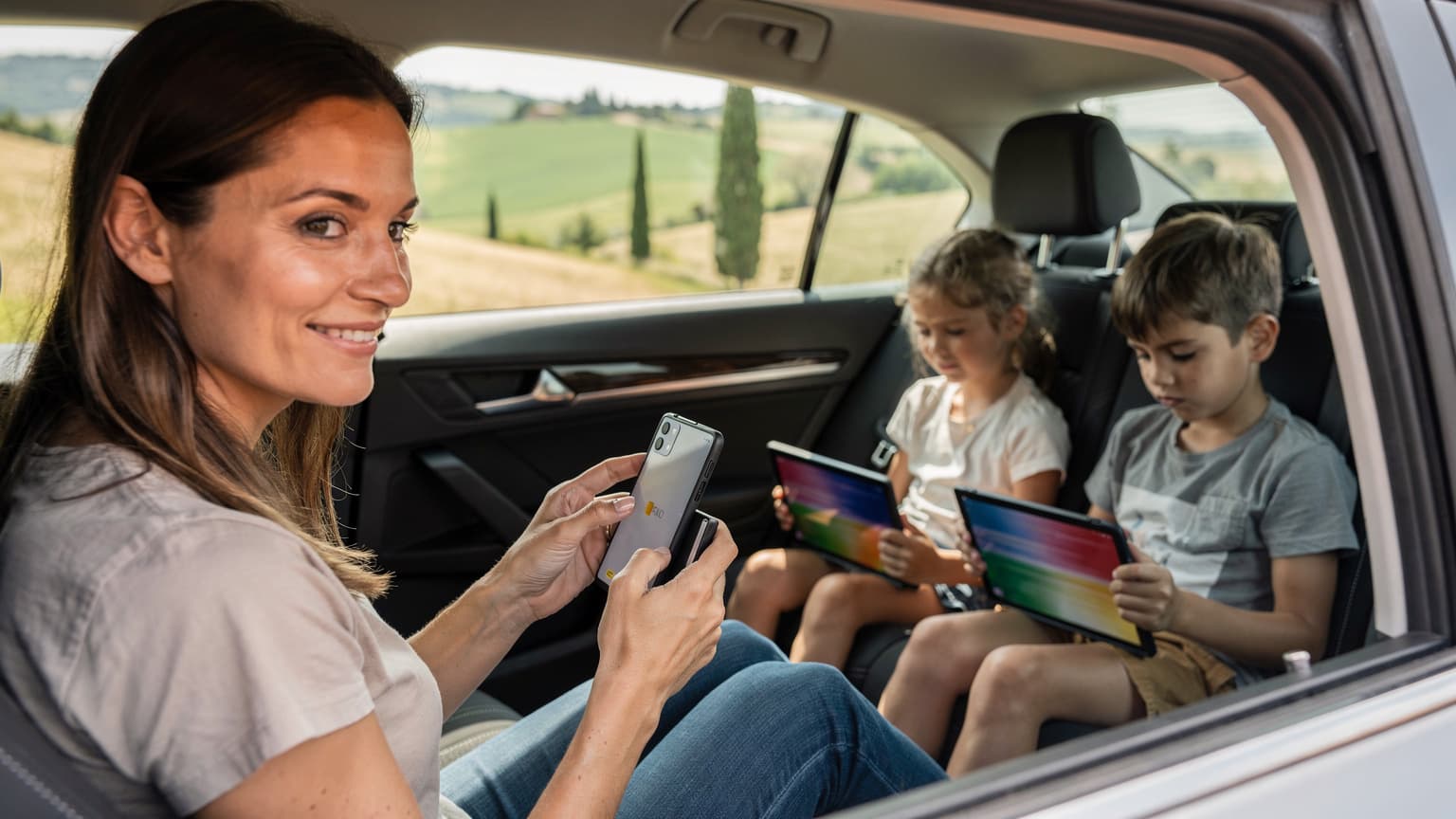
Let's be honest, family travel in 2026 often means bringing along a small arsenal of devices. From iPads loaded with offline Netflix downloads for the plane to Nintendo Switches needing an internet connection for online multiplayer during downtime, connectivity is no longer a luxury, it's a necessity. As a parent who's dragged my kids, ages 4 to 12, through 30 countries (and countless Wi-Fi dead zones), I can tell you that a reliable data plan is as essential as passports and snacks. It's not just about staying in touch, it's about maintaining a semblance of peace on long journeys and ensuring my kids can access their educational apps or a quick game of Minecraft without draining my own phone's battery or, worse, running up exorbitant roaming charges.
The shift to eSIMs has been a huge improvement for solo travelers, offering flexibility and convenience. But for families, the situation gets a little more complex. We're not just looking for a single data line, we're strategizing how to keep three, four, or even five devices connected, often with different usage patterns. My main concerns usually revolve around:
- Sufficient Data: Can this plan handle two kids streaming Disney+ for a few hours in a hotel room, plus my husband's work emails and my endless navigation checks?
- Multi-Device Management: How easy is it to share data or manage multiple eSIMs from one account, especially when a child's iPad needs a top-up?
- Parental Controls: Do any of the eSIM solutions offer features that integrate with existing parental control apps or allow me to monitor usage across devices?
- Cost-Effectiveness: Is it truly cheaper than a local SIM or my home carrier's roaming plan when scaled for a whole family?
These are the questions that keep me up at night, and they're precisely what we'll explore as we compare Nomad eSIM with other strong contenders, especially for the unique demands of family travel.
Nomad eSIM at a Glance: What It Offers Families
Nomad eSIM has positioned itself as a solid option for travelers seeking flexible data plans without physical SIM cards. They offer a range of regional and country-specific plans, often with competitive pricing, and their app is generally user-friendly. For a solo traveler, or perhaps a couple with minimal data needs, Nomad can be a perfectly adequate choice. Their strength lies in their variety of data packages, from small 1GB plans for short trips to larger bundles for extended stays. You can usually find a plan that fits a specific duration, whether it's a 7-day trip to Mexico or a month-long European adventure.

However, when we bring the kids into the equation, the picture shifts slightly. Nomad's focus tends to be on individual device connectivity. While you can certainly purchase multiple eSIMs through their platform, one for each family member's phone or tablet, managing them all can become a bit of a logistical puzzle. There isn't typically a shared data pool across multiple eSIMs purchased under one account, meaning each device operates on its own separate data allowance. This can be fine if you're meticulous with tracking, but I've learned that 'meticulous' and 'family vacation' rarely coexist peacefully.
Nomad's Coverage and Speed Expectations
Nomad operates by partnering with various local carriers, which means their coverage and speeds depend entirely on the local infrastructure. In major cities, you'll generally find good 4G LTE speeds. In more rural areas, or inside buildings like some theme park attractions (a common pain point!), connectivity can be spotty. This is standard for most eSIM providers, but it's crucial to check which local carrier Nomad is using for your specific destination. I always cross-reference this with local coverage maps before committing, especially for destinations where I know we'll be relying heavily on iPhone eSIMs for navigation or keeping the kids entertained.
Why Look Beyond Nomad for Family Data
While Nomad eSIM offers a good baseline, families often require a more robust and integrated solution. The biggest challenge I've found with single-line eSIM providers when traveling with my crew is the lack of a centralized management system. Imagine this scenario: we're halfway through our day at Disneyland Paris, my eldest's iPad has just run out of data from his 5GB Nomad plan (thanks, Roblox updates!), and my phone, which has its own 10GB Nomad plan, is still chugging along. The issue? I can't easily top up his data from my pool, nor can I transfer data. It means another separate purchase, another activation, and more administrative hassle.
Furthermore, the data plan sizing can be tricky. When you have two kids who might spontaneously decide to stream 'Moana' for the fifth time in a row, a 10GB plan for each child can vanish quicker than a churro at Epcot. We're talking about a family data plan sized for two kids streaming Disney+ alongside a parent doing some light browsing and map checks. This often means needing plans that are at least 20-30GB per device for a week-long trip, or even higher if they're heavy users. Most individual eSIM plans don't really cater to this kind of aggregated usage effectively.
The Multi-Device Dilemma and Data Sharing
The ability to share data seamlessly across multiple devices is a huge differentiator for families. If I have a single eSIM on my phone and I need to hotspot my kids' iPads, that's one thing. But if each device has its own eSIM, the administrative burden increases exponentially. I'm usually juggling my phone, my husband's phone, two iPads, and sometimes even a laptop with an eSIM for PCs if I'm trying to get some work done. Keeping track of who's used what data, and which plan is about to expire, becomes a full-time job. This is where providers with family-focused features truly shine.
Cellesim: A Tailored Solution for Family Connectivity
This is where Cellesim truly stands out for families. Unlike many providers that focus on single-user simplicity, Cellesim has recognized the unique needs of multi-device households. They offer plans that are designed with families in mind, providing greater flexibility and often better value when you're purchasing data for more than just yourself. Their approach often includes options for shared data pools or easily manageable multi-eSIM accounts, which is a blessing for any parent.
Shared Data and Pooled Plans
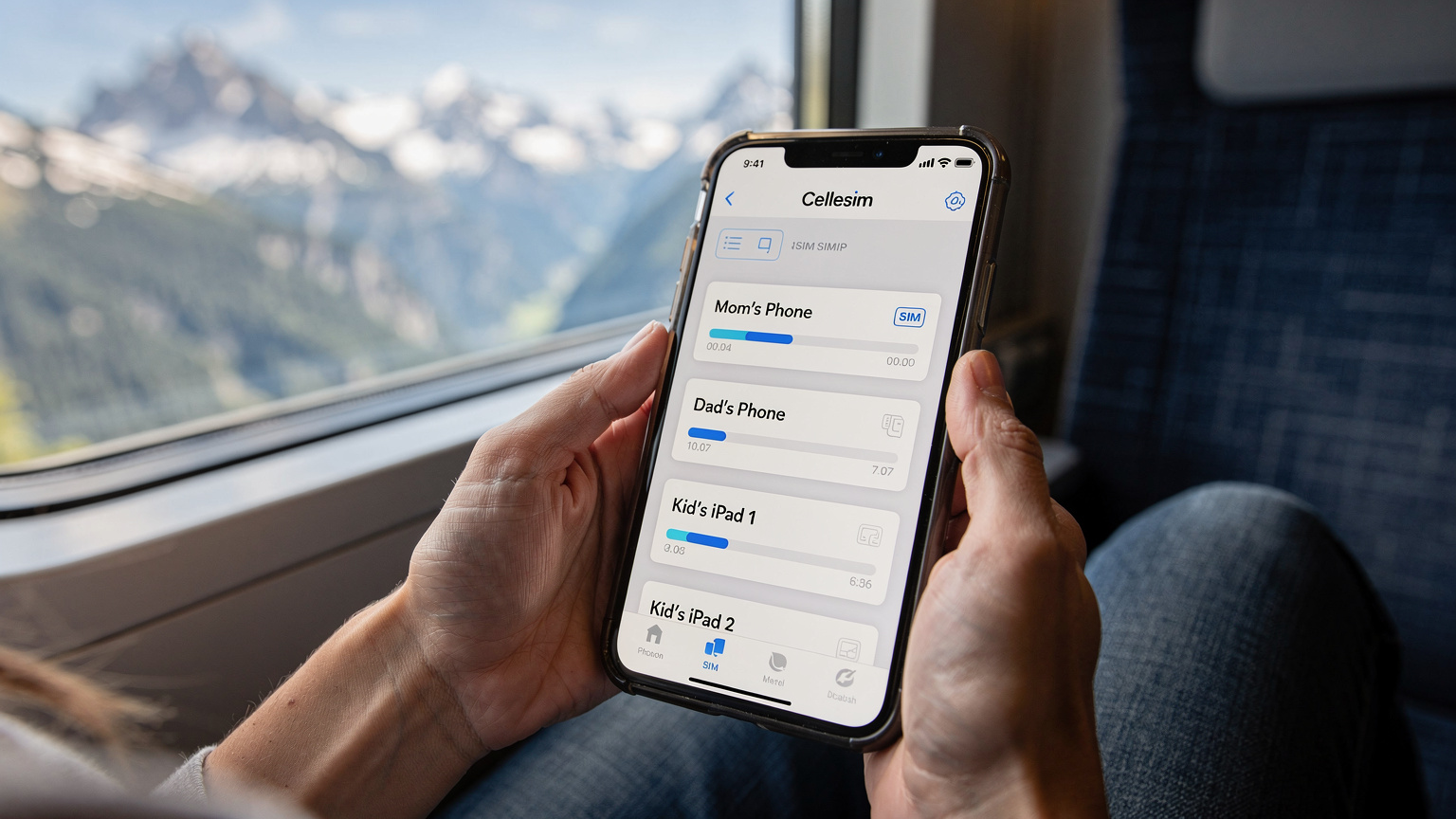
One of Cellesim's key advantages for families is the potential for shared data. Instead of buying individual 5GB plans for each device and watching them vanish at different rates, Cellesim often provides options where you purchase a larger data bundle (say, 50GB) that can be distributed or shared amongst linked devices. This means if my youngest is having an intense Minecraft session, and my eldest is just doing light browsing, their combined usage pulls from one bucket. No more frantic individual top-ups. This is a crucial feature for parents like me who are always trying to get more data for our dollar.
This centralized management is a game-changer. I can log into one Cellesim account and see the data usage across all our family's eSIMs. This insight is invaluable for preventing unexpected cut-offs and managing screen time, especially when we're trying to conserve data for critical navigation or emergency calls.
Cellesim Coverage and Partner Networks
Cellesim, like Nomad, partners with local carriers. However, my experience has shown that Cellesim often has more robust partnerships, sometimes offering access to multiple networks in a single country, ensuring better coverage, particularly in less populated areas or tricky spots. For example, in the USA, where coverage can vary wildly between regions, Cellesim might leverage both AT&T and T-Mobile networks, giving you better chances of a strong signal whether you're in New York City or exploring a national park. This multi-network access is a significant benefit for families who venture beyond major urban centers.
| Feature | Nomad eSIM (Typical) | Cellesim (Typical) |
|---|---|---|
| Multi-Device Management | Individual eSIMs, separate management | Centralized account, pooled data options |
| Data Sharing | Not typically available directly | Often available for family plans |
| Parental Controls Integration | Limited, relies on device settings | Better potential for usage monitoring |
| Coverage Flexibility | Single carrier per plan | Often multi-carrier access in one country |
| Pricing Model | Per-eSIM purchase | Per-eSIM or family bundles |
Data Needs for the Digital Family: Sizing Your Plan
This is where my planning love language truly comes out. When I say 'data plan sized for two kids streaming Disney+', I mean it. I've learned the hard way that a few gigabytes simply won't cut it. Here's a rough breakdown of what a typical family might consume:
- Streaming (Disney+, Netflix, YouTube Kids): A single hour of standard definition streaming can consume 0.7 GB. If two kids watch for two hours a day, that's almost 3 GB daily. Over a week, you're looking at 21 GB just for streaming. High definition doubles this.
- Gaming (Roblox, Minecraft, Switch online): Online gaming uses less data than streaming, maybe 50-100 MB per hour, but updates can be massive.
- Social Media/Browsing (Parents): Moderate use, including photo uploads, map lookups, and quick checks on Instagram, can easily hit 1-2 GB per day.
- Video Calls (Parents): A 30-minute Zoom call uses about 0.5 GB.
- Navigation/Offline Maps: While I always pre-load Google Maps offline, occasional online searches or real-time traffic updates add up.
Considering this, for a family of four (two adults, two streaming-capable kids) on a week-long trip, I'd aim for a minimum of 50-70 GB of shared data. This might sound like a lot, but trust me, it's better to have too much than to be scrambling for a top-up in the middle of a picturesque but connectivity-challenged Italian village. For us, a good family data plan needs to accommodate those unexpected bursts of usage, like when the kids discover a new show they absolutely *must* binge.
Pre-loading Apps and Content Before You Fly
One of my golden rules for family travel: pre-load everything humanly possible before you even leave your home Wi-Fi. This includes:
- Offline Maps: Download entire regions on Google Maps or Apple Maps.
- Streaming Content: Download movies and TV shows from Netflix, Disney+, and YouTube Kids.
- Games: Ensure all games, especially those on iPads or the Nintendo Switch, are fully updated and any offline content is downloaded.
- E-books and Audiobooks: Load up on bedtime stories or long-drive entertainment.
- Parental Control Apps: Make sure apps like Apple Screen Time or Google Family Link are configured and working before departure, especially if they rely on a data connection for initial setup.
By doing this, you significantly reduce the immediate data drain upon arrival and during transit, saving your precious eSIM data for actual online needs, like finding that hidden gelato shop or translating a local menu.
Installation and Management: Keeping It Simple for Parents
When you're trying to wrangle two tired children and navigate a new airport, the last thing you need is a complicated eSIM activation process. Both Nomad and Cellesim generally offer straightforward installation via QR code or manual entry, which is a huge improvement over hunting for physical SIM cards. However, the ease of ongoing management is where Cellesim often pulls ahead for families.
Activating an eSIM: A Step-by-Step for Multiple Devices
Here’s how I typically manage eSIM installation for our family, ensuring everyone's device is ready:
- Purchase eSIMs: Buy Cellesim family plans or individual eSIMs for each device (my phone, my husband's phone, two iPads). Make sure to check the validity period and data allowance for each.
- Distribute QR Codes: If not a pooled plan, I'll email the QR codes for the kids' iPads to my husband's phone or my own, so I can scan them directly from the device screen onto the iPads.
- Install on Each Device: On each iPhone or compatible Android device, go to Settings > Cellular/Mobile Data > Add eSIM. Choose 'Use QR Code' and scan. For iPads, it's similar, often found under Settings > Cellular Data.
- Label eSIMs Clearly: Rename each eSIM profile immediately. 'Cellesim-Rachel', 'Cellesim-Mark', 'Cellesim-iPad1', 'Cellesim-iPad2'. This prevents confusion, especially if you need to troubleshoot. (And believe me, if you ever lost your eSIM number, clear labeling saves you a headache.)
- Set Default Lines: For phones, decide which line is primary for calls/texts (usually home SIM) and which is for data (eSIM). For iPads, the eSIM will be the primary data source.
The key here is doing this before you leave home, or at least in a calm environment with Wi-Fi, not when the kids are clamoring for their devices on a transatlantic flight.

Connectivity in Tricky Spots: Theme Parks and Cruise Ships
Ah, the unique challenges of family travel. Theme parks and cruise ships are notorious for their connectivity black holes. You're often surrounded by thousands of people all trying to connect, or you're literally out at sea. This is where the underlying carrier partnerships of your eSIM provider truly matter.
Inside Theme Park Gates
At places like Universal Studios Japan or Walt Disney World, Wi-Fi can be notoriously spotty, especially during peak hours. You're relying on your cellular data for everything from checking ride wait times on the park app to coordinating with family members when you inevitably split up. My experience is that while major carriers generally have decent coverage in these areas, the sheer density of users can slow things to a crawl. Some eSIM providers, like Cellesim, which often tap into multiple local networks, might offer a slight edge here by potentially connecting you to a less congested tower. Always check recent traveler reviews for specific parks, as connectivity can change year to year.
"During our trip to Tokyo DisneySea, my Cellesim connection on my iPhone eSIM was surprisingly robust, even with all the crowds. I could coordinate with my sister's family effortlessly and keep the kids on their learning apps during stroller naps, which was a huge relief." - Rachel Kim, Global Destination Editor.
Data on the High Seas: Cruise Ship Connectivity
Cruise ships are a whole different beast. Once you're out of range of coastal cell towers, your regular eSIM (Nomad, Cellesim, or any other) will cease to function for data, unless it explicitly states it offers maritime roaming. Most standard eSIM plans are designed for land-based cellular networks. On a cruise, you'll either rely on the ship's expensive satellite Wi-Fi packages or find yourself in a digital detox (which, let's be honest, isn't always feasible with kids!). Some premium eSIMs might offer limited maritime roaming, but it's usually at a significantly higher cost. My advice here is to use your eSIM for port days and budget for the ship's Wi-Fi if you absolutely need connectivity while at sea. Pre-loading is key here, too, as you'll want entertainment for those sea days.
Beyond the Basics: Parental Controls and Safety Features
This is where my parent-of-travelers Facebook group lights up. We're all concerned about screen time, age-appropriate content, and online safety, especially when traveling. While eSIMs themselves don't inherently come with parental control features, how they're managed can significantly impact your ability to implement them.
Leveraging Your Device's Built-in Controls
Most modern smartphones and tablets have robust parental control features:
- Apple Screen Time: Allows you to set downtime, app limits, content restrictions, and communication limits across all Apple devices linked by Family Sharing. This works over any data connection, including eSIM.
- Google Family Link: Similar to Screen Time, Family Link lets you manage app usage, screen time, and even location tracking for Android devices.
- Amazon Kids+: For Amazon Fire tablets, this service provides curated content and strong parental controls.
The crucial part is that these features rely on a consistent internet connection to enforce rules and report usage. If a child's iPad loses data because their individual eSIM ran out, those controls might not update or enforce correctly, leading to potential workarounds (or just plain boredom, which isn't always a bad thing!). With a pooled data plan from Cellesim, where the overall data budget is larger and managed centrally, the likelihood of a child's device running out of data unexpectedly is reduced, ensuring continuous enforcement of your parental controls.
Location Tracking and Emergency Connectivity
One of the most vital safety features for families is reliable location tracking. Whether it's 'Find My' for Apple devices or Google's 'Find My Device', these services are invaluable if a child gets separated or a device goes missing. They, too, require an active data connection. A robust eSIM plan, especially one that ensures continuous connectivity across multiple devices, provides a critical safety net. For peace of mind, knowing I can always locate my kids' devices, and thus them, through a reliable data connection, is priceless.
Cost Comparison: Getting the Most for Your Family Budget
Let's talk money. Family travel is expensive enough without adding exorbitant roaming charges. Comparing Nomad eSIM with Cellesim (and other providers) isn't just about the per-GB cost, it's about the overall value for a family. This includes not just data, but also the peace of mind that comes with reliable service and ease of management.
| Provider | Typical 10GB Plan (e.g., Europe) | Family-Friendly Features | Best For |
|---|---|---|---|
| Nomad eSIM | €20-€25 (30 days) | Individual plans, separate purchases | Solo travelers, light data users |
| Cellesim | €18-€22 (30 days, or part of a larger bundle) | Pooled data options, centralized management, multi-country bundles | Families, heavy data users, multi-country trips |
| Airalo | €23-€27 (30 days) | Individual plans, easy top-ups | Individual travelers, short trips |
When you're looking at a 50GB plan for a family for a week, Cellesim's bundles often come out ahead on a per-GB basis. The initial cost might seem higher than a single 5GB Nomad plan, but when you multiply that by 3 or 4 devices, the cost efficiency of a larger, pooled plan becomes clear. Plus, not having to worry about constant top-ups for individual devices saves both money and mental energy. It's not just about the numbers on the screen, but about the smooth experience.
For example, if you're traveling to the USA, is an eSIM worth it? Absolutely, especially when you consider the cost of traditional roaming. A Cellesim regional plan for North America can cover multiple family members and save hundreds compared to carrier roaming over a two-week trip. It's about smart budgeting, not just cheap data.
Real-World Scenarios: Family Travelers Share Their Experiences
I'm always collecting anecdotes from my Facebook group, and the consensus is clear: families need robust solutions. Here are a few common scenarios where the right eSIM choice makes all the difference:
The Long-Haul Flight Survival Kit
"We were flying from Austin to Tokyo, a solid 14-hour flight. My Cellesim plan was active on my phone, and I had pre-loaded the kids' iPads with a ton of content using our home Wi-Fi. But midway through, my 8-year-old discovered a new game on his iPad that needed an update to play online. Luckily, I had enough data on my Cellesim family plan to hotspot his iPad quickly, get the update done, and avert a meltdown. The connectivity inside the airplane (after landing and taxiing, of course!) was solid enough for that. If I had individual, smaller Nomad plans for each device, I'd have been out of luck or facing an expensive top-up."
Navigating a European Road Trip
"Last summer, we drove through France and Italy. With two teenagers, navigation and social media were paramount. We used a Cellesim Europe-wide plan on my husband's phone and my own, with our iPads tethering off whichever phone had the strongest signal. The ability to just drive from Provence to Tuscany without changing anything, and knowing we had ample data, was amazing. We even managed to stream a movie in our Airbnb in Florence after a long day of sightseeing, without hitting any data caps. This kind of flexibility is essential for late summer festival hopping or general touring."
Keeping Tabs at a Resort
"At a family-friendly resort in Bali, the Wi-Fi was notoriously slow and unreliable. My kids (10 and 12) still wanted to connect with friends on Discord and watch YouTube. We used our Cellesim data plan, which had great coverage across the island. The parental controls on their devices, enforced via the continuous data connection, meant I could monitor their screen time even when they were off doing their own thing around the resort. It gave me peace of mind."
Ultimately, choosing the right eSIM for your family comes down to understanding your specific needs. While Nomad eSIM is a good contender for individual travelers, families will often find that Cellesim's multi-device, pooled data, and robust coverage options offer a more stress-free and cost-effective solution for navigating the digital demands of travel in 2026.
Frequently Asked Questions
Can I share data from a Nomad eSIM with my kids' devices?
Typically, Nomad eSIMs are single-device plans. While you can hotspot from your phone, it consumes your individual data and doesn't allow for shared data pools across multiple Nomad eSIMs purchased under the same account. This can make managing data for several devices challenging.
Does Cellesim offer family plans that pool data for multiple devices?
Yes, Cellesim often provides family-friendly options, including pooled data plans or easily manageable multi-eSIM accounts. This allows you to purchase a larger data bundle and distribute or share it among linked devices, simplifying data management for the whole family.
How much data should I budget for two kids streaming video on a week-long trip?
For two kids streaming standard definition video for a couple of hours daily, you should budget at least 20-30 GB per child for a week. Combined with other usage, a family of four should aim for a minimum of 50-70 GB of shared data for a week-long trip to avoid running out.
Will my parental control apps like Screen Time work with an eSIM?
Yes, parental control apps like Apple Screen Time or Google Family Link will work over an eSIM's data connection. Consistent data access is crucial for these controls to enforce limits and report usage accurately, which is easier to maintain with a robust family-oriented eSIM plan like Cellesim's.
Is connectivity reliable in theme parks or on cruise ships with an eSIM?
In theme parks, eSIM reliability depends on local carrier partnerships and crowd density. Cellesim, with its potential for multi-network access, might offer better chances of a strong signal. On cruise ships, standard eSIMs generally won't work once out of coastal range; you'll likely need the ship's satellite Wi-Fi.
Can I use an eSIM for SMS texting while traveling?
Most data-only eSIMs do not come with an SMS number. You can use internet-based messaging apps like WhatsApp or iMessage over your eSIM data. For a deeper dive into texting with an eSIM, you can read our guide on eSIM SMS: Can You Text While Traveling in 2026?