The Carnival Connectivity Challenge: Understanding London's Network Density
Notting Hill Carnival draws over two million people into a relatively small area, mostly around Notting Hill, Ladbroke Grove, and Westbourne Park. This huge gathering creates a serious problem for mobile networks: cell overload. It's not just about a slow connection; it's about the basic ability of cell towers to handle so many people trying to connect and use data all at once.
London's main carriers, EE, Vodafone, Three, and O2, all have big 4G and 5G networks. Normally, their coverage and speeds are great. For example, in central London, you might see 4G download speeds of 30-80 Mbps on EE's B7 (2600 MHz) and B3 (1800 MHz) bands. 5G on n78 (3500 MHz) often hits over 200 Mbps. But during Carnival, those numbers are mostly wishful thinking. The issue isn't how strong the signal is, but how many active users are all fighting for a piece of the available network. Imagine a major highway built for 100,000 cars a day suddenly trying to handle two million. That's what happens to the radio access network (RAN).
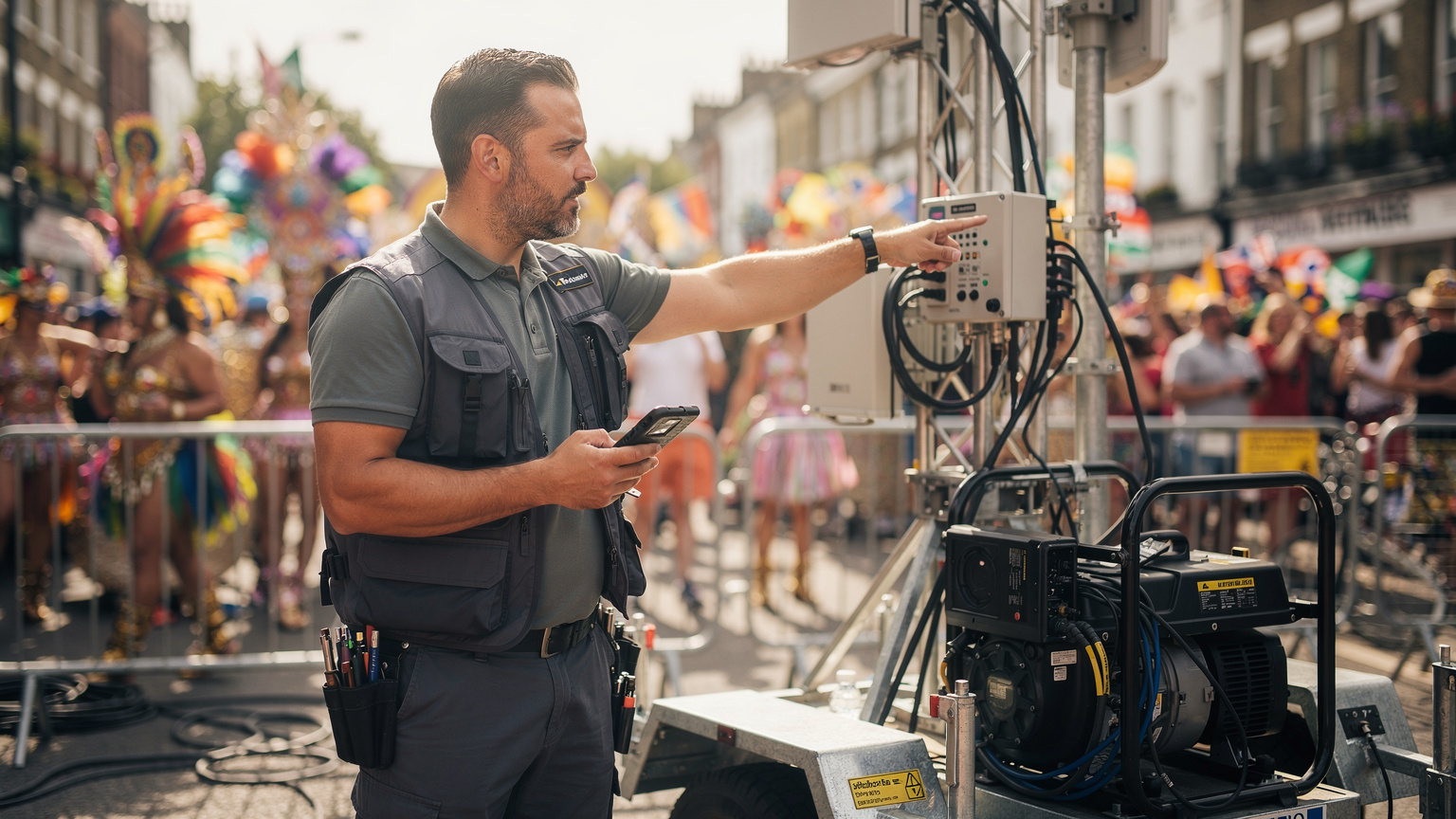
Operators do bring in temporary cell towers, called COW (Cells On Wheels) or COLT (Cellular On Light Truck) units, to boost capacity in these busy spots. But even these have their limits. You should expect speeds to drop significantly, for both downloads and uploads, especially during peak parade times (Sunday afternoon for Children's Day and Monday afternoon for the Grand Finale). You'll probably still be able to send instant messages and browse basic websites, though with noticeable delays. Forget about video calls or live streaming, those will likely be a struggle.
What is Cell Overload and How Does It Impact You?
Cell overload happens when too many active users try to connect to one cell tower, or base station, and it just can't handle them all. Every cell tower has a limited amount of radio spectrum and processing power to share with connected devices. When that limit is hit, you'll experience delays, calls that don't go through, and much slower data speeds. For you, this means:
- Delayed Messages: WhatsApp and iMessage might show single checkmarks or take a long time to send.
- Slow Loading Times: Websites and social media feeds will take forever to refresh.
- Dropped Calls: Voice calls, even VoLTE (Voice over LTE) calls, can be hard to start or might cut out in the middle due to everyone competing for resources.
- App Glitches: Navigation apps or the official Carnival app might struggle to load maps or get real-time updates.
Knowing this basic limitation is the first step to planning your phone use for Carnival.
eSIM vs. Traditional Roaming: Why Local Data Wins
When you travel abroad, you usually have two choices for your phone: use your home carrier's roaming service (like AT&T's International Day Pass or Verizon's TravelPass) or get local data, either with a physical SIM card or an eSIM. For a huge event like Notting Hill Carnival, where a stable connection is everything, local data, especially through an eSIM, almost always beats traditional roaming.
Traditional roaming is convenient, but it often sends your data all the way back to your home country's network before it goes to its London destination. This adds delay, often called the 'trombone effect,' which is bad anytime but even worse when networks are already overloaded. Plus, roaming agreements often put your device at a lower priority than people who subscribe directly to the local network. This makes slowdowns even worse during peak congestion.
An eSIM, on the other hand, lets you put a local UK data plan directly onto your compatible phone. This skips all those roaming inefficiencies. Your phone talks directly to a UK network, gets local routing, and most importantly, is treated like a local subscriber. This means you'll get a more stable connection, even if it's still challenging, during these huge events.
| Feature | Traditional Roaming (e.g., AT&T IDP) | UK Local eSIM (e.g., Cellesim) |
|---|---|---|
| Network Priority | Lower priority, especially during congestion. Traffic routed internationally. | Local priority, direct access to UK network. Traffic routed locally. |
| Cost per GB | Typically higher, e.g., $10-$15/day for limited data at high speeds, then throttled. | Significantly lower, e.g., £5-£20 for multiple GB over several days. |
| Activation | Automatic upon arrival, no setup. | Digital download and activation, requires initial Wi-Fi. |
| Flexibility | Limited plan options, tied to home carrier. | Wide range of plans, choice of network, easy switching. |
| VoLTE/VoWiFi | Generally supported if home carrier offers it, but might route through home network. | Supported by major UK carriers (EE, Vodafone, O2, Three) if device and plan allow. Some MVNOs may restrict. |
| Number Retention | Your primary number remains active. | Your primary number remains active for calls/texts, eSIM handles data. |
The Cost Advantage of eSIM Over Roaming
Beyond how well it works, an eSIM just makes more financial sense. Think about a typical US roaming plan, like Verizon's TravelPass, which costs $10 a day. For a 3-day Carnival visit, that's $30, often for capped high-speed data that then gets slowed down. For the same amount of time, a UK eSIM from Cellesim might give you 10GB of data for around £12-£15 (about $15-$19 USD). That's not just a small saving; it's often 30-50% less money for better service. This is especially important if your trip goes beyond the Carnival weekend, say, if you're also heading to Edinburgh Fringe 2026.
Plus, many roaming plans have daily limits. Once you hit them, your speeds drop drastically to old 2G levels (around 128 kbps). That kind of speed is basically useless for anything more than basic text messages in a crowded, data-hungry environment. An eSIM plan, even with a data cap, usually keeps its faster speeds until you've used up your allowance.
Choosing Your London eSIM Provider: Network Performance Analysis
Not all eSIMs are the same. Their performance directly depends on the network they use. In the UK, the four main mobile network operators (MNOs) are EE, Vodafone, Three, and O2. Many eSIM providers, including Cellesim, are MVNOs (Mobile Virtual Network Operators), which means they lease network capacity from these MNOs. Knowing which MNO powers your eSIM is super important for Notting Hill Carnival.
Historically, EE has often been the fastest and had the best coverage in the UK, especially outside big cities. For London, though, it's a bit more complex. During a huge event like Carnival, what really matters isn't just raw speed, but how resilient and well-managed the network is. All the major operators will add extra infrastructure, but some handle stress better than others.
| UK MNO | Key Frequencies (London) | Notting Hill Carnival Performance Expectation | Typical London 4G Download (non-Carnival) |
|---|---|---|---|
| EE | B3 (1800 MHz), B7 (2600 MHz), B20 (800 MHz), n78 (3500 MHz for 5G) | Generally robust. Strongest 5G footprint. Likely to deploy significant COW units. Still expect considerable slowdowns. | 40-90 Mbps (peak up to 150 Mbps). 5G often 200-400 Mbps. |
| Vodafone | B3 (1800 MHz), B7 (2600 MHz), B20 (800 MHz), n78 (3500 MHz for 5G) | Good urban performance. Often prioritises VoLTE traffic. Could see stable, but slow, data. | 35-85 Mbps (peak up to 130 Mbps). 5G often 180-350 Mbps. |
| O2 | B1 (2100 MHz), B3 (1800 MHz), B7 (2600 MHz), B20 (800 MHz), n78 (3500 MHz for 5G) | Decent coverage but can be more susceptible to congestion in very dense areas. | 25-70 Mbps (peak up to 100 Mbps). 5G often 150-300 Mbps. |
| Three | B1 (2100 MHz), B3 (1800 MHz), B20 (800 MHz), B38 (TD-LTE 2600 MHz), n78 (3500 MHz for 5G) | Known for competitive pricing and generous data. Can sometimes struggle with peak load in specific areas. | 30-75 Mbps (peak up to 120 Mbps). 5G often 170-320 Mbps. |
For Carnival, an eSIM that uses EE or Vodafone is often a safer bet, given how much they invest in city network capacity. Cellesim works with several UK networks, letting you pick a plan that uses your preferred MNO. This is a big plus compared to a physical SIM from just one carrier.
Data Allowance and Validity for Carnival and Beyond
The Carnival itself is two days, but most visitors will spend more time than just the weekend in London. So, think about a multi-day eSIM plan. For example, a 7-day or 15-day eSIM with 10GB or 20GB of data would easily cover the Carnival fun and still give you internet access for exploring other parts of London, like the British Museum or a day trip to Windsor. 10GB might seem like a lot for two days, but remember that a congested network means your phone might spend more time trying to connect, using up both battery and potentially data in the process.
For heavy users, especially those live-streaming or constantly using navigation, an unlimited eSIM might sound great. But you absolutely need to read the fair usage policy. "Unlimited" plans often have speed caps or major slowdowns after you hit a certain data limit (e.g., 20-50GB) to stop network abuse. These caps are usually much higher than what a typical tourist would use, but it's worth checking if you expect to use a ton of data.
Activating Your eSIM: A Step-by-Step Guide for Notting Hill
The best part about an eSIM is that you activate it digitally. No need to hunt for a physical SIM card shop in a foreign city. But you will need a stable Wi-Fi connection for that first setup. I always tell people to activate their eSIM before they even leave home, or at the very least, when they still have Wi-Fi at Heathrow or their London hotel.
Here's how to generally activate your Cellesim eSIM:
- For iPhone (iOS 12.1 or later, iPhone XS/XR and newer): Go to Settings > Cellular (or Mobile Data) > Add eSIM.
- For Android (Google Pixel 3 and newer, Samsung Galaxy S20 and newer, etc.): Go to Settings > Network & internet > SIMs > + Add eSIM. (Note: Menus can vary depending on your Android phone and software version. For instance, some older Samsung models might make you go through 'Connections' first.)
APN Settings: A Rare but Important Edge Case
For most modern smartphones, especially iPhones and Google Pixel devices, the APN (Access Point Name) settings automatically configure when you install the eSIM profile. However, on some Android devices, particularly from less common brands or older models, you might occasionally need to manually set the APN for your eSIM to get online. If your eSIM is active but you can't get data, check the APN.
Cellesim will give you the specific APN setting for its UK partners with your purchase details. Common ones are 'data.uk' or 'giffgaff.com' (depending on the underlying network). You'll usually find this under Settings > Network & internet > SIMs > [Your eSIM Name] > Access Point Names. Add a new APN with the correct details and save it. This isn't a frequent issue, but I've personally run into it on an older Xiaomi phone in Portugal, so it's good to know.
Optimising Your Phone Settings for Peak Carnival Performance
Even with a great eSIM, the sheer number of people at Notting Hill Carnival will strain network resources. You can help by tweaking your phone's settings.
- Stop Automatic App Updates: Background app refreshes and automatic updates eat up a lot of data and battery. Turn these off in your app store settings.
- Limit Background App Refresh: Go into your phone's settings and turn off background app refresh for any apps you don't absolutely need running all the time. This stops them from using data when you're not actively using them.
- Use Data Saver Modes: Most smartphones have a 'Data Saver' or 'Low Data Mode' option in their cellular settings. Turn this on to reduce data usage by limiting background activity and video quality.
- Turn Off Wi-Fi Assist/Smart Network Switch: These features automatically switch between Wi-Fi and cellular data. In a crowded area with potentially flaky public Wi-Fi (which you should avoid for security anyway), this can make your phone constantly look for and connect to weak Wi-Fi signals, draining your battery and messing with your cellular performance.
- Prioritise Essential Apps: If an app like WhatsApp or Google Maps is vital, make sure it has unlimited data usage, while other less important apps are restricted.
- Reboot Periodically: A quick restart can sometimes help your phone get a cleaner connection to the network, especially if you've moved between areas with different cell towers.
Battery Conservation in a Data-Intensive Environment
Your phone's battery will die faster than usual during Carnival. Constantly trying to connect to a stable network in a crowded place demands more power from your phone's radio. Add in frequent screen checks, photos, and videos, and your battery life will plummet.
Besides the data optimisation tips above, here are some battery-saving tricks:
- Dim Your Screen: The display is a huge battery hog. Keep it as dim as you can comfortably see.
- Enable Low Power Mode: Both iOS and Android have special low power modes that restrict background activities and visual effects.
- Carry a Power Bank: A fully charged 10,000 mAh or 20,000 mAh power bank is an absolute must-have for Carnival. Trust me, you'll see people desperate for charging points.
- Close Unused Apps: While modern operating systems are pretty good at managing background apps, explicitly closing apps you're not using can still help.
- Consider Airplane Mode in No-Service Zones: If you find yourself in an area with absolutely no signal (unlikely for most of Notting Hill, but possible in very dense pockets or underground stations), switch to airplane mode temporarily. Your phone constantly searching for a signal is a massive battery drain.
Connectivity for Safety and Navigation: Critical Carnival Apps
Your eSIM isn't just for snapping photos; it's a crucial safety and navigation tool at Notting Hill Carnival. With millions of people, it's easy to get separated from your group, and finding specific floats or food stalls requires reliable maps.
- Official Notting Hill Carnival App: This app is your real-time guide. It usually has interactive maps of parade routes, sound systems, food vendors, and important info like first aid points and lost child centers. Make sure you download it beforehand and keep it updated.
- WhatsApp/iMessage: Essential for talking to your group. Agree on a meeting point and time beforehand, and use these apps for quick check-ins. Be aware that sending pictures or videos will be slow, so stick to text for urgent messages.
- Google Maps/Apple Maps: These are invaluable for getting around Notting Hill. Download offline maps of the area beforehand as a backup, but real-time location sharing and route changes will need data.
- What3words: In a huge crowd, normal addresses are useless. What3words gives every 3-meter square on Earth a unique three-word identifier. Share your What3words location with friends for precise meeting spots or if you need to direct emergency services. For example, you might tell a friend to meet you at ///carnival.steel.drums.
- Emergency Services: Remember, the emergency number in the UK is 999. Your phone, even without an active eSIM or data, can usually still make emergency calls, but having data means you can use location services to pinpoint yourself.
Lost Friend Recovery Strategies Without Wi-Fi
The streets of Notting Hill will not have reliable public Wi-Fi during Carnival. Relying on it is a mistake. Your eSIM is your lifeline for finding lost friends. My advice:
- Agree on a 'Panic Point' beforehand: Before you even enter the Carnival, decide on a specific, easy-to-spot, and less crowded landmark as a backup meeting point if you get separated and can't communicate (e.g., the front entrance of Notting Hill Gate station, or a specific pub away from the main route).
- Share Live Location: Turn on live location sharing with your group on WhatsApp or Google Maps. This lets you see each other's general whereabouts, even if communication is spotty.
- Low-Bandwidth Communication: If data speeds are really bad, switch to SMS (Short Message Service) if your home SIM is still active for calls/texts, or keep trying text-based messaging apps. Don't send photos or videos.
- Visual Cues: Wear distinctive clothing or carry a small, easily recognizable flag or item that makes your group stand out in the crowd. This isn't data-dependent, but it's a smart tip.
- Set Check-in Times: Agree to check in via text every hour or two, even if it's just a simple 'OK' message, to confirm everyone is still together or accounted for.
Multi-Day London eSIM Strategies: Beyond Carnival Weekend
Most people visiting Notting Hill Carnival will probably spend a few extra days in London, arriving early or staying later to explore the city. Your eSIM plan should cover this extended period.
- Longer Validity, More Data: Instead of a 3-day plan, think about a 7-day or 15-day eSIM with more data. For example, Cellesim offers a 15GB, 30-day plan for £19.99 (about $25 USD) which would easily cover a week-long London stay. This means no topping up or buying another plan mid-trip.
- Regional vs. UK-Specific eSIMs: If your trip goes beyond the UK to other European places (maybe a quick flight to Marrakech Medina), a regional Europe eSIM might be an option. These usually cover several countries (like EU+UK) and can be cheaper than buying individual country eSIMs. However, their data allowances might be smaller than a dedicated UK eSIM, and network performance can vary by country. For Carnival itself, a UK-specific eSIM will generally work better because it connects directly to a local network.
Preserving Your Primary Number While Using eSIM
One of the best things about eSIMs is that you can keep your main phone number for calls and texts while using the eSIM for data. This 'dual SIM' feature is incredibly useful for international travel. Here's how to set it up:
- Keep Your Home SIM Active: Don't take out your physical SIM card. Your home number will still receive calls and texts.
- Set Default Voice Line: In your phone's cellular settings, choose your home SIM as the default for 'Voice' or 'Calls'. This makes sure you get calls to your home number.
- Set Default Data Line: This is key. Set your new Cellesim UK eSIM as the default for 'Mobile Data' or 'Cellular Data'.
- Disable Data Roaming on Home SIM: This is super important. Go to your home SIM's settings and explicitly turn OFF 'Data Roaming'. This prevents any accidental, expensive data usage on your home plan.
- VoLTE and VoWiFi Considerations: If your home carrier supports VoLTE (Voice over LTE) and VoWiFi (Voice over Wi-Fi), your calls and texts will often still work even if your data is handled by the eSIM. However, some older phones or specific carrier setups might struggle with VoLTE when the data is coming from a different SIM. Always test this with a quick call once your eSIM is active.
Troubleshooting Common eSIM and Network Issues in a Crowd
Even with careful planning, things can go wrong, especially at a huge event like Notting Hill Carnival. Knowing how to quickly fix common problems can save you a lot of frustration.
- No Data Connection:
- Check Data Source: Make sure your Cellesim eSIM is selected as the main data line in your phone's settings.
- Toggle Airplane Mode: Turn Airplane Mode on for 30 seconds, then turn it off. This often forces your phone to reconnect to the network.
- Verify APN Settings: Double-check that the APN settings are correct, especially if you have an Android phone.
- Reboot Device: A full restart can fix many temporary network problems.
- Slow Speeds:
- Manage Expectations: Remember, network congestion is unavoidable. Speeds will be slower than usual.
- Move Slightly: Sometimes, moving just a few feet can put you in a better spot relative to a cell tower, improving your signal.
- Close Background Apps: Make sure no data-heavy apps are running in the background.
- VoLTE/VoWiFi Call Issues:
- Check Carrier Support: Confirm that both your home carrier and the UK network partner (for the eSIM) fully support VoLTE/VoWiFi on your device. Some MVNOs might not offer it.
- Try a Standard Call: If VoLTE/VoWiFi fails, your phone might switch to 2G/3G for voice. While lower quality, this might be more reliable for basic calls when networks are congested.
- Accidental Roaming Charges: If you suddenly see charges from your home carrier, immediately check if data roaming was accidentally left on for your physical SIM. Turn it off at once and contact your home carrier if needed. Preventing this is the best approach.
CGNAT and IPv6-Only Networks: What You Need to Know
Many mobile networks, especially those used by MVNOs (which many eSIM providers use), employ CGNAT (Carrier-Grade Network Address Translation) or run on IPv6-only infrastructure with IPv4 translation. For most Carnival attendees, this is largely irrelevant. You'll be able to browse, message, and use apps without a hitch.
However, if you're a power user who depends on specific niche applications, VPNs (Virtual Private Networks), or needs direct incoming connections (for certain remote access tools or P2P networking, for example), CGNAT can complicate things. CGNAT means you don't have a unique public IPv4 address, which can break some VPN setups or make it impossible for outside services to start connections to your device. Similarly, an IPv6-only network might cause problems with older applications or services that haven't been updated to support IPv6. While this is rare for typical tourist use, it's a technical detail worth knowing if you run into unexpected connectivity issues with specific services.
Post-Carnival Data Management and Future London Visits
Once the last steelpan drum has faded and the streets are being cleaned, your eSIM strategy continues. Managing your eSIMs well will set you up for future travels.
- Monitor Data Usage: Keep an eye on how much data you have left. You can easily check this through your Cellesim account or your phone's cellular settings. This helps you plan if you need to top up or use less data for the rest of your London stay.
- Review and Rate: Take a moment to share your eSIM experience. This feedback is really helpful for Cellesim and other travelers.
- Keep or Delete eSIM Profile: If you travel to London often, you might want to keep the eSIM profile on your phone and just reactivate it with a new plan next time you visit. If not, you can easily delete the eSIM profile from your phone's settings. This frees up space (though eSIMs use very little storage) and keeps your settings tidy.
London is a city that keeps drawing people back, whether it's for another Carnival, a visit to the West End, or exploring its countless museums. Having a reliable, pre-configured eSIM solution like Cellesim in your digital toolkit makes sure that future visits are as connected and smooth as possible. It's about making your travel experience better, not just for the spectacle of Carnival, but for every moment you're abroad. For connectivity that spans continents and events, from private islands in the Maldives to the bustling streets of London, the right eSIM strategy is your best companion.
Frequently Asked Questions
Will my phone's data work reliably at Notting Hill Carnival 2026?
Due to immense crowd density, expect significant network congestion at Notting Hill Carnival. While major UK carriers (EE, Vodafone, O2, Three) deploy additional capacity, speeds will likely be much slower than normal. Basic messaging should function, but high-bandwidth activities will struggle.
Is an eSIM better than traditional international roaming for Carnival?
Yes, an eSIM providing local UK data is superior. It offers direct access to a UK network, bypassing international roaming latency and often receiving higher priority than roaming traffic during congestion. It's also significantly more cost-effective, typically saving 30-50% compared to daily roaming passes.
Which UK network is best for an eSIM during Notting Hill Carnival?
For high-density events, networks like EE and Vodafone generally demonstrate stronger resilience and capacity management due to substantial infrastructure investment. An eSIM that partners with either of these MNOs is often a more reliable choice, though all networks will experience slowdowns.
How much data will I need for the Carnival weekend?
For the two main days of Carnival, 5-10GB should be sufficient for messaging, navigation, and light social media. If your trip extends beyond the weekend, consider a 7-day or 15-day plan with 10-20GB to cover additional London exploration without needing to top up.
Can I use my home number for calls and texts while using a Cellesim eSIM for data?
Absolutely. eSIM technology allows dual SIM functionality. Keep your physical home SIM active for calls and texts, but set your Cellesim UK eSIM as the primary for mobile data. Crucially, disable data roaming on your home SIM to avoid unexpected charges.
What if my eSIM doesn't connect to data after activation?
First, ensure the eSIM is selected for mobile data in your phone's settings. Try toggling Airplane Mode on and off, or rebooting your device. For some Android phones, manually checking and correcting the APN (Access Point Name) settings might be necessary. Refer to your Cellesim activation details for the correct APN.