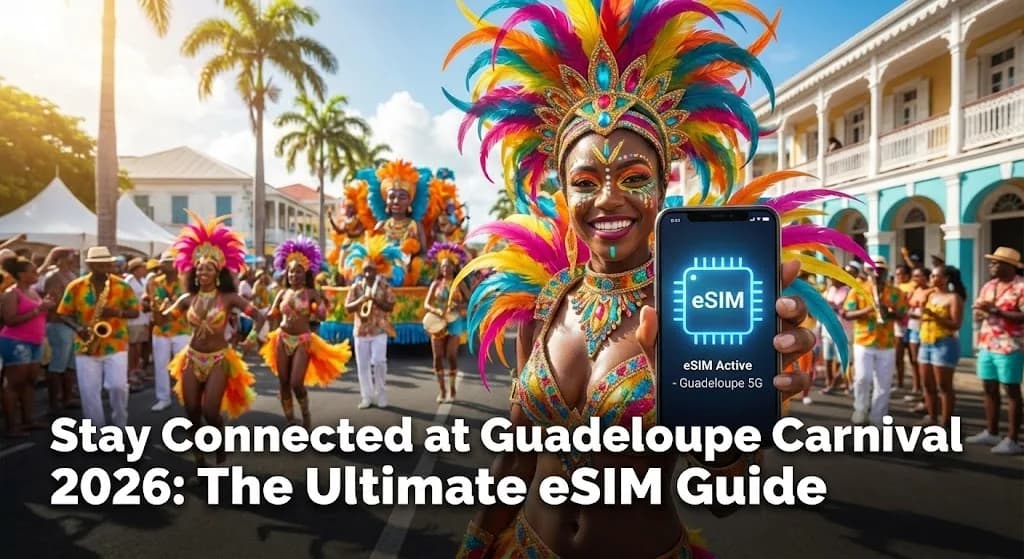
Picture this: You’re in the heart of Pointe-à-Pitre, surrounded by the vibrant chaos of Guadeloupe Carnival 2026. The air thrums with the rhythm of Gwo Ka drums, and a parade of dazzling costumes flows past. You pull out your phone to capture the moment for a live video, find your friends in the crowd, or look up the route for the next procession. And then... nothing. No signal. This scenario can turn an otherwise amazing experience into a stressful one. However, it is completely avoidable.
For anyone heading to this incredible event, an eSIM for Guadeloupe Carnival 2026 is not just a niche tech gadget; it is an essential tool for a seamless trip. It is the modern answer to staying online without hunting for a physical SIM card or dreading a massive roaming bill when you get home. This guide will walk you through everything you need to know, from the basics of the technology to pro tips for using it on the islands. First, it is crucial to confirm your device is compatible. You can quickly check our official list of eSIM Compatible Devices to be sure.
- What Exactly is an eSIM and Why Does It Matter for Guadeloupe Carnival?
- The Unbeatable Benefits of Using a Cellesim eSIM for Your Carnival Trip
- Cellesim eSIM vs. Local SIM for Carnival: A Head-to-Head Comparison
- Ensuring Seamless Network Coverage Across Guadeloupe During Carnival
- Step-by-Step Activation: Getting Your Cellesim eSIM Ready for Carnival
- Choosing the Best Cellesim Data Plan for Your Carnival Experience
- Maximizing Your Connectivity for Carnival: Essential Tips and Troubleshooting
- Frequently Asked Questions
Guadeloupe eSIM: Stay Connected to the Carnival Rhythms
Experience uninterrupted connectivity from the moment you land. Get instant data for maps, social media, and staying in touch.
Shop Guadeloupe eSIM Plans ⚡Join 50,000+ happy customers worldwide.
What Exactly is an eSIM and Why Does It Matter for Guadeloupe Carnival?
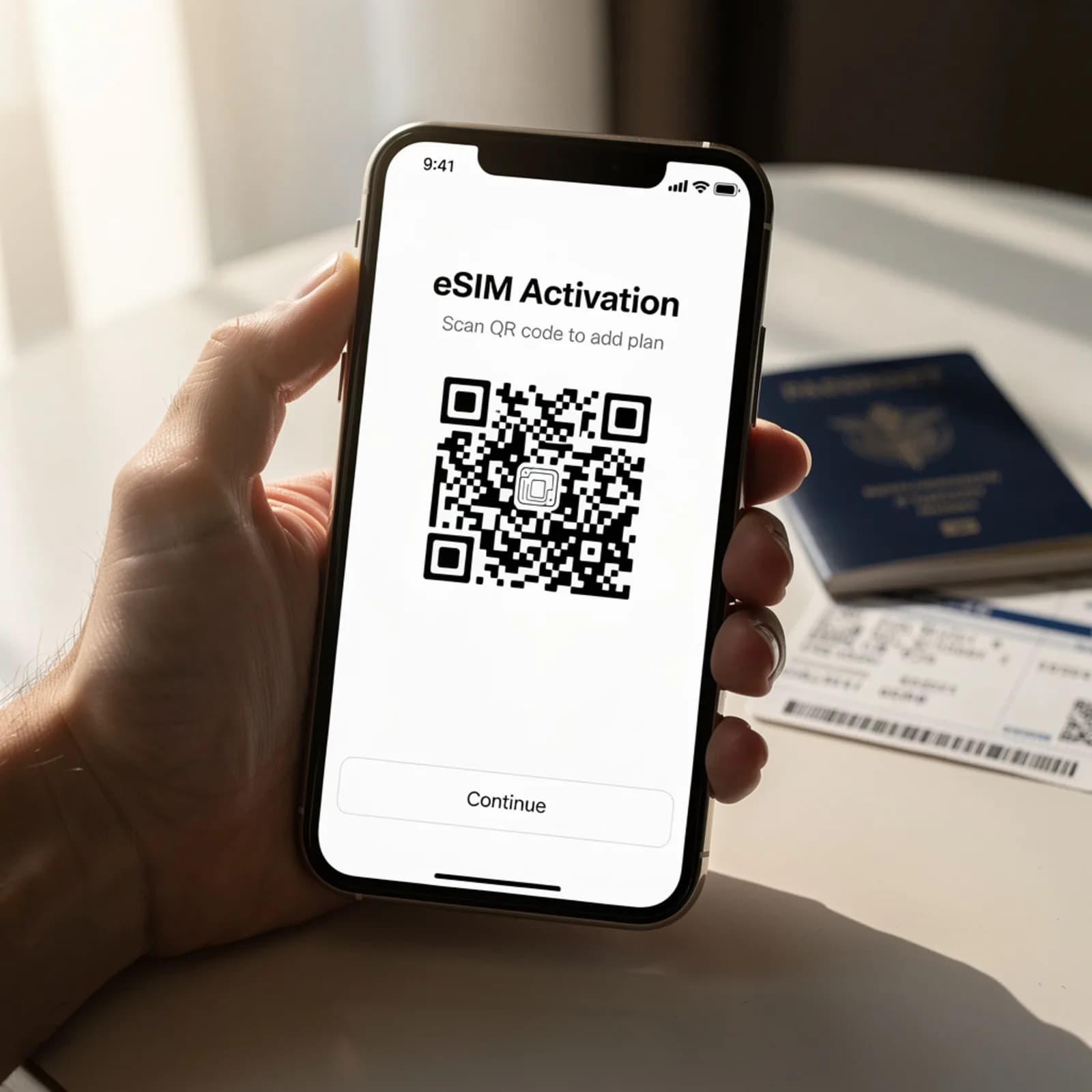
An eSIM, or embedded SIM, is a digital SIM that allows you to activate a cellular plan from a carrier without needing a physical SIM card. Unlike a traditional plastic SIM that you insert into your phone, an eSIM is built directly into your device. It functions by downloading a network profile digitally, typically by scanning a QR code provided by your eSIM carrier like Cellesim.
For a vibrant and fast-paced event like Guadeloupe Carnival, this technology offers significant advantages. Imagine landing at Pointe-à-Pitre International Airport (PTP) amidst the pre-Carnival excitement. Instead of spending valuable time searching for a local mobile shop, navigating potential language barriers, or dealing with queues, your Cellesim eSIM can be activated instantly. This means you can immediately access maps to find your accommodation, communicate with travel companions via messaging apps, or check the official Carnival schedule without delay. The convenience of immediate connectivity removes an often stressful initial travel hurdle, allowing you to immerse yourself in the festivities from the moment you arrive. Our complete guide to eSIM installation provides a step-by-step walkthrough for both iPhone and Android users, ensuring a smooth setup.
The Unbeatable Benefits of Using a Cellesim eSIM for Your Carnival Trip
Beyond the fundamental convenience, deploying a Cellesim eSIM for your Guadeloupe Carnival adventure offers distinct benefits that enhance your overall travel experience, especially during such a crowded and dynamic event.
Instant Connectivity on Arrival in the Carnival Zone
One of the most compelling advantages is instant activation. You can purchase and install your Cellesim eSIM profile days or weeks before your departure. The moment your flight lands in Guadeloupe and you switch off airplane mode, your phone will connect to a local network such as Orange Caraïbe or Digicel. This eliminates the need for physical SIM card swaps, avoiding the hassle of finding a local store or dealing with potential language barriers. You are connected immediately, ready to share your arrival, confirm travel plans, or access crucial information for navigating the Carnival festivities.
Avoid Crippling Roaming Charges
Traditional international roaming plans from your home carrier are often expensive, with costs that can quickly accumulate. Streaming live videos of the parade or uploading high-resolution photos can lead to unexpectedly high bills. Cellesim eSIMs provide prepaid data plans, meaning you pay a fixed, transparent price for a specific amount of data. This gives you absolute control over your budget and protects you from unforeseen roaming fees, allowing you to enjoy the Carnival without financial worry. Learn more about how Cellesim helps you avoid costly roaming charges.
Keep Your Primary SIM for Calls and Texts
Many modern smartphones are equipped with Dual SIM functionality, enabling you to use both your physical home SIM and your Cellesim eSIM simultaneously. This is particularly advantageous as it allows your home number to remain active for essential calls and, critically, for receiving two-factor authentication (2FA) codes from banks or other online services. While your Cellesim eSIM provides affordable data for all your internet-dependent application, from Google Maps to social media, your primary number remains operational for vital communications.
Flexibility and Enhanced Security for Carnival Goers
With a digital eSIM, there is no physical card to misplace, damage, or have stolen, enhancing the security of your connectivity. Should you find your data running low during the Carnival, perhaps after extensively sharing videos from a parade in Basse-Terre or Grande-Terre, topping up your Cellesim plan is a straightforward online process. This flexibility ensures continuous connectivity throughout your trip, without the need to locate a physical vendor. Check your device compatibility with our eSIM Checker before you travel.
Cellesim eSIM vs. Local SIM for Carnival: A Head-to-Head Comparison
When preparing for Guadeloupe Carnival 2026, understanding the differences between an eSIM and a traditional physical SIM card is essential for making an informed connectivity choice. While local SIM cards are an option, the digital nature of an eSIM often presents a more streamlined experience for short-term visitors focused on an event.
The Physical SIM Experience in Guadeloupe
Choosing a physical prepaid SIM in Guadeloupe involves several steps post-arrival. You would need to locate a store or kiosk belonging to a local carrier such as Orange Caraïbe or Digicel. While some airport kiosks exist, they may operate with limited hours or offer less competitive pricing. Once at a store, you will typically need to present your passport for registration, a requirement under French telecommunications law. This process, including travel to the store, potential queues, and administrative steps, consumes valuable time that could otherwise be spent enjoying the Carnival atmosphere. Moreover, you would need to physically swap your home SIM, risking its loss or damage.
The Cellesim eSIM Advantage for Carnival Travelers
The Cellesim eSIM simplifies this entire process. Your Guadeloupe eSIM can be purchased and set up online well in advance of your trip. Activation typically involves scanning a QR code sent to your email, making the process quick and entirely digital. This means no queues, no paperwork at the airport, and no need to remove your home SIM card. The Cellesim eSIM provides immediate, hassle-free internet access, allowing you to dive into the Carnival celebrations the moment you step off the plane.
| Feature | eSIM (Cellesim) | Physical Local SIM | International Roaming |
|---|---|---|---|
| Purchase | Online, pre-trip | In-person (Guadeloupe) | Automatic (home carrier) |
| Activation | Instant (QR code) | Store visit, registration | Automatic, once abroad |
| Convenience | Dual SIM, keep home number | Swap SIM, risk losing home SIM | Keep home number |
| Cost Control | Prepaid, fixed price | Variable local prices | High, unpredictable bills |
| Setup Time | Minutes | Hours (travel, queues) | Zero |
Ensuring Seamless Network Coverage Across Guadeloupe During Carnival
Guadeloupe's mobile network infrastructure is robust, primarily serviced by major carriers like Orange Caraïbe and Digicel. Cellesim partners with these leading local networks to provide reliable and fast data services across the islands, crucial for staying connected during the dynamic Carnival period.
During Carnival, large crowds gather in key areas, particularly in Pointe-à-Pitre and Basse-Terre, which can place a significant strain on local network capacity. While this can lead to temporary slowdowns on any network, Cellesim's agreements with multiple providers often mean better resilience and performance. You can generally expect 4G LTE speeds in urban and popular tourist areas, which is sufficient for streaming videos, video calls, social media updates, and navigation. 5G coverage is expanding, particularly in larger towns, offering even faster speeds for compatible devices.
Before you travel, it is advisable to check the general coverage maps of local carriers to get an idea of signal strength in specific, more remote areas you might visit beyond the main Carnival routes. However, for the primary Carnival locations and popular attractions, Cellesim's connectivity ensures you will remain online to share your experiences and navigate the festivities. Ensure your device is capable of accessing these networks; most modern smartphones support the necessary frequency bands.
Step-by-Step Activation: Getting Your Cellesim eSIM Ready for Carnival
Activating your Cellesim eSIM for Guadeloupe Carnival is a straightforward process designed for maximum convenience. You can complete these steps well before your flight, ensuring you are connected the moment you arrive.
- Purchase Your eSIM Plan: Visit the Cellesim website and select your desired Guadeloupe eSIM plan. Consider the duration of your trip and your estimated data usage during Carnival. Complete the purchase securely online.
- Receive QR Code & Installation Instructions: Immediately after purchase, Cellesim will send you an email containing a QR code and detailed, step-by-step installation instructions. Ensure your phone is connected to Wi-Fi to download the eSIM profile.
- Install & Activate Your eSIM:
- For iPhone: Go to Settings > Cellular (or Mobile Data) > Add eSIM. Choose "Use QR Code" and scan the code. Follow the prompts to label your eSIM (e.g., "Guadeloupe Travel") and set it as your primary line for mobile data when you are in Guadeloupe.
- For Android: The exact steps may vary slightly by device, but generally, navigate to Settings > Network & internet > SIMs > Add eSIM (or Download a SIM). Scan the QR code and follow the on-screen instructions.
For a comprehensive visual guide, refer to our interactive setup guide, which walks you through the process for various devices.
Choosing the Best Cellesim Data Plan for Your Carnival Experience
Selecting the right data plan is key to a stress-free Carnival experience. Cellesim offers various Guadeloupe eSIM plans tailored to different travel needs. Consider the following when making your choice:
- Duration of Stay: Carnival typically lasts several weeks, with the most intense events concentrated over a few days leading up to Ash Wednesday. Match your eSIM plan duration to your actual time in Guadeloupe, especially during the peak Carnival period.
- Data Usage Habits:
- Light User (1-3 GB): Ideal if you primarily need data for navigation, checking emails, messaging via WhatsApp, and occasional social media updates.
- Moderate User (5-10 GB): Suitable for regular social media posting, occasional video streaming of parades, frequent map usage, and some video calls.
- Heavy User (10+ GB or Unlimited): Recommended if you plan to live stream Carnival events, upload many high-resolution photos and videos, work remotely, or rely heavily on tethering to other devices.
- Social Media & Sharing: Carnival is a highly visual event. If you plan to share real-time stories, post videos, or go live on social media, opt for a higher data allowance.
- Tethering: If you intend to use your phone as a hotspot for a laptop or other devices, you will consume data more quickly, so a larger plan is advisable. Cellesim's plans support eSIM tethering.
An average traveler attending Carnival might use 5-10 GB over a week, considering heavy use of maps, messaging, and sharing photos/videos. For more precise estimates, utilize our Smart Data Calculator to gauge your needs based on typical activities.
Find Your Ideal Guadeloupe eSIM Plan
Maximizing Your Connectivity for Carnival: Essential Tips and Troubleshooting
To ensure your Cellesim eSIM provides optimal performance throughout Guadeloupe Carnival 2026, consider these practical tips and common troubleshooting solutions.
Connectivity Tips for Peak Carnival Periods
- Download Offline Maps: Before venturing into crowded parade routes or unfamiliar areas, download offline maps of Guadeloupe using Google Maps or similar applications. This ensures you can navigate even if temporary network congestion occurs.
- Use Wi-Fi When Available: Many hotels, cafes, and restaurants offer free Wi-Fi. Connect to these networks whenever possible to conserve your eSIM data, especially for larger downloads or uploads.
- Monitor Data Usage: Regularly check your data consumption through your phone's settings or the Cellesim website. This helps you manage your remaining allowance and top up if necessary.
- Enable Data Roaming for eSIM: Ensure "Data Roaming" is enabled for your Cellesim eSIM line in your phone settings. Despite the name, this setting allows your eSIM to connect to local networks and does not incur roaming charges from your home carrier.
Troubleshooting Common eSIM Issues
While eSIMs are generally reliable, you might encounter minor issues. Here are quick fixes:
- "No Service" or "Searching":
- **Restart Your Phone:** A simple restart often resolves temporary network glitches.
- **Check eSIM Settings:** Ensure your Cellesim eSIM line is turned on and selected for mobile data.
- **Verify APN Settings:** In rare cases, you might need to manually configure APN settings. These are typically provided in your Cellesim activation email.
- Slow Data Speeds:
- **Network Congestion:** As noted, large crowds during Carnival can cause slowdowns. Try moving to a less congested area.
- **Data Cap Reached:** Confirm you have not exhausted your data allowance. Top up if needed.
- Unable to Connect After Installation:
- **Wi-Fi Connection for Setup:** Ensure you had a stable Wi-Fi connection when you initially scanned the QR code to download the eSIM profile.
- **Contact Cellesim Support:** If issues persist, reach out to [email protected]. Provide your order number and a description of the problem for quick assistance.
"Guadeloupe Carnival is an explosion of culture and joy. With modern connectivity, travelers can fully immerse themselves while staying connected to home and vital information."
Ready for Seamless Connectivity at Guadeloupe Carnival?
Don't let connectivity worries overshadow your Carnival experience. Get connected instantly and reliably with Cellesim.
Start Your Connected JourneyTrusted by 50,000+ travelers worldwide. 24/7 Support.
Frequently Asked Questions
Can I use my regular phone number with a Cellesim eSIM in Guadeloupe?
Yes, absolutely. Cellesim eSIMs are data-only, meaning they provide internet connectivity. Your primary physical SIM remains active in your phone for calls and texts on your home number, allowing you to use both simultaneously with Dual SIM compatible devices. You can receive calls and critical two-factor authentication texts without interruption.
How do I know if my phone is compatible with an eSIM for Guadeloupe?
Most modern smartphones, typically those released in the last 3-4 years by Apple, Samsung, Google, and some other manufacturers, support eSIM technology. You can easily check if your specific device is compatible by visiting our eSIM Checker page or reviewing our list of eSIM Compatible Devices on the Cellesim website.
What if I run out of data on my Cellesim eSIM during Carnival?
If you find yourself low on data, you can easily top up your Cellesim eSIM plan directly through the Cellesim website. This process is quick and can be done from anywhere with an internet connection, ensuring you remain connected throughout your time in Guadeloupe.
Is it safe to rely on an eSIM for all my connectivity needs in Guadeloupe?
Yes, an eSIM is a reliable and secure way to stay connected. Cellesim partners with major local networks in Guadeloupe, providing stable and fast data services. The digital nature of eSIMs also means there is no physical card to lose or have stolen, adding a layer of security to your connectivity.
Can I share my eSIM data with other devices?
Yes, most Cellesim eSIM plans support hotspot functionality. This means you can use your phone as a Wi-Fi hotspot to share your eSIM data with other devices like laptops, tablets, or even a travel companion's phone. This can be a cost-effective way to keep multiple devices connected.
How does Cellesim ensure reliable network coverage in Guadeloupe?
Cellesim collaborates with leading local network providers in Guadeloupe, such as Orange Caraïbe and Digicel, to offer robust and extensive coverage. This partnership ensures you benefit from stable 4G LTE and expanding 5G networks, even during high-demand events like Carnival, allowing for consistent access to communication and internet services.