

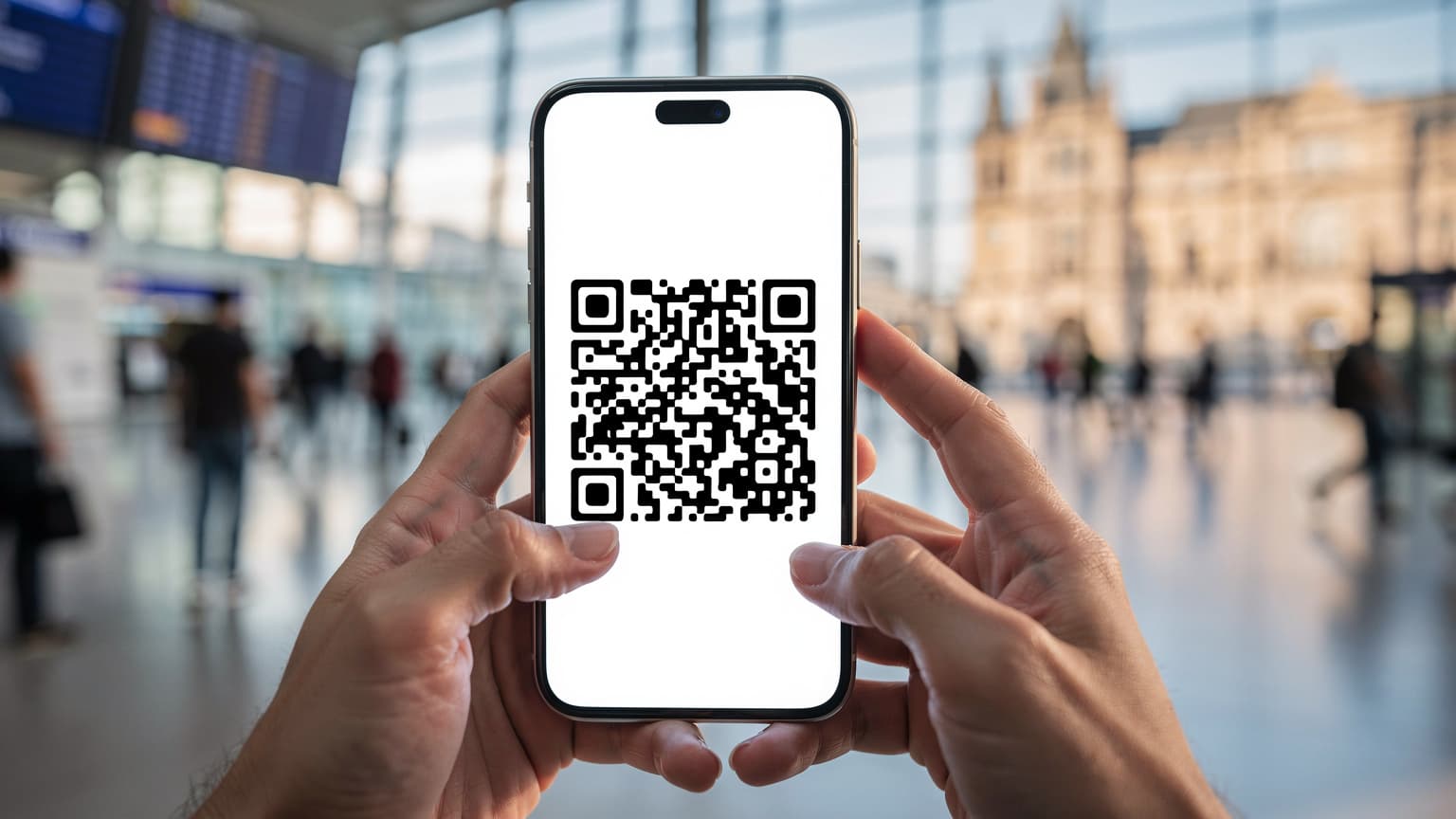
Activating a T-Mobile eSIM for international travel using a QR code is a straightforward process, typically involving scanning the code provided by T-Mobile or a third-party eSIM provider like Cellesim, then following on-screen prompts to install and activate the cellular plan on your compatible device, ensuring seamless connectivity abroad.
Understanding T-Mobile eSIM for International Travel
Years ago, the ritual before any international trip involved a frantic search for local SIM card vendors. I remember landing in Bali, specifically Denpasar, after a red-eye flight, and having to haggle for a Telkomsel SIM at 2 AM. It was a tedious affair, often ending with an overpriced card and questionable activation. eSIMs have changed that game entirely, and T-Mobile, with its global footprint, is increasingly embracing this digital convenience for its customers.
An eSIM, or embedded SIM, is essentially a digital SIM card built directly into your phone. Instead of swapping out tiny plastic chips, you download a carrier profile. For T-Mobile users, this means you can often maintain your primary US number for calls and texts (yes, eSIM SMS functionality is generally robust), while simultaneously activating a secondary data plan for your international travels. This dual-SIM capability, available on most modern iPhones and many Android devices, is a lifesaver when you're trying to hail an Uber in Lisbon's Chiado district or navigate the confusing array of trains on the JR East line in Tokyo.
T-Mobile's approach to international roaming has always been a bit different. Their 'Magenta MAX' plans often include data and texting in over 215 countries, albeit usually at 2G or 3G speeds, which, let's be honest, feels like dial-up in the age of Instagram Reels. For anything beyond basic email, you'll want something faster. That's where a dedicated travel eSIM, whether from T-Mobile directly or a third-party provider, truly shines. It’s not just about avoiding exorbitant roaming charges, but about getting the speeds you actually need to stream a podcast on the Berlin U-Bahn (BVG) or upload a quick video from a market in Marrakech. The difference in latency alone can be staggering when comparing T-Mobile's slower international roaming with a local 5G eSIM.
What is an eSIM and How Does it Work with T-Mobile?
Think of an eSIM as a chameleon for your phone's connectivity. Instead of being tied to a single physical chip, your phone's modem can load different network profiles digitally. For T-Mobile customers, this means you can have your primary T-Mobile plan active on one eSIM profile, and then add a secondary profile for international data. Your T-Mobile number remains active, allowing you to receive calls and texts, while your travel eSIM handles all your data needs. This prevents the classic scenario of missing an important call while trying to save money on data, a dilemma I faced more than once trying to coordinate with a local guide in the back alleys of Kyoto.
Benefits of Using T-Mobile eSIM for Global Connectivity
The perks are plentiful. First, convenience: no more fumbling with tiny SIM trays or searching for a paperclip to open them. Second, cost: dedicated travel eSIMs often offer far better value and faster speeds than T-Mobile's standard international roaming, especially if you're not on their premium plans. Third, flexibility: you can switch between your T-Mobile plan and your travel eSIM plan with a few taps in your phone's settings, ensuring you always have the best coverage and speed for your current location. This flexibility is particularly useful when you're crossing borders frequently, say, from Italy into Switzerland, where network operators and data costs can change dramatically.
Why a QR Code Is Your Best Friend Abroad
The QR code method for eSIM activation is a godsend for travelers. It simplifies what could otherwise be a somewhat technical process into a quick scan. I've been in countless situations, like trying to get online at Heathrow's Terminal 5 after a long flight, where the last thing you want is a complicated setup. A QR code cuts through that frustration, allowing you to activate a data plan almost instantly, often before you even clear customs.
This method removes the need for manual data entry, which is prone to typos and can be incredibly frustrating when you're jet-lagged and just want to find your Airbnb in Barcelona's Gothic Quarter. Instead, the QR code contains all the necessary provisioning information, allowing your phone to download and configure the eSIM profile automatically. It's a testament to how far travel tech has come, making connectivity as simple as scanning a menu at a café.
The Simplicity and Speed of QR Code Activation
Imagine this: you've just landed at Charles de Gaulle, and you need to call your hotel in Le Marais. Instead of hunting for a local SIM or relying on spotty airport Wi-Fi, you pull out your phone, open your camera, and scan a QR code sent to your email by Cellesim. Within moments, your data plan is active, and you're good to go. This speed is invaluable, especially when you need to confirm transportation, access maps, or simply let loved ones know you've arrived safely. It's the kind of seamless experience that truly enhances a trip, reducing one more point of stress.
Avoiding Common Pitfalls: Manual Setup vs. QR Code
While manual eSIM setup is possible, it involves typing in lengthy SM-DP+ addresses and activation codes. I once spent 45 minutes trying to manually set up an eSIM in a hotel lobby in Hanoi, inputting strings of characters that looked like alien hieroglyphs. It was a nightmare. The QR code method eliminates this entirely. No more mistyped characters, no more frustrating error messages. It's a robust and reliable way to get connected, leaving you more time to actually enjoy your travels, whether you're exploring the markets of Hoi An or hiking in the Dolomites.
Preparing Your Device and T-Mobile Account
Before you even think about scanning a QR code, a little groundwork goes a long way. First, ensure your phone is eSIM compatible. Most newer iPhones (XS, XR and later) and many recent Android models (like Samsung Galaxy S20 and newer, Google Pixel 3 and newer) support eSIM. If you're unsure, a quick search on your phone manufacturer's website will clarify things. Secondly, check if your T-Mobile device is unlocked. While T-Mobile typically unlocks devices after they're fully paid off, it's a step many travelers forget. An unlocked phone is crucial for using any third-party eSIM, allowing you to compare Cellesim against other providers effectively.
If your device is locked, you'll need to contact T-Mobile customer service to request an unlock. This can take a few business days, so don't leave it until the last minute before your flight to Buenos Aires. I learned this the hard way before a trip to Argentina, spending hours on the phone with customer support from my hotel in Palermo Soho, wishing I'd handled it weeks in advance. It’s a small detail that can derail your connectivity plans entirely.
Checking eSIM Compatibility and Device Unlock Status
For iPhones, navigate to Settings > General > About. If you scroll down, you should see an 'Available SIM' or 'Digital SIM' section. If it's there, your phone is eSIM ready. For Android devices, the path varies slightly, but generally, it's under Settings > Network & Internet > SIMs or Settings > Connections > SIM Card Manager. If you see an option to 'Add eSIM' or 'Download a SIM', you're good to go. Regarding your T-Mobile lock status, the easiest way is to try inserting a non-T-Mobile physical SIM, if you have one, or simply call T-Mobile customer service directly.
Ensuring a Stable Internet Connection Before Activation
This might seem obvious, but you need an active internet connection (Wi-Fi or your existing T-Mobile data) to download the eSIM profile. Trying to activate an eSIM while in airplane mode in the middle of the Atlantic is a recipe for frustration. Ensure you're connected to a reliable Wi-Fi network at home, your hotel, or the airport lounge before starting the activation process. I always recommend doing this at home before departure, or at least in a quiet corner of the airport, like the Centurion Lounge in San Francisco, where the Wi-Fi is predictably stable.
The Step-by-Step Guide: Activating Your T-Mobile eSIM with a QR Code
This is where the rubber meets the road. Whether you're activating a T-Mobile-provided eSIM or a third-party option like Cellesim, the process is largely similar. The key is to follow the prompts carefully and ensure you understand each step. Don't rush it, especially if you're doing this for the first time. I've seen too many travelers get tripped up by skipping a crucial step, leading to unnecessary headaches.
The beauty of the QR code is its universality. Once you've acquired your eSIM, usually via email from your provider, the QR code is your golden ticket. Keep it handy, either printed out or on another device, because you'll need to scan it with the phone you want to activate. This is particularly important if you are trying to activate your iPhone eSIM while already in a foreign land. Without Wi-Fi, you might be stuck.
How to Scan the QR Code on iPhone and Android Devices
Here’s the breakdown:
- Access Settings: For iPhones, go to Settings > Cellular > Add eSIM. For Android, it's usually Settings > Network & Internet > SIMs > Add eSIM, or Settings > Connections > SIM Card Manager > Add mobile plan.
- Choose QR Code Method: Select the option to 'Use QR Code' or 'Scan QR Code'. Your camera will open.
- Scan the QR Code: Position your phone's camera over the QR code (provided by T-Mobile or Cellesim). Hold steady until your phone recognizes it.
- Follow On-Screen Prompts: Your phone will then guide you through the installation. This often involves naming your new cellular plan (e.g., 'Travel Data - Italy'), choosing which line to use for data, and setting your default line for calls and messages.
- Enable the eSIM: Once installed, ensure the new eSIM profile is turned 'On' in your cellular settings. You might also need to set it as your primary data line when abroad.
Configuring Your T-Mobile eSIM Settings for Optimal Use
Once activated, a few adjustments ensure a smooth experience. You'll want to designate your T-Mobile line for calls and texts (if you wish to keep your US number active) and your new eSIM for mobile data. This is typically done in the 'Cellular' or 'SIM Card Manager' settings. Also, remember to enable 'Data Roaming' for your travel eSIM if prompted, as this is how it connects to local networks. A common mistake is to forget this step, leaving you without data despite having a perfectly good eSIM. I’ve seen this happen countless times, from the bustling streets of Rome's Trastevere to the quiet canals of Amsterdam. Always double-check.
Troubleshooting Common T-Mobile eSIM Activation Issues
Even with the simplicity of QR codes, issues can arise. Connectivity problems are often due to minor oversights, not major technical failures. Don't panic if your eSIM doesn't connect instantly. Often, it's something as simple as a forgotten setting or a brief network hiccup.
No Service or Unable to Connect After Activation
If you see 'No Service' or 'Searching' after activation, here’s a quick checklist:
- Restart Your Phone: The oldest trick in the book, but often effective.
- Check Data Roaming: Go to your phone's cellular settings and ensure 'Data Roaming' is enabled for your new eSIM profile. This is a common oversight.
- Network Selection: Sometimes, the phone doesn't automatically pick the best local network. In your cellular settings, look for 'Network Selection' and try manually selecting a different local operator. For example, in Germany, you might switch between Telekom.de, Vodafone, or O2.
- APN Settings: Rarely, you might need to manually enter APN (Access Point Name) settings. Your eSIM provider (or T-Mobile) will have these details. They are usually found under the cellular data network settings.
- Strong Wi-Fi Connection: Reconnect to a strong Wi-Fi network and try deleting and reactivating the eSIM if all else fails. This ensures a fresh download of the profile.
Contacting T-Mobile Support or Your eSIM Provider
If you've exhausted the troubleshooting steps, it's time to reach out for help. If it's a T-Mobile eSIM, contact their customer support. If it's a third-party eSIM, contact their support. Be prepared to provide details like your purchase confirmation, the device you're using, and the exact error messages you're seeing. Being specific helps them diagnose the problem faster. Remember, customer service hours can be tricky across time zones, so if you're abroad, plan accordingly. I once spent an entire morning trying to get a refund for a faulty eSIM from a provider in Southeast Asia, only to realize their support opened at 10 PM my local time, which was 10 AM for them in Bangkok.
Making the Most of Your eSIM Beyond T-Mobile
While T-Mobile offers its own international options, the real power of eSIMs lies in the freedom to choose. Cellesim, for instance, specializes in providing competitive data plans specifically for travelers, often at speeds and prices that can significantly beat traditional roaming charges. This isn't just about saving a few dollars, it's about having reliable, fast internet wherever you are, from the high-speed trains of Japan to the bustling markets of Istanbul's Grand Bazaar.
When comparing options, look at factors like data allowance, validity period, and network speeds. Many third-party providers use local premium networks, offering true 4G or 5G speeds, which can be a stark contrast to the throttled international roaming T-Mobile might offer. This is particularly crucial for digital nomads or content creators who rely on consistent, fast upload and download speeds. For me, the ability to quickly upload photos from a remote hiking trail in Patagonia or conduct a video call from a café in Berlin-Mitte makes all the difference.
Exploring Third-Party eSIM Providers Like Cellesim
Third-party eSIM providers like Cellesim offer a vast array of plans tailored for specific countries or regions. Need data for a week in France? There's a plan for that. Planning a month-long backpacking trip through Southeast Asia? There are regional plans that cover multiple countries without you needing to buy a new eSIM for each border crossing. These plans are often more flexible, with options for various data amounts and durations, ensuring you only pay for what you need. It's smart travel, plain and simple.
Cost Comparison: T-Mobile Roaming vs. Dedicated eSIM Plans
Let's put it into perspective. While T-Mobile's Magenta MAX offers 'unlimited' international data, it's often throttled to 256 Kbps, which is barely enough for basic messaging. If you want high-speed data from T-Mobile, you often have to purchase an 'International Pass' addon. A 15GB pass for 30 days can run you around $50. Compare that to a Cellesim regional eSIM for Europe offering 20GB for $35 over the same period, often on local 5G networks. The savings and speed difference are significant. Here's a brief comparison:
| Provider/Plan | Data Allowance | Speed | Cost (Approx.) | Best For |
|---|---|---|---|---|
| T-Mobile Magenta MAX | Unlimited (throttled) | 2G/3G (256 Kbps) | Included in plan | Basic messaging, light email |
| T-Mobile International Pass | 5GB - 15GB | 4G LTE/5G | $35 - $50 (30 days) | Short trips, T-Mobile loyalty |
| Cellesim Regional eSIM | 10GB - 30GB | 4G LTE/5G | $25 - $45 (30 days) | Value, speed, flexibility, multi-country travel |
| Local Physical SIM | Varies widely | 4G LTE/5G | Varies (e.g., €20 for 10GB in Europe) | Long-term stays in one country, local number needs |
Managing Multiple eSIMs for the Multi-Country Wanderer
For those of us who hop from country to country, whether it's a whirlwind tour of European capitals or a long-term digital nomad adventure, managing multiple eSIMs becomes second nature. My phone usually has at least three active eSIM profiles: my primary US line, a regional European eSIM (often from Cellesim), and sometimes a specific country eSIM if I'm spending a lot of time in one place, like Portugal.
The beauty is that you can have several eSIM profiles stored on your phone, even if only one or two are active at any given time. This means you can purchase your next country's eSIM while still in the previous one, activating it the moment you cross the border. Imagine landing in Singapore's Changi Airport and seamlessly switching from your Malaysia eSIM to your Singapore one without missing a beat. This is the kind of smooth transition that seasoned travelers dream of, and it’s entirely possible with careful eSIM management.
Switching Between eSIM Profiles on Your Device
Switching between eSIMs is simple. On an iPhone, go to Settings > Cellular, tap on 'Cellular Plans', and you'll see a list of all your installed eSIMs. You can toggle them on or off, and select which one to use for 'Cellular Data'. For Android, it's typically under Settings > Network & Internet > SIMs or Settings > Connections > SIM Card Manager. This quick toggle means you can activate your Turkish eSIM as you land at Istanbul Airport (IST), use it for your ride to Kadıköy, and then switch back to your T-Mobile line for an important call from home, all without ever touching a physical SIM card. This is also how you'd manage your options if you're exploring eSIM alternatives for family travel, allowing each family member to have tailored plans.
Best Practices for Long-Term or Multi-Country Travel
- Plan Ahead: Research your destination's best eSIM options before you leave.
- Keep Track: Name your eSIMs clearly (e.g., 'Cellesim-Europe', 'Japan-Data') to avoid confusion.
- Monitor Data Usage: Regularly check your data usage in your phone's settings to avoid running out unexpectedly.
- Backup QR Codes: Keep a digital copy (and maybe a printout) of your eSIM QR codes in a secure cloud storage or email, in case you need to reinstall them.
- Understand Expiry: Be mindful of eSIM validity periods. Some expire after a certain number of days, regardless of data usage.
Verizon and AT&T International Day Pass Versus eSIM Alternatives
It’s not just T-Mobile that offers international roaming. Verizon and AT&T have their own solutions, most notably the 'International Day Pass' or similar programs. These typically cost around $10-15 per day, allowing you to use your existing domestic plan abroad. While convenient for short trips (say, a weekend in Vancouver), the costs quickly escalate. A two-week trip could easily cost you $140-210 just for data, on top of your regular phone bill. This is where the financial benefits of an eSIM truly become clear.
My role as Performance Editor at Cellesim involves head-to-head field tests, pitting these traditional carrier offerings against dedicated eSIMs. What I consistently find is that while the major carriers offer convenience, they often lag in both speed and cost-effectiveness compared to a well-chosen eSIM plan. In my tests in London's Shoreditch district, an AT&T International Day Pass often delivered speeds around 30-50 Mbps, while a Cellesim eSIM on a local UK network (like Vodafone or EE) consistently hit 100-150 Mbps, sometimes even higher. When you're uploading 4K video, that difference isn't just noticeable, it's critical.
| Feature | T-Mobile eSIM | Verizon/AT&T Day Pass | Cellesim eSIM |
|---|---|---|---|
| Cost per Day (Approx.) | Varies (add-on) | $10 - $15 | As low as $1-2 (depending on plan) |
| Speed | 4G/5G (with add-on) | Domestic plan speed | Local 4G/5G speeds |
| Data Throttling | Possible with basic roaming | None (uses domestic plan) | None (unless plan limit reached) |
| Ease of Activation | QR Code / App | Automatic enrollment | QR Code / App |
| Best Use Case | T-Mobile loyalists, short trips | Very short trips (1-2 days) | Value, speed, long trips, digital nomads |
When to Consider a Day Pass vs. a Dedicated eSIM
A day pass from Verizon or AT&T makes sense for fleeting trips, perhaps a single day business trip to Toronto's Financial District. The convenience of not having to think about it for a day or two might outweigh the cost. However, for anything longer than 2-3 days, or if you require consistent high-speed data for work or content creation, a dedicated eSIM is almost always the more economical and performant choice. Imagine relying on a day pass for a month-long excursion through Europe. The costs would be astronomical, making a local eSIM an undeniable winner, especially if you're considering whether an eSIM is worth it for USA travel as well.
Real-World Speed and Latency Differences
Beyond the raw cost, speed and latency are paramount for many travelers. A day pass might offer your domestic speeds, but it's still routing your data back to the US before it reaches local servers. This adds latency. A local eSIM, on the other hand, connects directly to the local network, often resulting in lower ping times and snappier performance. This is crucial for things like online gaming, video conferencing, or even just rapidly loading maps in a dense urban environment like Rome's Centro Storico, where every millisecond counts when navigating narrow streets.
The Future of T-Mobile eSIM and Global Connectivity
The telecommunications landscape is constantly evolving, and eSIMs are at the forefront of this revolution. As more devices become eSIM-only (Apple's move with the iPhone 14 in the US was a significant indicator), the simplicity and flexibility of digital SIMs will only become more pronounced. T-Mobile, being a major player, is undoubtedly investing more into its eSIM infrastructure and international offerings.
I foresee a future where activating international data is as simple as tapping a button in your T-Mobile app, perhaps even dynamically suggesting the best local eSIM plan based on your travel itinerary. The days of hunting for physical SIMs or enduring painfully slow roaming speeds are rapidly becoming a relic of the past, like payphones or paper maps. The goal, for T-Mobile and other carriers, is to make global connectivity feel as seamless as domestic, and eSIMs are the primary vehicle for achieving that.
Predictions for eSIM Adoption and Features
Expect to see eSIMs integrated into more devices beyond smartphones, including smartwatches, tablets, and even laptops, making eSIMs for PCs a standard feature for remote workers. Features like automatic network switching based on performance, more granular data usage controls, and even predictive data purchasing will likely become standard. The goal is to make connectivity invisible, allowing travelers to focus on their experiences, not their data plan. Imagine your phone automatically switching to the fastest network as you cross from France to Belgium on the Thalys train.
Staying Updated on T-Mobile eSIM Developments
The best way to stay ahead is to regularly check T-Mobile's official website or app for updates on their international roaming and eSIM offerings. Technology moves fast, and what's true today might evolve by next season. Following tech news outlets and travel blogs (like this one!) is also a great way to keep informed about new features, pricing changes, and improved services. Always be a savvy traveler, always be informed.
Frequently Asked Questions
Can I activate a T-Mobile eSIM with a QR code if my phone is locked to T-Mobile?
No, your device must be unlocked to activate a third-party eSIM with a QR code. While you can activate a T-Mobile-issued eSIM on a locked device, using an eSIM from another provider like Cellesim requires an unlocked phone. Contact T-Mobile customer service to confirm your unlock status.
What if my T-Mobile eSIM QR code doesn't work?
First, ensure you have a stable internet connection. If the issue persists, try restarting your phone. Verify that your device is eSIM compatible and unlocked. If problems continue, contact T-Mobile support or your eSIM provider (if it's a third-party eSIM) with your QR code and device details.
Can I keep my T-Mobile number active while using an eSIM for data abroad?
Yes, absolutely. This is one of the main advantages of eSIM technology. You can typically set your T-Mobile line to handle calls and texts, while your travel eSIM handles all your mobile data, ensuring you stay connected without missing important communications on your primary number.
Is T-Mobile's international roaming faster than a dedicated travel eSIM?
Generally, no. T-Mobile's standard international roaming often throttles speeds to 2G/3G unless you purchase an 'International Pass.' Dedicated travel eSIMs, like those from Cellesim, often connect directly to local 4G or 5G networks, providing significantly faster data speeds and lower latency.
How many eSIM profiles can I store on my T-Mobile phone?
Most modern eSIM-compatible phones can store multiple eSIM profiles (typically 5-10 or more), though only one or two can be active at a time. This allows you to pre-purchase and store eSIMs for several countries or regions and switch between them as needed during your travels.
Do I need Wi-Fi to activate my T-Mobile eSIM with a QR code?
Yes, you need an active internet connection (either Wi-Fi or existing cellular data) to download the eSIM profile from the QR code. It's recommended to do this before you depart or in an area with reliable Wi-Fi, such as your home or an airport lounge.