Why Ditch the Physical SIM: My US eSIM Epiphany
I still remember landing at LAX in 2009, totally jet-lagged after a 13-hour flight from Tokyo. Before I could even think about a rental car or finding my friend's place in Silver Lake, I had to find a local SIM card. It was a whole production: a frantic search through the airport's tiny shops, trying to figure out data plans in a foreign currency, fumbling with those tiny plastic cards, and then, inevitably, an hour trying to activate it with a customer service rep who spoke a completely different dialect of English. Not exactly the welcoming committee I'd hoped for.
Today, just thinking about that experience makes me cringe. Especially in the US, where the cellular world can feel like a maze of carriers, plans, and coverage areas. That's exactly where an eSIM becomes a lifesaver for international visitors. It's not just about making things easy, though that's a huge benefit. It's about having control, flexibility, and avoiding those awful moments of being totally disconnected in a new place. I've been there, staring at a dead phone screen in a quiet corner of Vermont, wishing I'd prepared better. If you want to dig deeper into how this tech can save you money, check out eSIM Explained: Your €20 Travel Data Reality Check for 2026. It really lays out the financial side.
Picture this: no more prying open your phone's SIM tray, no risk of losing your home SIM card, and no worrying about incompatible network bands. With an eSIM, you just scan a QR code, and boom, you're online. It's the kind of smooth experience I wish I'd had in my early globetrotting days.
The Pain Points of Old-School Connectivity
My travel stories are full of cellular disasters. There was the time in Rome, fumbling with a delicate SIM ejector tool outside Termini Station, only to watch my home SIM card ping right into a sewer grate. Or in Berlin, trying to explain to a Deutsche Telekom rep in Mitte why my brand-new prepaid SIM just wouldn't connect, even with plenty of credit. These aren't just small annoyances; they can totally mess up your first few hours, or even days, in a new country. In the US, it feels even more critical because distances are huge, and reliable GPS and ride-sharing apps like Lyft or Uber are often essential, especially outside big transit hubs like Chicago's Loop or Boston's North End.
Another common trap is the carrier's "International Day Pass." While they sound good, I've done head-to-head tests comparing Verizon and AT&T's day pass speeds against Cellesim's eSIM networks, especially when I'm uploading videos from places like Shibuya Crossing in Tokyo or outside the Sagrada Familia in Barcelona. The lag and slow speeds on those day passes often make them useless for anything more than basic messaging. For digital nomads or content creators who need fast upload speeds, an eSIM isn't just convenient, it's a must-have.
The Freedom of Pre-Arrival Setup
The best part about an eSIM is you can buy and activate your plan before you even get on the plane. Imagine landing at JFK, getting through customs, and by the time you're on the Long Island Rail Road (LIRR) to Penn Station, your phone is already connected to a fast, local network. No frantic searching, no language barriers, no hidden fees. Setting it up before you arrive gives you instant access to maps, communication with your hotel, and maybe most importantly, that first "I've arrived" selfie. It sets the tone for a relaxed trip, instead of starting with a desperate hunt for a connection.
Understanding the US Cellular Landscape: What Tourists Need to Know
The United States has a complicated cellular network, mostly run by three big players: AT&T, T-Mobile, and Verizon. Unlike some European countries where one carrier might cover everything, the US is huge, and coverage can change a lot from one state to another, or even within different parts of the same city. Knowing which network your eSIM uses is vital, especially if you're going off the main roads, say, into Utah's national parks or Montana's remote towns.
Verizon, for example, traditionally had strong coverage in rural areas thanks to its older CDMA system, though they've mostly switched to LTE and 5G now. AT&T offers a good mix of city and country coverage, especially along major highways. T-Mobile has put a lot of money into its 5G network, giving great speeds in big cities like Miami's South Beach or Seattle's Capitol Hill, but sometimes struggles in more isolated spots. Most Cellesim plans use a combination of these networks to give travelers the best possible coverage, so you're not stuck with just one carrier's weak points.
Major Carriers and Their Reach
Let's look at the big three:
- Verizon: Known for strong coverage, especially outside of cities. Their 5G Ultra Wideband offers super-fast speeds in specific urban zones, but it's not everywhere. If your trip includes a lot of driving through national parks, Verizon's underlying network is often reliable.
- AT&T: A solid all-around choice. You'll find good coverage in most cities, suburbs, and along major roads. AT&T's network is particularly strong in the Southeast and along the East Coast, from historic Charleston, South Carolina, to the busy financial area of Wall Street in NYC.
- T-Mobile: This is the fastest-growing 5G network, with impressive speeds in city centers and expanding into suburbs. If your trip is mainly focused on big cities like Los Angeles, Houston, or Chicago, T-Mobile will likely perform well. Just remember that while their 5G is widespread, rural coverage can still be a bit spottier compared to Verizon or AT&T.
When you pick your eSIM plan for the USA, it's important to know which of these networks Cellesim partners with for your specific plan. Cellesim often offers plans that connect to both AT&T and T-Mobile. This dual network access is fantastic for consistent service, whether you're in downtown San Francisco or exploring the vineyards of Napa Valley.
Understanding Data Bands and Phone Compatibility
One technical detail often overlooked is whether your phone works with US network bands. For 4G LTE, key bands include Band 2 (1900 MHz), Band 4 (1700/2100 MHz), Band 5 (850 MHz), Band 12 (700 MHz), Band 66 (1700/2100 MHz), and Band 71 (600 MHz). For 5G, the main bands are n5, n41, n71, n260, and n261. Most modern smartphones, especially those from the last 3-4 years, are made for global use and support many of these bands. But if your phone is older, or if you bought it in a region with very different network standards, it's worth a quick check. A quick Google search for "your phone model + USA network bands" usually gives you the answer. This is especially important for devices like a laptop with eSIM capability, where compatibility can sometimes be a bit trickier.
Choosing Your eSIM Plan: Data, Duration, and Coverage Considerations
Picking the right eSIM plan for your US trip comes down to a few main things: how much data you'll need, how long you're staying, and where you plan to go. A weekend in New York City's Brooklyn Heights will demand different data than a two-week cross-country road trip through national parks where Wi-Fi might be scarce.
Think about how you use your phone. Are you constantly streaming, uploading photos and videos to social media, or mostly using data for maps and messages? Will you be working remotely, needing a steady connection for video calls? In that case, a dedicated eSIM for your PC might be a smart move. Cellesim offers a range of plans, from smaller, short-term packages perfect for a city break to larger, longer-duration options for extended stays.
| Plan Type | Recommended For | Typical Data Amount | Validity Period |
|---|---|---|---|
| Light User | Short city breaks, basic messaging, maps | 5 GB | 7-10 days |
| Moderate User | Standard tourist activities, social media, light streaming | 10-20 GB | 15-30 days |
| Heavy User / Digital Nomad | Extensive streaming, video calls, content creation, long trips | 30+ GB or Unlimited | 30-60+ days |
Data Allowance: How Much Do You Really Need?
This is where most travelers either get too much data or, worse, not enough. A few years ago, I was in San Diego, staying in the Gaslamp Quarter, and thought 5GB would be plenty for a week. I quickly learned that using Google Maps, constantly checking Yelp for restaurants, and sharing photos of Balboa Park ate through data faster than I expected. I ended up needing to top up, which was easy with Cellesim, but still an interruption.
Here's a rough guide:
- Light usage (email, maps, messaging): 1-2 GB per week.
- Moderate usage (social media, light browsing, occasional streaming): 3-5 GB per week.
- Heavy usage (video streaming, video calls, large file uploads): 8-10 GB+ per week.
Keep in mind that many hotels and cafes in the US, especially in city centers like downtown Denver or Portland's Pearl District, offer free Wi-Fi. However, relying only on public Wi-Fi can be a security risk and is often unreliable. Your eSIM gives you that consistent, secure connection when you need it most.
Duration and Flexibility: Matching Your Itinerary
Cellesim plans usually come with different validity periods, from 7 days to 30 days, or even longer for extended stays. If your trip involves several short visits, or if you're planning something like Autumn Escape 2026: Navigating New England's Fall Foliage with the Right eSIM, you might want a plan that covers a wider region or has a longer validity to include travel days. The main thing here is flexibility. You can often top up your Cellesim plan if you run out of data before your trip ends, or buy another eSIM for a different region if your travel plans change.
Checking Coverage for Your Specific Destinations
Before you buy a plan, always check the coverage maps from the main US carriers (AT&T, T-Mobile, Verizon) for the places you're visiting. While Cellesim aims for wide coverage, if you're planning a big hike through, say, Yellowstone National Park or a remote part of the Mojave Desert, you'll want to make sure the main network your eSIM uses has a strong signal there. Most major cities, from Seattle's Pike Place Market to the French Quarter in New Orleans, will have excellent coverage from all big providers. It's in the areas in between where you'll notice the differences.
Activation Made Easy: A Step-by-Step Guide for Cellesim
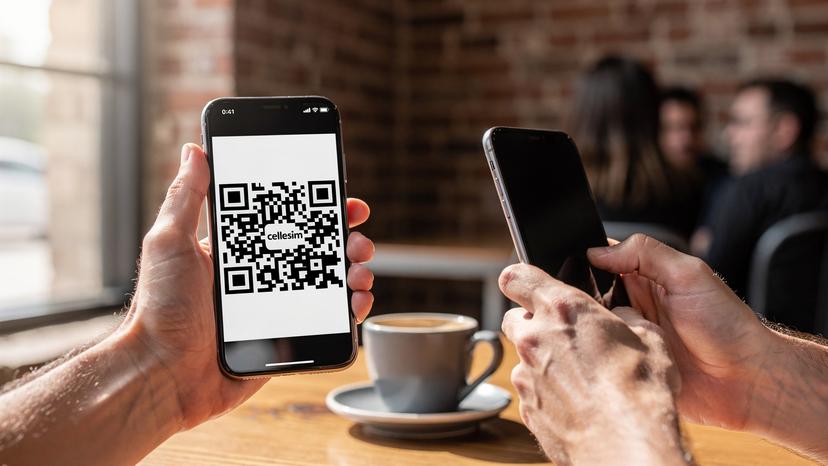
One of the best things about an eSIM is how simple it is to activate. The days of awkward SIM card swaps are over. With Cellesim, it's usually just about scanning a QR code, a process I've done successfully in countless airport lounges and hotel lobbies worldwide. (My personal best for activation, while waiting for the BVG U-Bahn in Berlin, is under two minutes.)
Before You Depart: Your Pre-Flight Checklist
Like any good trip, preparation is key. Before you even head to the airport, make sure you've got these things handled:
- Check eSIM Compatibility: Make sure your smartphone supports eSIM technology. Most newer models (iPhone XS and newer, Google Pixel 3 and newer, Samsung Galaxy S20 and newer) are compatible. A quick online search for your specific model and "eSIM compatibility" will confirm.
- Buy Your Cellesim Plan: Go to the Cellesim website, pick your USA eSIM plan, and finish the purchase. You'll get a confirmation email with your eSIM's QR code or manual activation details. Keep this email handy, either printed out or on another device (like a tablet or laptop, because you'll need your phone to scan it).
- Unlock Your Phone: Your phone must be unlocked from any previous carrier to use an eSIM from a different provider. If you're not sure, contact your home carrier to confirm. This is a crucial step I learned the hard way after trying to activate an eSIM in Paris with a locked phone I'd bought from my home carrier years ago.
- Charge Your Device: A fully charged phone is always a good idea before traveling, especially before messing with network settings.
Activating Your eSIM On Arrival
Once you've landed in the US, or even while you're still traveling if you're eager, here's how to get your Cellesim eSIM up and running:
- Get the QR Code: Open the email from Cellesim with your eSIM QR code on a different device (a tablet, laptop, or even a friend's phone). If you printed it, have the printout ready.
- Add eSIM to Your Phone:
For iPhone (iOS): Go to Settings > Cellular (or Mobile Data) > Add eSIM. Tap 'Use QR Code' and scan the code. Follow the steps on your screen.
For Android: Go to Settings > Network & Internet > SIMs > Add more (or similar, depending on your device). Tap 'Download an eSIM instead' and scan the QR code. Follow the steps on your screen. - Label Your eSIM: Your phone will probably ask you to name your new eSIM. I usually call mine "USA Travel" or "Cellesim US" to keep things clear, especially if I have multiple eSIMs on my device (which, as a frequent traveler, I often do). This helps tell it apart from your home SIM.
- Set Data Preference: In your phone's settings, make sure your new Cellesim eSIM is chosen for 'Cellular Data' (or 'Mobile Data'). You can usually keep your home SIM active for calls and texts if you want, but make sure data roaming is turned OFF for your home SIM to avoid huge charges.
- Enable Data Roaming (for eSIM): This might sound strange, but for an eSIM to connect to the local US network, you often need to enable 'Data Roaming' specifically for that eSIM line in your phone settings. Don't worry, with Cellesim, this is how it connects to the local partner networks and won't cost you extra.
- Test Your Connection: Open a browser, try a quick search, or send a message on WhatsApp. You should be connected! If not, a quick restart of your phone usually fixes small problems.
Troubleshooting Common eSIM Issues and How to Fix Them
Even with the best planning, technology can sometimes act up. I've had my share of "why isn't this working?" moments, from trying to get online in a tiny cafe in Kyoto's Gion district to struggling with a bad connection while waiting for the MTA subway in downtown Manhattan. Most eSIM problems are minor and easy to fix.
No Service or No Data Connection
- Check Data Roaming: As I mentioned, make sure 'Data Roaming' is on for your Cellesim eSIM line in your phone's settings. This is a common mistake.
- Network Selection: Sometimes, manually choosing the network can help. Go to Settings > Cellular/Mobile Data > Network Selection (or similar) and turn off automatic selection. Try picking AT&T or T-Mobile manually.
- Restart Your Phone: The classic tech fix, but often effective. A quick reboot can refresh network connections.
- APN Settings: Rarely, you might need to manually set up APN settings. Cellesim usually does this automatically, but if you're stuck, their support can give you the right settings.
- Check Signal: Are you in an area known for bad coverage? Step outside, or move somewhere else.
eSIM Not Activating After Scanning QR Code
- Internet Connection: You need an active internet connection (Wi-Fi or another cellular connection) to download the eSIM profile initially. Make sure you're connected to Wi-Fi at the airport or your accommodation.
- QR Code Integrity: Make sure the QR code isn't blurry, wrinkled (if printed), or partly covered.
- Phone Unlocked: Double-check that your phone is truly unlocked from your home carrier. This is a strict requirement for any travel eSIM.
Slow Speeds or Intermittent Connectivity
- Check Data Usage: Have you used up your high-speed data allowance? Some plans slow down speeds after a certain limit. You might need to buy a top-up.
- Network Congestion: In very crowded areas like Times Square during peak tourist season, or during big events, network speeds can temporarily slow down because of too many users. This is usually out of your control.
- Location: Are you indoors, in a basement, or in a very dense city area with poor signal penetration? Move to an open spot.
If these steps don't fix your issue, Cellesim's customer support is usually very quick to respond and can help diagnose more specific problems. They've saved me a few times when I was truly stumped, like that one time in Palermo trying to connect after a software update messed with my network settings.
Going Beyond the Phone: eSIM for Your Laptop and Other Devices
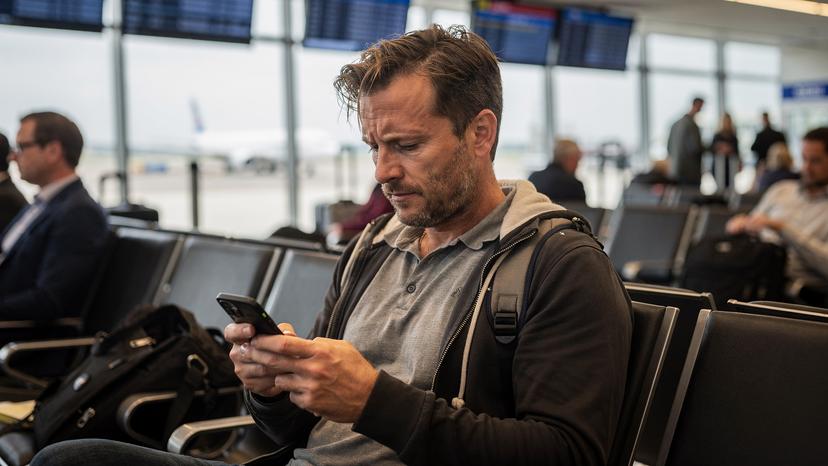
These days, it's not just our phones that need data. Laptops, tablets, and even some smartwatches increasingly have eSIM capabilities. For digital nomads, remote workers, or anyone who travels with multiple devices, using eSIM across all your tech gives you incredible flexibility. I've been known to tether my laptop to my phone's hotspot, but let's be honest, it drains the phone battery faster than a New York minute and often means slower speeds.
Using a dedicated eSIM for your laptop, like those discussed in eSIM for PC: Staying Connected on Your Laptop Abroad in 2026, means your main work device has its own independent, fast connection. Imagine working from a cafe in Portland's Hawthorne District, uploading large files without worrying about your phone's battery dying or the cafe's Wi-Fi cutting out. This kind of independence is a game-changer for anyone whose income depends on being online, no matter where they are.
Laptops with eSIM Capability
Many modern laptops, especially business models from brands like Lenovo, HP, and Microsoft (Surface Pro X, for example), now come with built-in eSIMs. This means you can buy a data plan directly for your laptop, just like you would for your phone. The benefits are many:
- Dedicated Data: Your laptop gets its own data connection, separate from your phone.
- Better Speeds: Laptops often have stronger antennas and can get faster cellular speeds than when you tether.
- Battery Life: Your phone's battery is saved, letting it focus on calls, messages, and navigation.
- Security: A direct cellular connection is generally more secure than public Wi-Fi networks, which is vital for sensitive work.
For me, having a separate eSIM for my laptop has been incredibly useful. I remember once trying to upload a huge video file from a hotel in Santa Monica, but the Wi-Fi was too slow. Being able to switch to my laptop's eSIM saved my deadline.
Tablets and Other Smart Devices
Similarly, many tablets, especially those with cellular capabilities, can also use eSIMs. This is great for travelers who use their tablet for entertainment, reading, or even light work. Imagine downloading movies for a long Amtrak train journey, or having uninterrupted video calls with family back home while seeing the sights of Washington D.C. A dedicated connection means you're not constantly hunting for Wi-Fi or draining your phone's hotspot. Just like with phones, check your tablet's model for eSIM compatibility before buying a plan.
Local Apps and Services That Thrive on Reliable Data
Once your Cellesim eSIM is working, a whole world of convenience opens up, powered by consistent data. The US relies heavily on mobile apps for everything from transit to dining, and having a reliable connection means you can fully use these resources without a hitch.
Navigation and Transportation
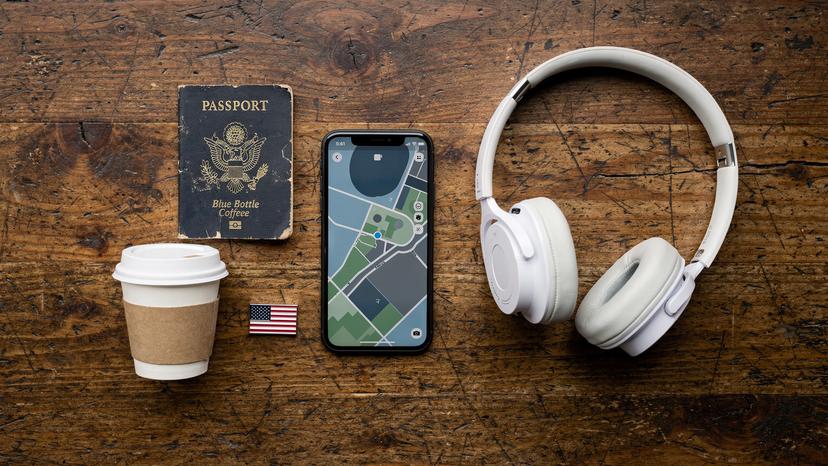
Forget paper maps; in the US, your phone is your guide. Google Maps, Apple Maps, and Waze are essential for driving directions, public transit routes, and even estimating walking times. Whether you're navigating the complex freeways of Los Angeles to get from Santa Monica to Downtown, or figuring out the best bus route across Chicago with the CTA 'Transit Tracker' app, real-time data is critical. For ride-sharing, apps like Uber and Lyft are common in almost every major city and many smaller towns, letting you hail a ride with a few taps. I've used them to get from downtown Nashville to the Grand Ole Opry, and from a late-night concert venue in Austin's Red River Cultural District back to my hotel, always appreciating the instant connection.
Dining and Entertainment
From finding the best deep-dish pizza in Chicago's River North neighborhood to grabbing last-minute tickets for a Broadway show in New York City's Theater District, apps are your best friend. Yelp and Google Reviews are key for finding restaurants, cafes, and bars, complete with opening hours (a super useful feature, as many independent places might close unexpectedly, especially in smaller towns, sometimes as early as 5 PM on a Tuesday). Eventbrite and Ticketmaster are your go-to for concerts, sports, and cultural events. Having immediate access to these means no missed opportunities or frustrating dead ends.
Communication and Staying in Touch
Of course, your eSIM isn't just for finding your way around new cities; it's for staying connected with home. WhatsApp, FaceTime, and Skype let you make calls and send messages without racking up expensive international roaming charges. Even your home bank's app might need a data connection for two-factor authentication, a small but critical detail I've run into many times trying to log in from abroad. For families traveling, making sure everyone has their data sorted, or at least access to a shared hotspot, can make all the difference, especially for trips like October Half-Term 2026: Stress-Free Family Travel with a Global eSIM.
Making the Most of Your US Trip with eSIM
My 15 years on the road have taught me that the best travel experiences are often the ones where you're not worrying about the little details. A reliable internet connection, thanks to an eSIM, lets you fully dive into the American experience. From the moment you land, having instant data means you can focus on the adventure, not the tech.
Think about the simple joys: looking up the history of a landmark right as you're standing in front of it in Philadelphia's historic district, or spontaneously changing your road trip route through the Shenandoah Valley because you saw a stunning viewpoint online. These are the moments that make travel truly special, and they're all possible with seamless connectivity. With Cellesim, you’re not just buying data; you’re buying peace of mind.
Frequently Asked Questions
Can I use my existing phone number with a USA eSIM?
Yes, you can typically keep your existing phone number active for calls and SMS on your primary physical SIM while using the eSIM for data. Just ensure your phone settings are configured to use the eSIM for mobile data and your home SIM for calls and texts.
What is the average cost of a USA eSIM plan for tourists in 2026?
The cost of a USA eSIM plan for tourists in 2026 varies based on data allowance and validity. Expect to pay anywhere from $10-15 USD for a basic 5GB, 7-day plan, up to $40-60 USD for a 30-day plan with 20-30GB or more data, depending on the provider and network.
Do USA eSIMs come with a local US phone number?
Most data-only eSIM plans, including many offered by Cellesim, do not come with a local US phone number. They provide data connectivity. If you need a local US number for calls and texts, you might need a specific plan or use VoIP apps like WhatsApp or Google Voice with your data.
Can I top up my Cellesim USA eSIM plan if I run out of data?
Yes, Cellesim typically offers convenient top-up options for most of its eSIM plans. If you find yourself running low on data during your trip, you can usually purchase additional data packages directly through the Cellesim app or website, extending your connectivity without needing a new eSIM.
Are eSIMs secure for international travel in the USA?
eSIMs are generally very secure. The digital activation process reduces the risk of physical SIM card theft or cloning. Additionally, using your own dedicated eSIM data connection is often more secure than relying on public Wi-Fi networks in airports, cafes, or hotels.
What happens if my phone isn't eSIM compatible?
If your phone isn't eSIM compatible, you won't be able to use an eSIM. Your options would then revert to traditional physical SIM cards from US carriers, or relying on international roaming plans from your home provider. Always check compatibility before purchasing an eSIM.