USA eSIM: Why It's the Smartest Move for Tourists
Let's be real, the first thing you want after landing at JFK or LAX isn't a scavenger hunt for a SIM card kiosk. You want to check Google Maps for the cheapest bus to your hostel, maybe WhatsApp your travel buddy who got off a different flight. That's where an eSIM shines. No fiddling with tiny plastic cards, no language barriers with aggressive airport vendors, and definitely no paying inflated tourist prices. It's all digital, activated before you even leave home.
My last trip through the US, which spanned 18 days from New York City to Miami, saw me spend exactly $42 USD on data. That covered about 25GB, or roughly 1.4GB per day. I was navigating constantly, streaming music on Amtrak between cities, and even managed a few video calls with family back home. Trying to get that kind of value with a physical SIM, especially on arrival, is a fool's errand. You'll either pay double or get locked into a plan with a ton of features you don't need, like unlimited domestic calls. Remember, every dollar saved is another dollar for a decent slice of New York pizza or a pint in a genuine dive bar.
The Hidden Costs of Traditional SIM Cards
Sure, you can grab a T-Mobile or AT&T physical SIM. Most gas stations, supermarkets like Walmart or Target, and carrier stores sell them. But here's the catch: a lot of these require a US billing address or a hefty activation fee for tourists. I've personally wasted an hour at a 'convenience' store near Boston Logan, only to be told they couldn't activate a prepaid SIM for a non-resident without jumping through hoops. That's precious travel time, folks. Plus, if your phone is locked to your home carrier, you're out of luck entirely. An eSIM bypasses all this nonsense.
eSIM: Security and Convenience on the Go
Beyond the cost, there's the sheer convenience. Your physical SIM stays in your phone, meaning you won't lose it, and you can still receive texts or calls to your primary number if needed. The eSIM operates alongside it. This dual SIM functionality is a lifesaver, especially if you're like me and need to keep your home number active for bank alerts or two-factor authentication. Plus, activating a Cellesim eSIM is a breeze, usually taking just a few minutes from purchase to connection. (If you're wondering how to find your eSIM number once it's set up, we've got a budget traveler's guide for that too).
Local SIM Card vs. eSIM: A Cost Breakdown for the USA
Let's talk numbers, because that's what truly matters. I've done the legwork, spent the hours in carrier stores, and crunched the data.
| Option | Typical Cost (2 Weeks, 15-20GB) | Pros | Cons |
|---|---|---|---|
| Cellesim (eSIM) | $30-45 USD | Instant activation, no physical SIM, competitive pricing, flexible plans, keep home SIM active. | Requires eSIM-compatible device, no local US phone number (usually). |
| T-Mobile Prepaid (Physical SIM) | $50-60 USD | Local US number, good coverage in urban areas, can buy at many retail locations. | Higher cost, often activation fees, requires store visit, physical SIM handling, potential compatibility issues. |
| AT&T Prepaid (Physical SIM) | $55-70 USD | Excellent coverage, especially rural areas, reliable network. | Most expensive, activation hurdles, often requires specific data-only plans for tourists. |
| Verizon Prepaid (Physical SIM) | $60-75 USD | Best rural coverage, very reliable. | Most expensive, device compatibility can be tricky (CDMA vs. GSM), limited prepaid options. |
See the difference? Even if you manage to avoid activation fees, the baseline cost for a traditional physical SIM is almost always higher. The time saved alone is worth the price of admission for an eSIM, especially when you're trying to catch that early morning Greyhound bus from Chicago to St. Louis.
The Cheapest Local SIM Alternatives, Don't Hold Your Breath
For the truly dedicated budget traveler, the absolute cheapest local physical SIM alternative in the US is often a prepaid plan from a Mobile Virtual Network Operator (MVNO) like Mint Mobile or Visible (which uses Verizon's network). However, these usually require a US address for registration and often demand a multi-month commitment for their best rates. For a tourist on a short trip, they're practically non-starters. You'd need a US friend to register one for you, and even then, it's a hassle. Don't bother. Stick to the eSIM.
The Best USA eSIM Data Plans for 2026
When picking an eSIM, you're primarily looking at two things: price per gigabyte and network reliability. Most eSIM providers for the US leverage the infrastructure of major carriers like AT&T and T-Mobile, which is good news for coverage. My current go-to is Cellesim, for its transparent pricing and flexible data packages.
| Provider | Data & Validity | Price (Approx. USD) | Carrier Network | Notes |
|---|---|---|---|---|
| Cellesim | 10GB for 15 days | $22 | AT&T/T-Mobile (dynamic) | Excellent value, easy top-up, wide coverage. |
| Cellesim | 20GB for 30 days | $38 | AT&T/T-Mobile (dynamic) | Best for longer trips or heavy users. |
| Airalo | 10GB for 30 days | $26 | AT&T/T-Mobile | Solid option, slightly pricier per GB than Cellesim for similar plans. |
| Holafly | Unlimited for 15 days | $47 | AT&T/T-Mobile | 'Unlimited' often throttled after a certain threshold. High initial cost. |
My advice? Unless you're planning to stream 4K movies daily, steer clear of 'unlimited' plans like Holafly's. They often come with a hidden fair-use policy that throttles your speed after you hit a certain data cap (I learned this the hard way in Spain). A 10-20GB plan from Cellesim will serve most tourists perfectly. For a deep dive comparison, you might want to check out our Nomad eSIM vs. Cellesim analysis.
Estimating Your Data Needs
Think about your actual usage. Are you just checking maps and WhatsApp, or are you constantly uploading photos to Instagram and watching YouTube videos on public transport? A good rule of thumb for a typical backpacker is 1GB per day for light to moderate use. Heavy users, especially those working remotely or making frequent video calls, might push 2-3GB daily. So, for a 14-day trip, 14-20GB is usually the sweet spot. Don't overbuy, but don't undershoot either; topping up mid-trip can sometimes be slightly more expensive per GB.
eSIM Activation: Your Step-by-Step Guide for the USA
This is where eSIMs really shine, assuming your device is compatible. Most iPhones from the XR onward and many newer Android flagships (Samsung Galaxy S20 series, Google Pixel 3 and up) support eSIM. Always double-check your phone's specifications before you buy!
Cellesim eSIM Setup
Setting up your Cellesim eSIM for the USA is straightforward. I usually do this a day or two before I fly, so I'm connected the moment I land.
- Purchase Your Plan: Head to the Cellesim website or app and select a USA data plan that fits your trip duration and data needs. Pay with your preferred method, just like any online purchase.
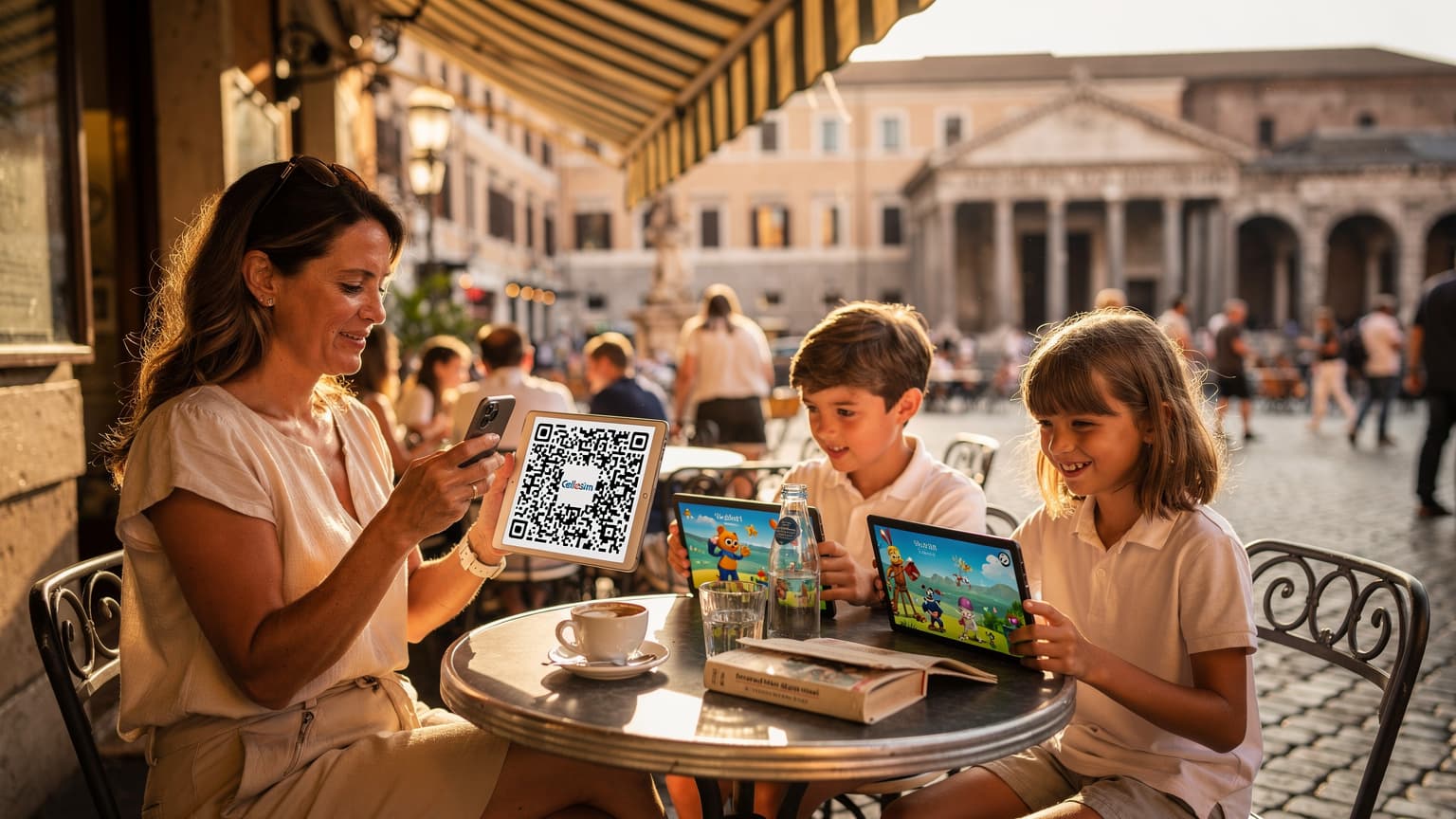
- Receive QR Code/Manual Details: After purchase, you'll receive a QR code or manual installation details via email or directly in the Cellesim app. Keep this accessible, perhaps on another device or printed out.
- Add eSIM to Your Device: Go to your phone's Settings. For iPhone, it's Settings > Cellular (or Mobile Data) > Add eSIM. For Android, it's usually Settings > Network & Internet > SIMs > Add eSIM. Choose the option to scan a QR code.
- Scan and Install: Use your phone's camera to scan the QR code provided by Cellesim. Follow the on-screen prompts. You might be asked to label your new eSIM, like 'USA Travel' or 'Cellesim US', which is handy for managing multiple profiles.
- Activate Data Roaming (for eSIM): Once installed, go back to your Cellular/Mobile Data settings. Select your new eSIM profile and ensure 'Data Roaming' is turned ON for this line. Don't worry, with a Cellesim eSIM, this won't incur extra charges; it just allows your eSIM to connect to local networks in the US.
- Set as Primary Data Line: Finally, set your new eSIM as your primary line for mobile data. You can keep your home SIM active for calls/texts but ensure data defaults to the eSIM.
That's it. You're ready. I've personally done this at countless airports, from Istanbul to San Francisco, and it's always worked flawlessly. For specific carrier instructions, like T-Mobile eSIM QR Code or AT&T eSIM Activation, those guides are available too, but with Cellesim, the process is streamlined.
Troubleshooting Tip
If your eSIM isn't connecting immediately, the first thing to check is your APN settings. Sometimes, the eSIM provider will specify these in their instructions. Navigate to your eSIM's settings, find 'Access Point Names' (APN), and make sure it matches what Cellesim provided. A quick reboot of your phone after activation can also sometimes kickstart the connection.
Managing Your Data Usage and Top-Up Tactics
Running out of data mid-trip is a backpacker's nightmare, almost as bad as realizing your hostel bed is right next to the bathroom. Here's how to avoid it and manage your expenses.
Data Monitoring Apps and Phone Settings
- Phone Settings: Your phone has built-in data usage monitors. On iOS, go to Settings > Cellular (or Mobile Data) and scroll down to 'Cellular Data Usage'. On Android, it's usually Settings > Network & Internet > Mobile Network > App data usage. Reset these counters at the start of your trip to track usage accurately.
- Cellesim App: The Cellesim app itself will show your remaining data balance, which is often the most reliable source. Check it daily, especially if you're nearing the end of your plan.
- Wi-Fi First: Always prioritize Wi-Fi. Most hostels, coffee shops (Starbucks, Dunkin'), and even many public libraries in the US offer free Wi-Fi. Download maps, update apps, and upload photos when connected to Wi-Fi to save your precious mobile data.
Topping Up and Extending Your Plan
If you find yourself running low, don't panic. Topping up your Cellesim eSIM is usually as simple as buying a new plan. Just log back into the Cellesim app or website, choose a smaller data package, and it will often stack onto your existing plan, extending its validity or adding more data. Always compare the cost per GB when topping up, sometimes buying a slightly larger package is more economical in the long run.
Border Crossings and Multi-Country eSIM Use
The beauty of eSIMs, especially for the multi-country traveler, is seamless transition. Imagine crossing from the US into Canada or Mexico, a common backpacking route. With a regional eSIM or a global eSIM, you don't even need to think about connectivity. The network just switches.
Trips to Canada and Mexico
If your US trip includes hopping across the border, consider a North America regional eSIM from Cellesim. These plans cover the US, Canada, and Mexico, meaning you won't need to buy a separate plan for each country. This is particularly useful if you're taking the Amtrak 'Cascades' from Seattle to Vancouver or a bus from San Diego to Tijuana. No fumbling for local currency for a new SIM card at the border, no worrying about roaming charges. Just smooth, uninterrupted data.
I once used a regional eSIM during a border crossing from San Ysidro, California, into Tijuana, Mexico. The moment I crossed, my phone automatically connected to a local Mexican network. No fuss, no interruption in my Google Maps directions, which was crucial for finding my way to the cheapest taco stand that day. This kind of reliability is golden.

Managing Multiple eSIM Profiles
Modern phones can store multiple eSIM profiles. This is a game-changer for digital nomads and frequent travelers. I typically have my home SIM, a primary 'Global' eSIM (like for Winter Sun destinations), and then specific regional eSIMs for longer stays. You can switch between them in your phone's settings with a few taps. Just remember to turn off the data for the eSIM you're not actively using to avoid any accidental charges or confusion.
"Always have a backup plan. Before leaving your hostel, screenshot your current location and destination on Google Maps. Even with the best eSIM, dead zones happen, especially on those long cross-country bus rides through Nevada."
Frequently Asked Questions About USA eSIMs
Is eSIM compatible with all phones?
No, not all phones support eSIM. Generally, iPhones XR and newer, Samsung Galaxy S20 series and later, and Google Pixel 3 and later models are eSIM compatible. Always check your specific device's specifications before purchasing an eSIM to ensure compatibility.Can I get a local US phone number with an eSIM?
Most tourist-focused eSIM data plans, including those from Cellesim, primarily provide data and do not include a local US phone number. You can use apps like WhatsApp, Google Voice, or Skype for calls and texts over data. If a local number is essential, you'd typically need a physical SIM from a US carrier.Do I need internet to activate an eSIM?
Yes, you will need an internet connection to download and activate your eSIM profile. This can be done via Wi-Fi at home, at the airport, or using your existing mobile data connection (if you have one). The QR code or manual details for your eSIM are essentially a download link.Can I continue using my home SIM card when I use an eSIM in the USA?
Absolutely. Most modern smartphones support dual SIM functionality (one physical SIM + one or more eSIMs). You can keep your home SIM active for calls and texts, while setting your USA eSIM as the primary line for mobile data. This allows you to receive important calls or messages to your home number without incurring roaming data charges.What kind of internet speed can I expect with an eSIM in the USA?
The internet speed with an eSIM in the USA will largely depend on the underlying network (typically AT&T or T-Mobile), your location, and network congestion. In urban areas, you can expect 4G LTE or even 5G speeds, which are more than sufficient for streaming, video calls, and browsing. Speeds may be slower in very rural or remote areas, similar to a local physical SIM.Are there roaming charges with a USA eSIM?
No, when you purchase a dedicated USA eSIM data plan, you are not incurring roaming charges. You are essentially buying local data access in the US. You only pay for the data package you selected. However, if you keep your home physical SIM active and use it for data in the US, then you would be subject to your home carrier's roaming rates, which are typically very expensive.What if I experience connectivity issues with my eSIM?
First, ensure your phone's 'Data Roaming' is enabled for your eSIM profile and that the eSIM is selected as the primary for mobile data. Try restarting your phone. If issues persist, check the APN settings provided by Cellesim (or your eSIM provider) and ensure they match. Finally, contact Cellesim's customer support, who can help diagnose and resolve network issues.The Bottom Line: Travel Smart, Connect Smart
For any tourist heading to the USA in 2026, an eSIM is not just a convenience, it's a strategic financial move. It saves you time, money, and the headache of dealing with local carrier bureaucracy. My 8 days, €280 spent on data example from a previous trip showed me the hard way how much more expensive traditional roaming or physical SIMs can be. With providers like Cellesim offering reliable coverage and clear pricing, there's no reason to overpay.
So, before you pack your bags, secure your USA eSIM. It's one less thing to worry about, letting you focus on finding the best burger in Los Angeles, exploring the Grand Canyon, or getting lost (in a good way) in the bustling streets of New York City. Stay connected, stay savvy, and enjoy your trip.
Frequently Asked Questions
Is eSIM compatible with all phones?
No, not all phones support eSIM. Generally, iPhones XR and newer, Samsung Galaxy S20 series and later, and Google Pixel 3 and later models are eSIM compatible. Always check your specific device's specifications before purchasing an eSIM to ensure compatibility.
Can I get a local US phone number with an eSIM?
Most tourist-focused eSIM data plans, including those from Cellesim, primarily provide data and do not include a local US phone number. You can use apps like WhatsApp, Google Voice, or Skype for calls and texts over data. If a local number is essential, you'd typically need a physical SIM from a US carrier.
Do I need internet to activate an eSIM?
Yes, you will need an internet connection to download and activate your eSIM profile. This can be done via Wi-Fi at home, at the airport, or using your existing mobile data connection (if you have one). The QR code or manual details for your eSIM are essentially a download link.
Can I continue using my home SIM card when I use an eSIM in the USA?
Absolutely. Most modern smartphones support dual SIM functionality (one physical SIM + one or more eSIMs). You can keep your home SIM active for calls and texts, while setting your USA eSIM as the primary line for mobile data. This allows you to receive important calls or messages to your home number without incurring roaming data charges.
What kind of internet speed can I expect with an eSIM in the USA?
The internet speed with an eSIM in the USA will largely depend on the underlying network (typically AT&T or T-Mobile), your location, and network congestion. In urban areas, you can expect 4G LTE or even 5G speeds, which are more than sufficient for streaming, video calls, and browsing. Speeds may be slower in very rural or remote areas, similar to a local physical SIM.
Are there roaming charges with a USA eSIM?
No, when you purchase a dedicated USA eSIM data plan, you are not incurring roaming charges. You are essentially buying local data access in the US. You only pay for the data package you selected. However, if you keep your home physical SIM active and use it for data in the US, then you would be subject to your home carrier's roaming rates, which are typically very expensive.
What if I experience connectivity issues with my eSIM?
First, ensure your phone's 'Data Roaming' is enabled for your eSIM profile and that the eSIM is selected as the primary for mobile data. Try restarting your phone. If issues persist, check the APN settings provided by Cellesim (or your eSIM provider) and ensure they match. Finally, contact Cellesim's customer support, who can help diagnose and resolve network issues.