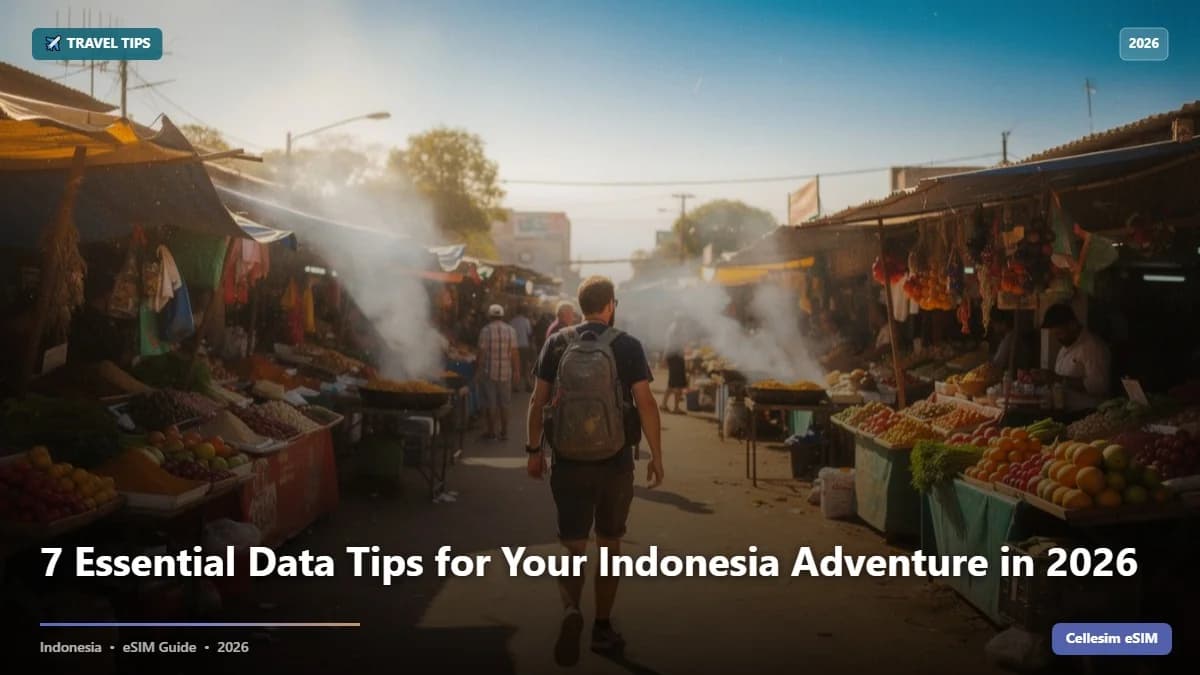
You've just landed at Denpasar Airport, the humid Bali air hits you, and all you want to do is hail a Gojek to your villa. Then you check your phone and see that your home carrier just charged you $12 for a single WhatsApp message. This kind of scenario costs travelers hundreds of dollars every year, often without them even realizing it until the bill arrives. In 2026, staying connected in Indonesia shouldn't be a luxury or a gamble on sketchy public Wi-Fi. It should be easy and affordable.
- Tip 1: Activate Your Indonesia eSIM Before You Land in 2026
- Tip 2: Understand Your Data Needs for Indonesia's Diverse Destinations
- Tip 3: Save Big: eSIM vs. Local SIM vs. Roaming in 2026
- Tip 4: Don't Rely Solely on Free Public Wi-Fi in Indonesia
- Tip 5: Keep Your Original Number Active and Manage Dual SIMs
- Tip 6: Optimize Your Phone Settings for Better eSIM Performance & Battery Life
- Tip 7: Navigate Indonesia Like a Local with Essential Apps & Offline Maps
- Quick Reference: Your Indonesia eSIM Checklist 2026
- What NOT to Do: Common Data Blunders in Indonesia
- Frequently Asked Questions
Tip 1: Activate Your Indonesia eSIM Before You Land in 2026
The absolute best thing you can do for easy internet access in Indonesia is to get your eSIM set up before your flight even leaves. If you wait until you arrive, you'll be stuck in airport queues, possibly dealing with language barriers, and immediately stressed trying to find data just to figure out where you're going. This is especially true if you're landing in busy Jakarta or late at night in Bali.
I learned this the hard way on a trip to Yogyakarta a few years back. My flight was delayed, and by the time I landed, all the local SIM card kiosks were closed. No data meant no calling my hostel or booking a ride-share. The result? A much more expensive taxi ride and a stressful start to my trip. An Indonesia eSIM from Cellesim helps you avoid all of that by giving you instant, digital connectivity.
With an eSIM, you get a QR code emailed to you within minutes of buying it. You can scan it and set up your data plan from home, or even on the plane before you land. That means as soon as your plane touches down at Ngurah Rai (Denpasar) or Soekarno-Hatta (Jakarta) airports, your phone connects to a local network, ready for maps, ride-hailing apps, and contacting your accommodation.
Tip 2: Understand Your Data Needs for Indonesia's Diverse Destinations
Indonesia is huge and incredibly diverse, and so are your data needs. Are you planning a week of surfing and café hopping in Bali, or are you going on a month-long backpacking trip across Java and exploring remote islands like Raja Ampat? Your data usage will change a lot depending on your plans and how you travel.
For example, someone mostly using Google Maps for directions and WhatsApp to chat with friends might only need 3-5 GB for a week. But if you're a digital nomad planning to work from Canggu, needing daily video calls and constant research, you'll definitely need a bigger plan, maybe 20-30 GB or more per month. Streaming videos or uploading big files will eat up data super fast.
Cellesim has a variety of Indonesia eSIM plans that fit different needs, from short tourist packages to bigger bundles for longer stays. Think carefully about your habits. Are you downloading movies, constantly on video calls, or just checking emails and social media now and then? To figure out your exact needs, you can use a data calculator or look at general estimates.
- Google Maps Navigation: ~5 MB per hour
- WhatsApp Messaging: ~1 MB per 200 messages (no media)
- Social Media (browsing/light use): ~50-100 MB per hour
- Email (checking/sending): ~5-10 MB per hour
- Video Calls (e.g., WhatsApp, Zoom): ~150-300 MB per hour (SD quality)
- Video Streaming (e.g., Netflix, YouTube): ~500 MB - 1 GB per hour (SD quality)
For a typical 7-day trip with moderate phone use, a 5-10 GB plan is usually plenty. If you plan to use your phone heavily for work, fun, or extensive navigation in less connected areas, go for a larger package. Need more help? Our guide on how much data you really need for a trip can give you more specific advice.
Tip 3: Save Big: eSIM vs. Local SIM vs. Roaming in 2026
The cost of mobile data in Indonesia can really vary. You can pay outrageous roaming charges or find surprisingly cheap local options. But for most international travelers in 2026, an eSIM gives you the best mix of affordability, convenience, and reliable internet.
Regular roaming from carriers like AT&T, Verizon, or Vodafone can easily hit $10-$15 USD per day for limited data. That adds up quickly to $70-$100 or more for just a week-long trip. Physical local SIM cards are cheaper (for instance, a Telkomsel tourist SIM might be $10-$20 for 10-25GB over 30 days), but they mean a trip to the airport, registering with your passport, and often fiddling with tiny plastic cards.
Cellesim eSIM plans for Indonesia typically start around $5-$10 for a week with several gigabytes of data. That's a huge saving compared to roaming, and you don't have to deal with a physical SIM. For example, a 10GB plan for 30 days with Cellesim might cost about $18-$25, giving you great value and flexibility.
Choosing an eSIM doesn't just save you money, it saves you precious travel time. You can spend that time exploring Bali's rice paddies or Lombok's beaches instead of standing in line at an airport kiosk. Our guide on eSIM vs. physical SIM at the airport gives a more detailed comparison.
Unlock Seamless Connectivity in Indonesia 2026
Get instant mobile data for your Indonesia adventure. Activate your Cellesim eSIM in minutes and avoid expensive roaming. Join 50,000+ satisfied travelers worldwide.
Buy Indonesia eSIM NowTip 4: Don't Rely Solely on Free Public Wi-Fi in Indonesia
While many hotels, cafes, and airports across Indonesia do offer free Wi-Fi, making it your only connection source is a common mistake. It can lead to a lot of frustration and even security risks. Public Wi-Fi networks in popular tourist spots like Ubud or Kuta can be incredibly slow, especially when everyone's trying to use them. Trying to upload photos, stream videos, or even load maps reliably becomes impossible.
Beyond slow speeds, public Wi-Fi networks are often unsecured. This means your personal data, like banking information, email logins, and social media accounts, could be exposed to bad actors. Imagine trying to book an airline ticket in a busy café and unknowingly sharing your credit card details on an unencrypted network.
For anything important, like online banking, private conversations, or just reliable directions, a personal eSIM connection is essential. It gives you a secure, private, and consistent internet experience, keeping your data safe and ensuring you're never truly disconnected. For more on staying safe, check out our article about public Wi-Fi dangers.
Tip 5: Keep Your Original Number Active and Manage Dual SIMs
One of the big perks of using an eSIM is that you can keep your main phone number while still getting affordable local data. Most modern smartphones with eSIM capability support 'Dual SIM, Dual Standby' (DSDS). This means you can have both your physical SIM from home and your Cellesim eSIM active at the same time.
This feature is super important for a few reasons: you can keep getting important SMS messages (like two-factor authentication codes for banking or email) on your home number without paying expensive data roaming fees. You can also easily switch your voice calls to your home number if you need to talk to family or friends back home, just be aware of those roaming call rates.
To manage your dual SIMs, just go to your phone's settings: for iPhone users, look under Settings → Cellular → Cellular Plans. For Android, it's usually Settings → Network & Internet → SIMs. Here, you can tell your phone to use your Cellesim eSIM for mobile data and your primary SIM for calls and texts, or the other way around. Don't forget to turn off data roaming for your physical SIM to avoid surprise charges. This setup is a lifesaver for business travelers or anyone who needs to keep their home number reachable without the high roaming costs.
Tip 6: Optimize Your Phone Settings for Better eSIM Performance & Battery Life
To get the best out of your Indonesia eSIM and stop your battery from dying too fast, a few simple tweaks to your phone's settings can make a big difference. First, make sure your eSIM is set up correctly for data. When you activate it, your Cellesim eSIM will usually automatically configure the right Access Point Name (APN), but if you have problems, you might need to check it manually in your cellular data settings.
Second, consider turning off background app refresh for apps you don't use all the time. Apps constantly refreshing in the background chew up data and battery without you even touching them. Go to Settings → General → Background App Refresh on iOS, or similar menus on Android, to control this. In places with weak signal, your phone might constantly search for a better network, which drains your battery quickly. Switching to Low Power Mode or even briefly turning on airplane mode in very remote spots can help save power.
Finally, remember to completely turn off your primary physical SIM's cellular data, or at least disable data roaming for it. This ensures all your data usage goes through your affordable Cellesim eSIM. For more in-depth advice on this, check out our guide on how to stop 5G battery drain on your trip.
Tip 7: Navigate Indonesia Like a Local with Essential Apps & Offline Maps
Beyond simply having internet, the real power of your Indonesia eSIM comes from using local apps and features to make your trip better. For getting around, especially in cities and popular tourist areas, Gojek and Grab are absolutely essential. These "super-apps" offer ride-hailing (for both scooters and cars), food delivery, package delivery, and even cashless payments. Having reliable data means you can easily book a scooter taxi to zip through Bali's traffic or order a late-night Nasi Goreng to your villa.
To navigate without constantly using up data, download offline maps before you head out. Google Maps lets you download entire regions, like Bali or specific cities in Java, for offline use. This way, you can still use GPS directions even when you don't have a signal, saving your precious data for other things.
Language translation apps are also a game-changer. Google Translate, with its offline language packs, can help you overcome communication hurdles in local markets or when talking to locals who might not speak English. While Indonesia's main language is Bahasa Indonesia, having a translation tool ready makes interactions smoother and more enjoyable.
Quick Reference: Your Indonesia eSIM Checklist 2026
To make sure your Indonesia trip in 2026 is smooth and connected, here's a quick checklist summarizing the main points:
What NOT to Do: Common Data Blunders in Indonesia
Besides knowing what to do to stay connected, it's just as important to know what NOT to do. Avoiding these common mistakes can save you a lot of frustration, unexpected costs, or security headaches during your Indonesian travels.
First, don't assume all "unlimited" plans are actually unlimited. Many local SIM providers, and even some eSIM providers, advertise plans as unlimited, but they often have a Fair Usage Policy (FUP) that slows down your speeds after you hit a certain data cap (like 2GB per day). Always read the fine print. Cellesim clearly states the data limits and speeds for all its plans.
Second, don't forget to restart your phone after activating your eSIM or changing settings. A simple reboot can often fix connectivity problems that come from network registration glitches. This is a quick fix many travelers overlook.
Third, don't ignore SMS messages from your home carrier about roaming charges. These notifications are your first warning about potentially huge bills. Act immediately by switching to your eSIM data plan and turning off data roaming for your physical SIM. Ignoring them is how bill shock happens.
Finally, don't put off buying your eSIM. While you can get one when you arrive, the convenience and peace of mind of having it set up before you even get on your flight are priceless. Imagine arriving at Ngurah Rai Airport, tired after a long journey, and then struggling with slow airport Wi-Fi just to download and activate your eSIM. Plan ahead to start your Indonesian adventure stress-free.
Staying connected in Indonesia in 2026 is easier and more affordable than ever, especially if you use an eSIM smartly. By following these seven key tips, you can guarantee a smooth, stress-free, and budget-friendly digital experience. This lets you fully soak in the amazing culture and stunning scenery of this incredible country. From the busy streets of Jakarta to the calm beaches of Lombok, Cellesim offers the reliable connection you need to make the most of your adventure.
Explore eSIM Plans for 200+ Countries in 2026
Stay connected wherever your travels take you. Cellesim offers instant, affordable eSIM data plans for over 200 countries worldwide.
Explore All eSIM PlansJoin 50,000+ satisfied customers globally with Cellesim.
Frequently Asked Questions
What is an eSIM and why is it good for Indonesia travel in 2026?
An eSIM is like a digital SIM card already built into your phone, so you don't need a physical plastic one. For traveling to Indonesia in 2026, it's super convenient because you can activate a local data plan instantly from anywhere. This means no airport queues, and you can skip those expensive international roaming charges from your home carrier. You can even set it up before you leave home.
Will my phone work with an eSIM in Indonesia?
Most newer smartphones, typically those made from 2018 onwards, are eSIM compatible. This includes iPhone XS/XR and newer models, Samsung Galaxy S20 and up, Google Pixel 3 and later, and many other top-tier devices. To be sure, check if your device is compatible in your phone settings or look at Cellesim's compatible devices list before your trip to Indonesia.
How much data do I need for a week in Indonesia?
For a typical 7-day trip to Indonesia where you're using your phone moderately (daily navigation, messaging, light social media, and some web browsing), a 5-10 GB eSIM plan should be enough. If you plan to stream a lot of video, make frequent video calls, or work remotely, you might want to consider a larger plan like 15-20 GB. It's usually a good idea to slightly overdo it on data to avoid running out.
Can I keep my original phone number while using an Indonesia eSIM?
Yes, absolutely. One of the best things about an eSIM is that it works with dual SIMs. You can keep your physical SIM card from your home country active to receive calls and text messages (including those important verification codes), while using your Cellesim eSIM for all your data needs in Indonesia. Just remember to turn off data roaming for your physical SIM to avoid any accidental charges.
What happens if my Cellesim eSIM runs out of data in Indonesia?
If your Cellesim eSIM data gets low or expires, don't worry. You can easily top up or buy a new plan directly from the Cellesim website (cellesim.com). It's a quick digital process, so you can extend your connectivity without any interruption, often in just a few minutes. Cellesim will usually send you notifications as your data usage gets close to its limit.