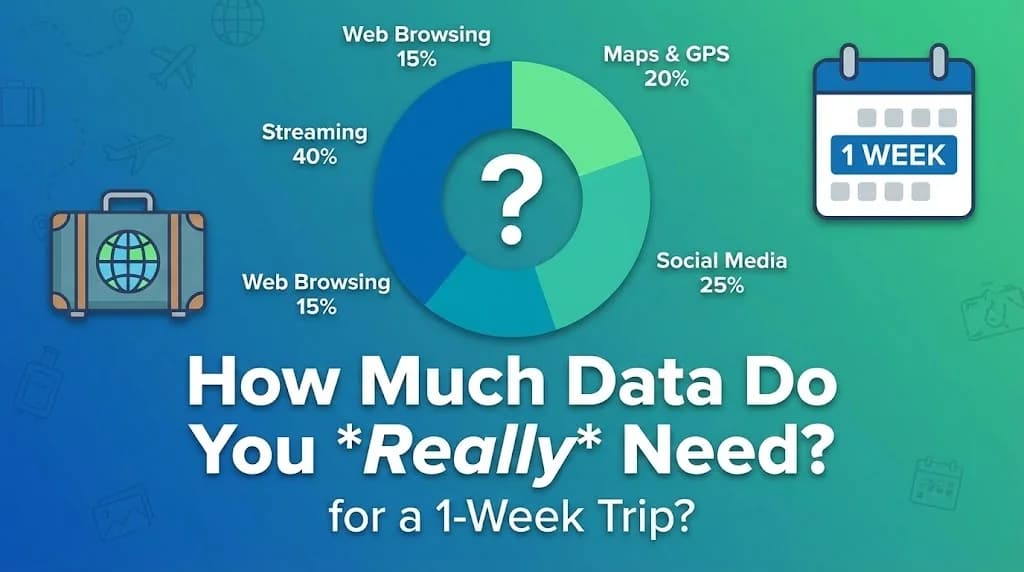
Planning a trip often involves meticulous budgeting and itinerary building, but one crucial element many travelers overlook is their mobile data strategy. How much data do you truly need for a 1-week trip? Overestimating leads to unnecessary spending, while underestimating leaves you scrambling for Wi-Fi or facing expensive roaming charges.
This comprehensive guide helps you accurately assess your data requirements for a seven-day adventure, ensuring you stay connected without breaking the bank. We will break down typical usage patterns, offer practical estimates, and show how Cellesim eSIMs provide a seamless, cost-effective solution for your travels.
- Understanding Your Data Habits for a 1-Week Trip
- Key Activities and Their Data Consumption
- Practical Data Estimates for a 7-Day Journey
- Choosing the Ideal Cellesim Plan for Your Week
- Real-World Examples: Data for Different 1-Week Trip Styles
- Smart Strategies to Conserve Data on Your Trip
- Comparing Connectivity Options for Your Week-Long Adventure
- Activating Your Cellesim eSIM for a Smooth Start
- Frequently Asked Questions
Connect Instantly on Your Next 1-Week Trip with Cellesim
Stop worrying about data limits. Get a Cellesim eSIM tailored for your destination. Join 50,000+ happy customers who connect instantly in 200+ countries.
Shop All eSIM PlansUnderstanding Your Data Habits for a 1-Week Trip
The first step in calculating your data needs is to honestly assess your typical mobile usage. While a 1-week trip might seem short, your usage patterns can change significantly when you are abroad. You might rely more heavily on navigation, translation apps, or sharing updates with family. Consider what you use your phone for daily, and then adapt that for a travel context.
Are you a light user who primarily checks emails and uses maps? Or do you stream videos, make frequent video calls, and upload many photos? Your data consumption habits at home provide a baseline, but anticipate an increase in certain categories while traveling.
"Most travelers find their data usage shifts dramatically when abroad. Navigation, quick searches for restaurants, and sharing moments in real-time become primary uses, often consuming more data than anticipated."
Key Activities and Their Data Consumption
Different activities consume varying amounts of data. Understanding these will help you estimate your requirements more accurately for a 7-day period.
- Basic Browsing & Email: Checking news sites, browsing travel blogs, sending emails. (Low consumption: ~1-5 MB per hour)
- Messaging Apps: WhatsApp, iMessage, Messenger for text, small images. (Very low: ~1-2 MB per hour)
- Navigation: Google Maps, Apple Maps. Downloading offline maps can save data. (Moderate: ~5-10 MB per hour for active navigation)
- Social Media: Scrolling through feeds, posting photos/stories on Instagram, Facebook, TikTok. (High: ~50-150 MB per hour, especially with videos)
- Voice/Video Calls: WhatsApp calls, FaceTime, Zoom. Video calls consume significantly more data. (High: ~100-300 MB per hour for video, ~20-50 MB per hour for voice)
- Music Streaming: Spotify, Apple Music. (Moderate: ~50-150 MB per hour, depending on quality)
- Video Streaming: YouTube, Netflix. (Very high: ~250 MB - 1 GB+ per hour, depending on quality)
Practical Data Estimates for a 7-Day Journey
Let's break down realistic data usage scenarios for a 1-week trip. Keep in mind these are averages, and your actual usage may vary.
Light User (500 MB - 1 GB per day / 3.5 GB - 7 GB for 1 week):
- Checking emails: 1 hour/day
- Basic web browsing: 1 hour/day
- Messaging (text only): 2 hours/day
- Navigation: 30 minutes/day
- Occasional social media check: 30 minutes/day
Moderate User (1 GB - 2 GB per day / 7 GB - 14 GB for 1 week):
- All light user activities
- Regular social media browsing & posting: 1-2 hours/day
- Occasional photo/video uploads
- Music streaming: 1 hour/day
- Few short voice/video calls
Heavy User (2 GB+ per day / 14 GB+ for 1 week):
- All moderate user activities
- Frequent video calls with family/friends
- Regular video streaming (YouTube, Netflix)
- Uploading high-quality photos/videos
- Tethering other devices (laptop, tablet)
Choosing the Ideal Cellesim Plan for Your Week
Cellesim offers a variety of eSIM plans designed to fit different travel durations and data needs, including options perfect for a 1-week trip. When selecting your plan, consider the following:
- Destination: Cellesim covers over 200+ countries. Always check the specific country or regional plan for your destination, as prices and data allowances can vary. For example, if you are traveling to Italy, you can find eSIM plans for Italy.
- Data Allowance: Based on the estimates above, select a data package that aligns with your user profile (light, moderate, heavy). Cellesim offers plans from 1GB up to 50GB and beyond, ensuring there's a fit for a short trip.
- Validity Period: Ensure the plan's validity covers your entire 1-week trip. Cellesim plans typically come with various validity options (7, 15, 30 days), so choose one that matches or slightly exceeds your trip duration.
- Top-Up Option: If you're unsure, start with a slightly smaller plan. Cellesim offers easy top-ups, allowing you to add more data if needed directly from your phone.
By using Cellesim, you avoid the hassle of physical SIM cards and often benefit from more competitive rates compared to traditional roaming. You can also keep your primary SIM active for calls and texts while using the eSIM for data, maintaining your existing phone number.
Real-World Examples: Data for Different 1-Week Trip Styles
To further illustrate data needs, let's look at a few common 1-week trip scenarios:
The Adventure Seeker (e.g., hiking in the Dolomites): This traveler needs reliable GPS for trails, occasional messaging, and uploading a few stunning photos each day. They might check weather forecasts and local information. Heavy video streaming is unlikely. Estimated Need: 7-10 GB for the week.
The City Explorer (e.g., sightseeing in Paris): This traveler relies heavily on navigation for public transport and walking, searches for restaurants and attractions, uses translation apps, and frequently posts to social media. They might make a few video calls home. Estimated Need: 10-15 GB for the week.
The Business Traveler (e.g., conference in London): Beyond standard navigation and communication, this traveler might engage in video conferences, frequently check work emails with attachments, and potentially tether a laptop. Evening relaxation might include some streaming. Estimated Need: 15-25 GB for the week, especially if tethering is involved. Our guide to eSIM tethering can provide more insights.
Find Your Perfect eSIM Plan
Smart Strategies to Conserve Data on Your Trip
Even with a generous eSIM plan, practicing data-saving habits can extend your connectivity and ensure you don't run out prematurely during your 1-week trip.
- Utilize Wi-Fi Whenever Possible: Connect to hotel, café, or public Wi-Fi networks for heavy data activities like streaming, large downloads, or software updates.
- Download Content Offline: Before you leave or when you have Wi-Fi, download movies, music, podcasts, and e-books. Download offline maps for your destination.
- Adjust Streaming Quality: Lower the video quality settings on streaming apps like Netflix or YouTube to consume less data when you must stream on mobile data.
- Disable Auto-Play: Turn off auto-play for videos on social media apps.
- Restrict Background App Refresh: Most smartphones allow you to prevent apps from using data in the background. Go into your phone's settings and turn this off for apps you don't need constantly updated.
- Turn Off Cellular Data for Non-Essential Apps: Similarly, you can selectively disable cellular data access for specific apps that are data-hungry but not critical for your trip.
- Monitor Data Usage: Regularly check your phone's data usage settings. This helps you understand which apps consume the most data and allows you to adjust your habits.
Comparing Connectivity Options for Your Week-Long Adventure
When planning for connectivity during your 1-week trip, you have several options beyond an eSIM. Here's a brief comparison:
| Option | Price (Approx. 7 days) | Setup | Flexibility |
|---|---|---|---|
| Cellesim eSIM | From $4.50 | Instant (Online) | High (Multi-country, easy top-up) |
| Local SIM Card | $10 - $30 | Store Visit, Registration | Moderate (Country-specific) |
| International Roaming | $50 - $100+ (Pay-per-MB / daily pass) | Automatic | Low (Very expensive) |
| Pocket Wi-Fi Device | $30 - $60 (Rental + data) | Pickup/Delivery, Charging | Moderate (Extra device to carry) |
For a 1-week trip, an eSIM typically offers the best balance of cost, convenience, and flexibility. There is no need to visit local stores or carry extra devices, and costs are usually far lower than traditional roaming. Learn more about the comparison between an airport SIM and an eSIM.
Activating Your Cellesim eSIM for a Smooth Start
One of the greatest advantages of a Cellesim eSIM for your 1-week trip is the straightforward activation process. You can purchase and activate your eSIM before you even leave home.
Here’s a simplified guide:
- Purchase Your eSIM: Visit cellesim.com and choose a plan for your destination that matches your estimated 1-week data needs.
- Receive QR Code: After purchase, you will receive an email with a QR code or manual activation details.
- Add eSIM to Device: On your compatible device (check Cellesim compatible devices), go to Settings > Cellular/Mobile Data > Add eSIM. Scan the QR code or enter details manually.
- Activate & Set Up: Follow the on-screen prompts. Label your eSIM for easy identification (e.g., "Travel eSIM"). Ensure you enable data roaming for the eSIM line (this is only for the eSIM, not your primary line, and will not incur extra charges with Cellesim).
- Arrive Connected: Once you land at your destination, your Cellesim eSIM will connect to a local network, providing instant data. You can find more detailed instructions in our Complete eSIM Setup Guide.
This ensures you have connectivity from the moment you step off the plane, ideal for navigating to your accommodation, ordering a ride-share, or notifying loved ones of your arrival.
Ready for Seamless Connectivity on Your 1-Week Trip?
Don't let data worries disrupt your travels. Choose a Cellesim eSIM plan that fits your 7-day adventure and enjoy instant, reliable internet from arrival.
Start Your Connected JourneyTrusted by 50,000+ travelers worldwide. 24/7 Support.
Frequently Asked Questions
Is 5GB of data enough for a week of travel?
For a light user who primarily checks emails, uses messaging apps for texts, and relies on navigation sparingly, 5GB might be sufficient for a week. However, if you plan to use social media, stream music, or make video calls, 5GB will likely be too little. A 10-15GB plan offers more comfort for most travelers.
Can I make calls and send texts with a Cellesim eSIM?
Cellesim eSIMs primarily provide data connectivity. You can still make calls and send texts using internet-based apps like WhatsApp, FaceTime, or Skype. Your primary physical SIM will remain active for traditional calls and texts if you keep it enabled (though roaming charges may apply).
What if I run out of data during my 1-week trip?
If you find yourself needing more data, Cellesim makes it easy to top up your existing eSIM plan directly through the Cellesim website. You can purchase additional data packages to keep you connected for the remainder of your trip.
How quickly can I activate a Cellesim eSIM?
Activating a Cellesim eSIM is a swift process. Once you purchase your plan, you'll receive a QR code almost instantly via email. Scanning this code on a compatible device takes just a few minutes, allowing you to be connected within moments.
Will an eSIM work on any phone for my trip?
eSIM technology requires a compatible device. Most newer smartphone models (iPhone XS and newer, Samsung Galaxy S20 and newer, Google Pixel 3 and newer) support eSIMs. You can verify if your phone is compatible using the Cellesim eSIM checker before you travel.
Are Cellesim eSIMs reliable for travel?
Cellesim partners with leading local network providers in over 200 countries to ensure fast and reliable connectivity. Our 50,000+ happy customers attest to the quality and dependability of our service, making Cellesim a trusted choice for international travelers.
Heading there? Compare data plans on our Kosovo eSIM page and install before you fly.