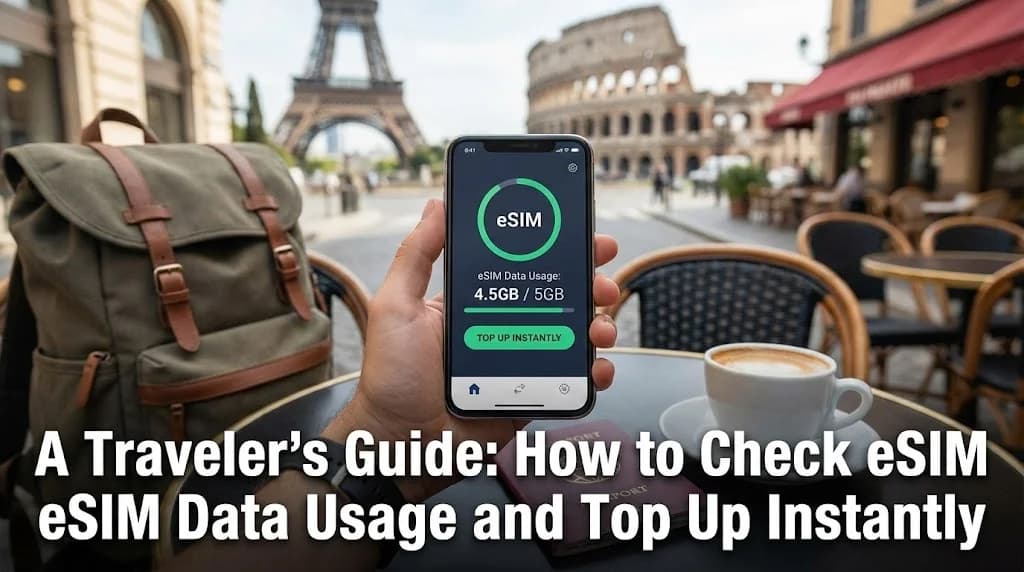
In the connected world of modern travel, managing your mobile data is as crucial as packing your passport. Running out of data unexpectedly can leave you stranded without navigation, communication, or access to essential travel information. This guide provides travelers with the essential knowledge and practical steps to monitor eSIM data usage in real-time and execute instant top-ups, ensuring you remain connected throughout your journey.
- Why Real-Time eSIM Data Monitoring is Essential for Travelers
- Effective Methods for Checking Your Cellesim eSIM Data Usage
- Knowing When to Act: Identifying the Need for an eSIM Top-Up
- A Seamless Process: Instantly Topping Up Your Cellesim eSIM
- Choosing the Right Cellesim Data Top-Up Plan for Your Journey
- Optimizing Your Data: Smart Habits to Prevent Unexpected Usage
- Troubleshooting Common Data Usage and Top-Up Issues
- Frequently Asked Questions
Stay Connected Effortlessly with Cellesim eSIMs
Never worry about running out of data again. Join 50,000+ happy customers connecting in 200+ countries with Cellesim.
Shop All eSIM PlansWhy Real-Time eSIM Data Monitoring is Essential for Travelers
For any traveler, especially those navigating unfamiliar destinations, reliable internet access is paramount. An eSIM simplifies connectivity by eliminating physical SIM cards, but it also necessitates proactive data management. Real-time monitoring allows you to:
- Avoid Unexpected Disconnection: Knowing your data status prevents sudden cut-offs, which can be critical for navigation, ride-sharing, or urgent communication.
- Control Spending: Keep track of your consumption to avoid costly overage charges or unnecessary top-ups.
- Maintain Productivity: For business travelers, uninterrupted connectivity ensures access to emails, video calls, and essential work tools.
- Enhance Safety: Access emergency services, translate languages, and stay informed about local conditions instantly.
Cellesim understands these needs, providing transparent tools to help you manage your data efficiently. Our system aims to empower you with the freedom to explore without connectivity concerns.
Effective Methods for Checking Your Cellesim eSIM Data Usage
Monitoring your eSIM data is straightforward, with a few reliable methods at your disposal. Understanding these options ensures you can always check your usage, regardless of your location or device.
Checking Usage Through Your Device Settings
Most modern smartphones offer built-in data usage trackers. While these provide a general overview, remember that they track all cellular data, including potentially other active SIMs. For eSIM-specific tracking, look for options to filter by SIM profile.
- For iPhone Users:
- Go to
Settings>CellularorMobile Data. - Scroll down to the
Cellular Datasection. Here, you'll see a breakdown of data used by various apps. - If you have multiple SIMs, ensure you've selected your eSIM profile to view its specific usage statistics.
- Go to
- For Android Users:
- Navigate to
Settings>Network & internet>Mobile network. - Select your eSIM profile if you have multiple options.
- Tap on
App data usageorData warning & limitto view usage for the current cycle and individual apps.
- Navigate to
The Most Accurate Method: Your Cellesim Account Dashboard
For precise, real-time data on your Cellesim eSIM, your dedicated online dashboard or the Cellesim app offers the most reliable information. This platform directly communicates with our network to provide accurate consumption figures and remaining data.
- Log In: Access your Cellesim account on cellesim.com or via our mobile app.
- Navigate to My eSIMs: Find the section dedicated to your active eSIM plans.
- View Usage: Select the specific eSIM you are currently using. You will see detailed information, including your original data allowance, current consumption, and remaining data.
Cellesim’s dashboard also provides information on your plan's validity period, ensuring you know exactly how much time you have left to use your data. This is the recommended method for making informed decisions about topping up.
Knowing When to Act: Identifying the Need for an eSIM Top-Up
Being proactive about data top-ups is crucial for uninterrupted travel. Several indicators can signal that it's time to add more data to your Cellesim eSIM.
- Low Data Notifications: Cellesim will send you alerts when your data usage approaches its limit, often at 80% and 95% consumption. Pay close attention to these warnings.
- Slowed Speeds: If your plan includes a fair usage policy, data speeds might be throttled after a certain threshold. A noticeable slowdown in browsing or streaming is a strong hint.
- Anticipated Heavy Usage: Planning a day of extensive navigation, video calls with family, or streaming content? Consider a top-up before these activities, especially if your remaining data is low.
- Approaching End of Trip: As your journey nears its end, you might only need a small data boost to cover the last few days. Assess your needs based on your remaining itinerary.
- Unexpected Changes: A sudden change in travel plans, such as extended stays or detours through areas with limited Wi-Fi, can increase your data dependency.
"Reliable data is the backbone of modern travel. Monitoring my eSIM usage with Cellesim's dashboard has saved me from countless stressful situations abroad." - A Happy Cellesim Customer
A Seamless Process: Instantly Topping Up Your Cellesim eSIM
Cellesim makes topping up your eSIM data a quick and effortless process, designed for travelers on the go. You can instantly add more data from anywhere in the world, ensuring continuous connectivity.
- Access Your Account: Log in to your Cellesim account via the Cellesim website.
- Select Your Active eSIM: From your dashboard, locate the eSIM profile you wish to top up.
- Choose a Top-Up Plan: Browse the available top-up options. These plans are tailored to various needs, offering different data allowances and validity periods.
- Secure Payment: Proceed to the secure payment gateway. Cellesim supports multiple payment methods for your convenience.
- Instant Activation: Once your payment is confirmed, the new data allowance is immediately added to your eSIM. You'll receive a confirmation email, and your updated data balance will reflect in your dashboard. No manual activation or complex steps required.
This streamlined process means you can resolve data shortages within minutes, without interrupting your travel plans or searching for local SIM card vendors.
Choosing the Right Cellesim Data Top-Up Plan for Your Journey
Selecting the appropriate top-up plan is crucial for cost-efficiency and continued connectivity. Cellesim offers a variety of options to suit different travel styles and data requirements. Consider the following factors:
- Remaining Trip Duration: If you only have a few days left, a smaller data package might suffice. For extended stays, a larger plan could be more economical.
- Anticipated Data Needs:
- Light User (Email, Maps, Messaging): Approximately 1-2 GB per week.
- Moderate User (Social Media, Light Streaming): 3-5 GB per week.
- Heavy User (Video Calls, Extensive Streaming/Downloads): 6 GB+ per week.
- Cost-Benefit Analysis: Compare the price per GB across different top-up tiers. Larger packages often offer better value per GB.
- Validity Period: Ensure the top-up plan's validity aligns with your remaining travel time to avoid data expiry.
Cellesim's flexible top-up options mean you are never forced into a plan that exceeds or falls short of your actual requirements. This adaptability is a key advantage over traditional roaming or local SIMs.
Optimizing Your Data: Smart Habits to Prevent Unexpected Usage
While instant top-ups are convenient, preventing excessive data consumption in the first place is even better. Adopting smart data habits can significantly extend the life of your eSIM plan.
- Leverage Wi-Fi: Always connect to secure Wi-Fi networks whenever available. Download large files, update apps, and stream high-quality content only when on Wi-Fi.
- Download Offline Content: Before heading out, download maps, travel guides, movies, or music to your device. Apps like Google Maps, Netflix, and Spotify offer offline modes that can save significant data.
- Disable Auto-Updates and Background Refresh:
- App Updates: Configure your phone to only update apps over Wi-Fi.
- Background App Refresh: Turn off background data usage for non-essential apps in your phone settings. Many apps consume data even when not actively in use.
- Adjust Streaming Quality: Lower the streaming quality for videos and music when using cellular data. Most platforms offer settings to reduce data consumption.
- Monitor Data-Heavy Apps: Identify which apps consume the most data (often found in your phone's data usage settings) and limit their use while on cellular data.
- Use Data Saver Modes: Many operating systems and browsers (like Chrome or Safari) offer data saver modes that compress web pages and reduce data usage.
Troubleshooting Common Data Usage and Top-Up Issues
While eSIMs are generally reliable, you might occasionally encounter minor hiccups related to data usage or top-ups. Here’s how to address common concerns:
- "My data usage seems too high!"
Ensure background app refresh is off for non-essential apps. Check which applications are consuming the most data in your device settings. Streaming video or large downloads on cellular data can quickly deplete your allowance. Refer to our guide on how to check eSIM data usage for precise monitoring.
- "My top-up isn't active immediately."
While Cellesim top-ups are instant, sometimes a quick device restart can help refresh your network connection and display the updated balance. Also, verify your purchase was successful in your Cellesim account dashboard.
- "I have data, but I can't connect to the internet."
Check if your eSIM profile is correctly activated and selected for cellular data in your phone settings. Ensure data roaming is enabled for your eSIM, if applicable. Sometimes, selecting the network manually in your phone's settings can resolve connectivity issues. Consult our complete eSIM setup guide for detailed steps.
- "I received a low data notification, but my Cellesim dashboard shows more data."
Your device's internal counter may not be perfectly synchronized with Cellesim's real-time network data. Always trust the usage displayed in your Cellesim dashboard for the most accurate figure.
If you encounter persistent issues, do not hesitate to contact Cellesim support at [email protected]. Our team is available to assist you with any connectivity concerns.
Ready for Seamless Connectivity on Your Next Trip?
Manage your data with ease, top up instantly, and stay connected globally with Cellesim.
Start Your Connected JourneyTrusted by 50,000+ travelers worldwide. Available in 200+ countries.
Frequently Asked Questions
How often should I check my eSIM data usage while traveling?
Check your eSIM data usage daily, or even more frequently if you anticipate heavy usage. Using the Cellesim dashboard provides the most accurate and real-time information, helping you stay aware of your consumption and prevent unexpected disconnections.
Can I top up my Cellesim eSIM from anywhere in the world?
Yes, Cellesim allows you to instantly top up your eSIM data from anywhere with an internet connection, either via Wi-Fi or using a minimal amount of remaining cellular data. This flexibility ensures you can always replenish your plan when needed.
What happens if I run out of data and don't top up?
If you deplete your Cellesim eSIM data allowance and do not top up, your internet access will cease until you purchase more data or connect to a Wi-Fi network. You will still be able to make calls or send texts if your device's primary SIM card is active for those services.
Will topping up extend my eSIM's validity period?
Topping up a Cellesim eSIM provides additional data allowance. The validity period of this new data is typically outlined at the time of purchase. It may extend your overall connectivity period or simply add data to your existing plan's remaining validity, depending on the specific top-up package selected.
Is it better to buy a larger plan upfront or top up as needed?
This depends on your travel style. Buying a larger plan upfront can often offer a better per-GB value and less hassle. However, topping up as needed provides flexibility if your data usage is unpredictable or you're unsure of your exact needs. Cellesim's instant top-up feature supports either approach.