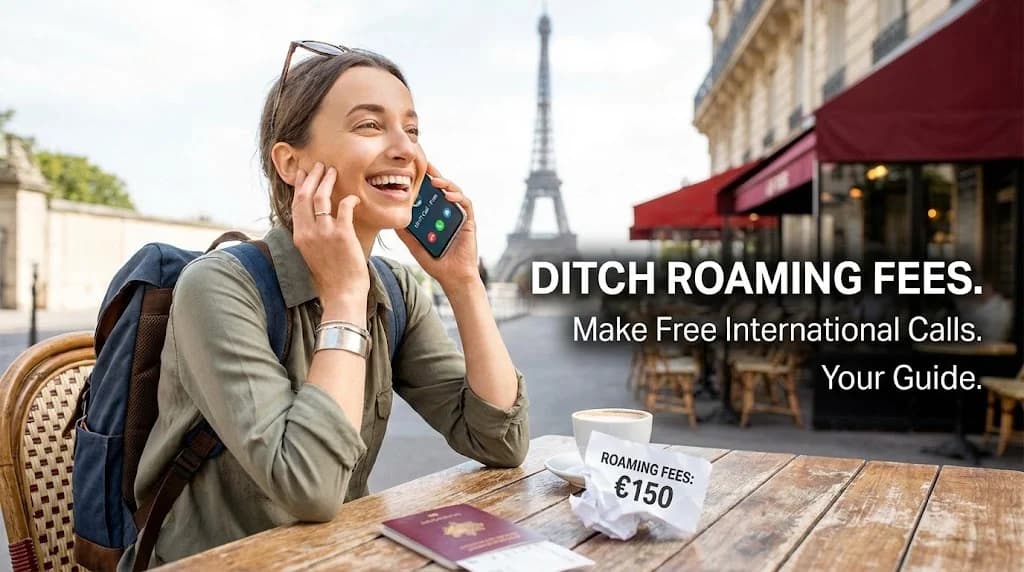
In an increasingly connected world, staying in touch with loved ones or business contacts while traveling abroad has become essential. Yet, the traditional methods often come with a hidden cost: exorbitant international roaming fees. These charges can quickly accumulate, turning a budget-friendly trip into an expensive ordeal.
Fortunately, modern technology offers a powerful alternative: making free international calls using Voice over Internet Protocol (VoIP) apps, powered by the flexibility of an eSIM. This guide will walk you through how to ditch those roaming fees forever and enjoy seamless, cost-effective communication wherever your journey takes you.
- Understanding the Cost of Traditional International Calls
- The eSIM Advantage: Your Gateway to Affordable Connectivity
- How to Make "Free" International Calls with VoIP Apps
- Top Apps for Free International Communication on Your eSIM
- Choosing the Right eSIM Data Plan for VoIP Calling
- Maximising Your eSIM for Seamless Global Communication
- eSIM vs. Traditional Roaming: A Cost Comparison
- Frequently Asked Questions
Connect Globally with Cellesim eSIM
Say goodbye to roaming charges. Get instant data in 200+ countries. Join 50,000+ happy customers.
View Global eSIM PlansUnderstanding the Cost of Traditional International Calls
For decades, travelers relied on their home mobile carrier for international calls, accepting high per-minute rates as an unavoidable travel expense. These rates can range from a few cents to several dollars per minute, depending on the destination and your home plan. Even receiving calls while abroad can incur charges, leading to unexpectedly large bills upon returning home.
Beyond the direct costs, traditional international calls often come with other inconveniences. You might need to purchase calling cards, hunt for public phones, or deal with unreliable connections. The simplicity of using your regular phone number internationally often hides a significant financial burden, making spontaneous calls or extended conversations a costly luxury.
The average traveler can spend upwards of $50-100 on international calls alone during a two-week trip if relying solely on traditional roaming. An eSIM can eliminate these charges.
The eSIM Advantage: Your Gateway to Affordable Connectivity
An eSIM, or embedded SIM, is a digital SIM card that allows you to activate a cellular plan from a carrier without needing a physical SIM card. It's a game-changer for international travel because it lets you easily switch local data plans, providing internet access without the need for swapping physical cards.
With Cellesim, you can purchase an eSIM plan for over 200+ countries, activate it in minutes, and get immediate access to local data networks. This robust data connection is the foundation for making free international calls. Instead of paying per minute to your traditional carrier, you simply use data from your eSIM plan to power internet-based calling applications.
Check if your device is eSIM compatible before you travel. Most modern smartphones, including recent iPhone, Samsung Galaxy, and Google Pixel models, support eSIM technology. The setup process is straightforward and can typically be completed in just a few steps.
How to Make "Free" International Calls with VoIP Apps
The concept of "free international calls" hinges on Voice over Internet Protocol (VoIP) technology. VoIP converts your voice into digital packets that are sent over the internet, rather than through traditional phone lines. This means that as long as you have an active internet connection, provided by your Cellesim eSIM, your calls are effectively "free" in terms of per-minute charges. You are only consuming data.
This method offers several benefits:
- Cost Savings: Eliminate per-minute roaming charges entirely.
- Global Reach: Call anyone, anywhere, as long as they also have an internet connection and the same VoIP app.
- High Quality: Modern VoIP apps often provide superior call quality compared to traditional international calls, especially for video calls.
- Convenience: Use your existing contacts and familiar app interfaces.
To make these calls, simply ensure your Cellesim eSIM plan is active and has sufficient data. Then, open your preferred VoIP app and initiate a call as you would normally.
Top Apps for Free International Communication on Your eSIM
A variety of robust applications enable "free" international calls over the internet. These apps leverage your eSIM's data connection to transmit voice and video, bypassing expensive carrier roaming fees. Here are some of the most popular and reliable options:
WhatsApp is arguably the most widely used messaging and calling app globally. It offers high-quality voice and video calls to other WhatsApp users, along with group calling features. It uses minimal data for voice calls, making it ideal for staying connected. Crucially, you can keep your WhatsApp number even when using a travel eSIM.
FaceTime (Apple Devices)
For iPhone, iPad, and Mac users, FaceTime offers seamless, high-definition video and audio calls to other Apple users. It’s integrated directly into the iOS and macOS ecosystems, providing a very intuitive user experience. FaceTime calls are encrypted, offering a secure way to communicate.
Skype
A pioneer in VoIP, Skype remains a strong choice for international communication. Beyond free Skype-to-Skype calls, it also allows users to make calls to traditional landlines and mobile numbers worldwide at very competitive rates (though these are not "free" and require Skype credit). It is available across multiple platforms, including Windows, macOS, Linux, iOS, and Android.
Google Meet (formerly Google Duo)
Google Meet provides high-quality video and voice calls. It's designed for simplicity and reliability, offering cross-platform compatibility. You can reach anyone with a Google account, and it uses smart technology to ensure call quality even on slower connections.
Zoom
While often associated with business meetings, Zoom also functions excellently for one-on-one and group video calls with friends and family. The free tier allows for calls of up to 40 minutes for groups, and unlimited time for one-on-one calls. Its stability and wide adoption make it a practical choice for international communication.
Signal and Telegram
These apps prioritize privacy and security, offering end-to-end encrypted voice and video calls. They are excellent choices for users who value secure communication alongside free international calling capabilities.
Choosing the Right eSIM Data Plan for VoIP Calling
Since your "free" international calls rely on your eSIM's data, selecting the appropriate data plan is crucial. The amount of data you'll need depends on how frequently and for how long you plan to use VoIP apps, and whether you primarily make voice or video calls.
Here’s a general guide to help you estimate your data needs:
- Light Usage (1-2 GB): Ideal for occasional voice calls and messaging. Suitable for short trips or those who mainly rely on Wi-Fi.
- Moderate Usage (3-5 GB): Good for daily voice calls, some video calls, and regular messaging and browsing.
- Heavy Usage (10+ GB): Recommended for frequent video calls, heavy streaming, and extensive online activity.
Consider your travel habits. Will you be in areas with readily available public Wi-Fi? Or will you be constantly on the go, relying solely on your mobile data? Cellesim offers a range of eSIM plans with varying data allowances and validities to suit different travel styles. You can use our Smart Data Calculator to get a more precise estimate of your data requirements based on your intended usage.
Maximising Your eSIM for Seamless Global Communication
To ensure your experience with free international calls via an eSIM is as smooth as possible, consider these practical tips:
- Activate Before Departure: Purchase and activate your Cellesim eSIM while still at home or before you leave. This ensures you are connected the moment you land, avoiding any frantic searches for Wi-Fi or local SIM vendors.
- Monitor Data Usage: Keep an eye on your data consumption through your phone settings or the Cellesim app. This helps you avoid running out of data unexpectedly, especially if you're making many video calls.
- Utilise Wi-Fi: Whenever reliable Wi-Fi is available (e.g., at your hotel, cafe, or airport), connect to it. This saves your eSIM data for when you truly need it, such as when exploring or in transit.
- Inform Contacts: Let your international contacts know which VoIP app you'll be using for calls. This ensures everyone is on the same page and can connect easily.
- Power Bank: Constant data usage and calling can drain your phone battery faster. Carry a power bank to ensure your device stays charged throughout the day.
- Maintain Your Primary Number: One of the key advantages of an eSIM is that it allows you to keep your primary SIM active for calls and SMS, while using the eSIM for data. This means you can still receive calls to your regular number while making international calls via data.
The GSMA projects that eSIM adoption will grow significantly, making it the standard for mobile connectivity due to its flexibility and convenience for travelers worldwide.
eSIM vs. Traditional Roaming: A Cost Comparison
To truly appreciate the value of an eSIM for making "free" international calls, it helps to compare it directly with traditional roaming options and even local SIM cards. This table highlights the significant advantages an eSIM provides in terms of cost and convenience.
| Option | Cost for Calls (7 days) | Setup Difficulty | Data Connectivity | Original Number |
|---|---|---|---|---|
| Cellesim (VoIP) | Included in data plan (e.g., $10-20 for 5GB) | Easy (digital activation) | Full 4G/5G speed | Retained |
| Carrier Roaming | $10-15+ per day (calls only) / $70-100+ total | Automatic | Often throttled/expensive | Retained |
| Local Physical SIM | Included in local plan (e.g., $15-30 for 5GB) | Moderate (store visit, registration) | Full local speed | Temporarily replaced |
As the table illustrates, using an eSIM for data to power VoIP calls is almost always the most economical and convenient option for international travel. It removes the stress of unexpected bills, allowing you to focus on your trip without worrying about communication costs. Explore our Roaming Savings Calculator to see how much you could save.
Ready for Seamless, Fee-Free Calls Abroad?
Ditch roaming charges and connect instantly with Cellesim. Experience true freedom of communication.
Start Your Connected JourneyTrusted by 50,000+ travelers in 200+ countries. 24/7 Support.
Frequently Asked Questions
Are international calls truly free with an eSIM?
Yes, international calls made through VoIP apps like WhatsApp, FaceTime, or Skype are "free" in terms of per-minute charges. They only consume data from your eSIM plan. As long as you have an active Cellesim eSIM plan with sufficient data, you won't incur additional call charges.
Which apps are best for making free international calls?
Popular and reliable apps include WhatsApp, FaceTime (for Apple users), Skype, Google Meet, Zoom, Signal, and Telegram. These all offer high-quality voice and video calls over an internet connection.
How much data do international calls use?
Voice calls typically use around 0.5-1 MB per minute, while video calls can consume significantly more, ranging from 10-30 MB per minute depending on quality. Cellesim offers various eSIM data plans to suit different usage needs.
Do I need to change my phone number to use an eSIM for calls?
No, you do not. Your Cellesim eSIM provides data connectivity, allowing you to use your existing VoIP apps. Your original phone number remains active on your primary SIM for traditional calls and SMS, while the eSIM handles the data for your "free" international app calls.
Can I make free international calls to people who don't have the same app?
No, both parties need to be using the same VoIP application (e.g., both on WhatsApp, both on FaceTime) to make "free" calls over the internet. Some apps like Skype offer low-cost calls to traditional phone numbers, but these are not truly free.
How reliable is the call quality with an eSIM and VoIP apps?
Call quality with a Cellesim eSIM and modern VoIP apps is generally excellent, often superior to traditional international calls. Quality depends on the stability and speed of the local data network, which Cellesim provides through strong partnerships in over 200 countries.