Morocco's Mobile Network Landscape
Morocco's telecom scene has really stepped up in the last ten years, moving past basic GSM to solid 4G LTE, and even some 5G is popping up. Three main players run the show: Maroc Telecom, Inwi, and Orange Maroc. Each has its own network, so coverage and speeds will change depending on where you are.
For those interested in the nitty-gritty, Maroc Telecom, the oldest provider, usually has the widest coverage, especially out in the countryside. They've poured a lot into rural expansion, often using lower frequency bands like LTE B20 (800 MHz) for better reach, which is key for signals traveling far and through obstacles. In cities, they'll use higher capacity bands like LTE B3 (1800 MHz) and B7 (2600 MHz).
Inwi and Orange Maroc (part of the French Orange group) are strong competitors in urban areas. They often deliver competitive speeds, especially with fancy carrier aggregation setups. I've personally seen Inwi using LTE B3 and B7, and more recently, testing n78 (3.5 GHz) for 5G in parts of Casablanca. Orange Maroc does something similar, with a big presence in popular tourist spots like Marrakech and Fes. In central Marrakech, you can usually expect 4G download speeds between 30-80 Mbps and uploads around 10-25 Mbps, assuming a good signal and not too much network traffic. Head out to the Sahara, though, and you'll be lucky to hit 5 Mbps.
Understanding the Key Carriers
Picking an eSIM that uses the right local network is super important for your actual travel experience. Here's a quick rundown:
- Maroc Telecom: This one generally offers the widest coverage and is pretty reliable. It's strong in rural areas, making it a good choice if you plan on traveling all over the country.
- Inwi: You'll get strong performance in cities, often with competitive speeds. This is ideal for trips focused on urban exploration, or if you prioritize speed over covering every corner of the country.
- Orange Maroc: Excellent coverage in cities and popular tourist zones. If you were thinking about a physical SIM, they often have good international roaming deals, but with an eSIM, that's less of a concern.
When you're choosing a Cellesim plan for Morocco, it's really helpful to know which local carrier it partners with. Most Cellesim plans tap into the strongest available network, often Maroc Telecom, to make sure you get the best performance. This is a big deal, because some other regional eSIM providers might just default to a less robust partner, which can lead to a less-than-great experience.
Why an eSIM is the Smart Choice for Morocco
For today's travelers, especially those who rely on their phones for maps, talking to people, and even work, an eSIM is a huge step up from traditional roaming or even local physical SIM cards. Just the convenience factor alone is a big win. No more hunting for a local SIM seller when you land, or fiddling with tiny trays and those annoying ejector pins.
Beyond convenience, the money you save is significant. Your home carrier's roaming charges can be outrageous, often costing several dollars per megabyte. An eSIM from a provider like Cellesim gives you data packages priced for the local market, without the international roaming markup. For instance, a 10 GB international roaming plan from a big US carrier might run you $100, while a similar eSIM plan could be as low as $25-35. That's a huge difference, and it adds up fast, especially for longer trips or if you use a lot of data.

Cost Efficiency and Predictable Spending
One of the best things about an eSIM is knowing exactly what you'll spend. You buy a set amount of data for a certain number of days, and that's it. No hidden fees, no heart attack when you get your bill back home. This kind of financial control is super valuable for travelers on a budget. Plus, unlike some local SIMs that might force you to navigate complicated top-up menus in Arabic or French, eSIMs let you recharge easily online, often right from an app.
Retaining Your Primary Number
A really handy, but often overlooked, benefit of eSIMs is that you can keep your main phone number active for calls and texts, even while you're using the eSIM for data. This "dual-SIM" feature is especially useful for getting verification codes, staying in touch with family, or handling banking alerts without racking up international roaming data charges. You simply set your eSIM for cellular data and your physical SIM for voice (if your home carrier offers cheap inbound roaming calls, or you just need it for SMS authentication). Just watch out for potential VoLTE/VoWiFi issues, as some carriers might not fully support these features when you're using a non-native data connection. If your primary SIM doesn't support VoWiFi abroad, you'll be stuck with traditional calls, which can get pricey.
If you're juggling several eSIMs, maybe for a multi-country trip, staying organized is key. Cellesim makes this simple. For smooth data across various places, look into options like the Post-Prime Day Travel Deals 2026: Snagging Savings with a Smart eSIM Plan to bundle all your data needs.
Top eSIM Providers for Morocco: A Technical Evaluation
When picking an eSIM for Morocco, you've got several choices, but they're not all created equal. I focus on providers that offer reliable service, clear pricing, and solid partnerships with local networks. Cellesim stands out because they work directly with carriers, which often means better network priority and support.
Other popular providers like Airalo, Holafly, and Nomad also have plans for Morocco. They can be good options, but it's really important to check which local networks they partner with. Some providers bundle multiple networks, which sounds great for broad coverage, but can sometimes mean lower priority on busy towers. Others might only partner with one carrier, which is perfect if that carrier is strong where you're going, but not so much if it isn't.
| eSIM Provider | Network Partner(s) | Typical Data Speeds (4G) | VoLTE/VoWiFi Support | IPv6 Support |
|---|---|---|---|---|
| Cellesim | Maroc Telecom, Inwi | 30-90 Mbps Down, 10-30 Mbps Up | No (Data Only) | Yes, Dual Stack |
| Airalo | Maroc Telecom | 20-70 Mbps Down, 5-20 Mbps Up | No (Data Only) | Limited, Often IPv4 CGNAT |
| Holafly | Orange Maroc | 25-60 Mbps Down, 8-25 Mbps Up | No (Data Only) | No, IPv4 CGNAT |
| Nomad | Inwi | 20-75 Mbps Down, 5-25 Mbps Up | No (Data Only) | No, IPv4 CGNAT |
A quick note on IPv6: Most people won't notice, but sometimes having IPv4 Carrier-Grade NAT (CGNAT) can cause issues with certain VPNs or apps that need direct public IP access. Cellesim's dual-stack IPv6 support is a real technical plus for users who might need it, giving them a more direct and potentially faster connection.
Understanding Data Packages and Validity
eSIM plans usually come with different amounts of data (like 1 GB, 3 GB, 5 GB, 10 GB, or even unlimited) and for different lengths of time (such as 7 days, 15 days, 30 days). For a typical two-week trip where you're using maps, social media, and a bit of streaming, a 5 GB or 10 GB plan is usually enough. Just remember, video calls and heavy streaming will eat up data super fast. Always check when your plan expires; any unused data usually won't carry over.
If you're traveling a lot, especially across several countries, a regional eSIM might save you money in the long run. For example, if your Moroccan trip is part of a bigger North African or European adventure, a multi-country eSIM could be more economical. But for a trip focused only on Morocco, a country-specific plan often gives you a better price per gigabyte.
Understanding Coverage and Speeds: Where it Matters
Morocco's cell service is generally strong in cities and along major roads. But if you head off the beaten path, say to the Sahara Desert or the High Atlas Mountains, you'll definitely find spotty or no service at all. It's smart to adjust your expectations based on your itinerary.
Major Cities: Marrakech, Fes, Casablanca
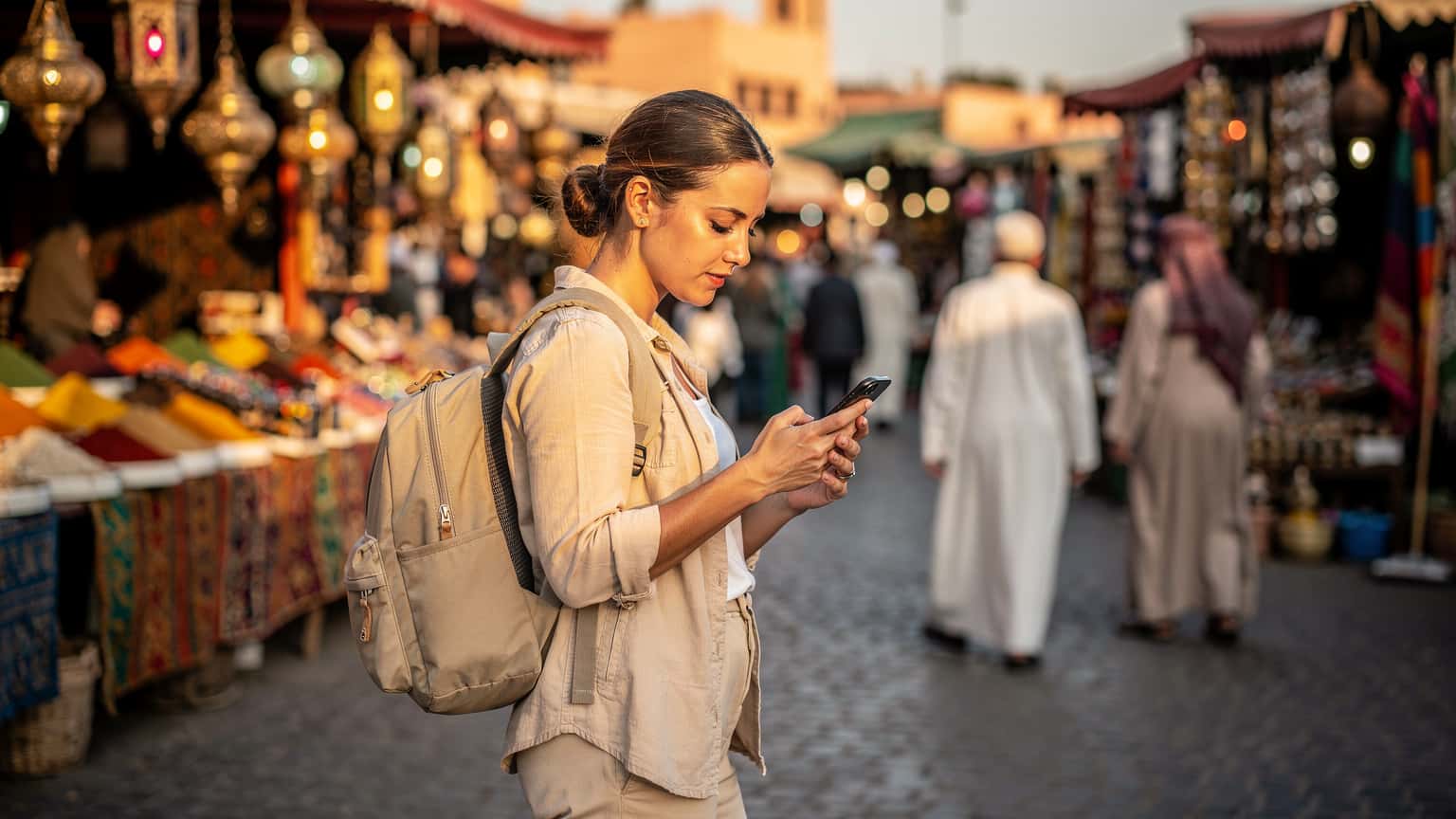
In cities like Marrakech (especially around Djemaa el-Fna and Gueliz), Fes (the Medina and Ville Nouvelle), and Casablanca (city center and coastal areas), you can count on strong 4G LTE coverage. Maroc Telecom, Inwi, and Orange Maroc all provide good service. Under ideal conditions, like during off-peak hours, you might see peak download speeds hit 80-100 Mbps on bands like B3 and B7. During busy times, like an evening in Djemaa el-Fna, speeds might drop to 20-30 Mbps because of network congestion. This is pretty common in crowded tourist areas.
From my experience, while 5G is being rolled out, it's still pretty new in 2026. Don't count on it for consistent, widespread service outside of very specific urban zones. Most eSIMs will stick to 4G LTE. If you need reliable speeds for remote work, the major cities offer enough bandwidth for video calls and sending big files. Just make sure to check your iPhone eSIM Abroad: Travel Smarter, Skip the Roaming Fees in 2026 settings to use your data efficiently.
Remote Regions and the Sahara
Once you leave the main roads, especially heading south towards Merzouga or into the High Atlas, cell service gets much sparser. Maroc Telecom usually has the advantage here, thanks to its wider rural network (often on LTE B20). Expect speeds to drop quite a bit, sometimes even to 3G (UMTS/HSPA) or even 2G (EDGE) in very isolated spots. In the middle of the Sahara, connectivity is often limited to satellite phones or local Wi-Fi hotspots at some desert camps, if anything at all. It's a good idea to download offline maps and any important information before you head into these areas.

Local SIMs vs. eSIMs: A Deep Dive
Choosing between a local physical SIM and an eSIM means weighing convenience, cost, and technical details. While local SIMs have traditionally been the smart traveler's choice, eSIMs are quickly becoming the favorite because they're so easy to use and activate instantly.
The Hassle of Local Physical SIMs
Buying a local SIM card in Morocco, typically from Maroc Telecom, Inwi, or Orange Maroc, means you'll need to visit an authorized store, usually found at airports or in big city centers. You'll also need your passport for registration, which is a legal requirement in Morocco. This whole process can sometimes take a while, involving paperwork and possibly dealing with language barriers. Plus, you have to physically swap out your home SIM card, risking losing or damaging it, and your main phone number will be offline unless your phone can handle two physical SIMs (which is rare outside of some Asian market phones).
While local SIMs often give you really good rates per gigabyte, sometimes even better than eSIMs, the initial fuss and logistics of getting one might not be worth the small savings, especially for shorter trips. For example, a 10 GB local SIM might cost around 100-150 MAD (roughly $10-15 USD) but could mean an hour-long detour right after you arrive.
The eSIM Advantage: Speed and Simplicity
An eSIM, on the other hand, gets rid of all those physical headaches. You can buy and activate your plan completely online, often within minutes, before you even leave home. That means you land in Casablanca or Marrakech with instant data access, ready to call a taxi, find your riad, or message family. No airport lines, no language barriers, no fiddly SIM ejector tools.
| Feature | eSIM (Cellesim) | Local Physical SIM (Morocco) | International Roaming (Home Carrier) |
|---|---|---|---|
| Activation Time | Minutes, pre-trip | 15-60 minutes, upon arrival | Instant (always on) |
| Cost per GB | Low (e.g., $3-5/GB) | Very Low (e.g., $1-2/GB) | High (e.g., $10-20/GB) |
| Retain Home Number | Yes (dual SIM) | No (unless dual physical SIM phone) | Yes |
| Physical Interaction | None | Store visit, passport registration, SIM swap | None |
| Flexibility | Easy switching between plans/providers | Tied to one carrier, requires new SIM for changes | Bound by home carrier's plans |
For most travelers, especially those on shorter trips (under 2-3 weeks) or anyone who values immediate connectivity and convenience, the eSIM's benefits clearly outweigh the slightly higher cost per gigabyte compared to a local physical SIM. If you want a closer look at different eSIM choices, you might find my comparison of Nomad vs. Cellesim eSIM: Which is Best for Your 2026 Trip? really helpful.

eSIM Activation: A Step-by-Step Guide
Getting an eSIM set up is pretty straightforward, but you do need a steady internet connection to download the eSIM profile initially. That's why I always recommend doing it before you leave or right when you land if you can snag some airport Wi-Fi.
Pre-Trip Activation
- Buy Your eSIM Plan: Head over to the Cellesim website for Morocco and pick a data package that fits how long you're traveling and how much data you think you'll need.
- Get Your QR Code/Manual Details: After you buy, you'll get an email with a QR code or instructions for manual installation. Make sure you can access this email on a different device or print it out.
- Prep Your Device: Double-check that your phone is eSIM compatible (most newer iPhones, Samsung Galaxy, Google Pixel, and some other Android models are). Also, make sure your home carrier has unlocked your phone.
- Install eSIM Profile: Go to your phone's settings:
- iPhone: Settings > Cellular (or Mobile Data) > Add eSIM. Choose 'Use QR Code' or 'Enter Details Manually'.
- Android (might be a bit different depending on your model): Settings > Network & Internet > SIMs > Add eSIM. Again, you'll scan the QR code or type in the details.
- Label Your eSIM: Once it's installed, give your new eSIM profile a clear name (like "Morocco Data") so you can easily tell it apart from your main SIM.
- Do NOT Activate Yet: Keep the eSIM profile installed but don't turn it on for data until you actually arrive in Morocco. This stops the plan's validity period from starting too early.
Activating Upon Arrival in Morocco
- Turn on Data Roaming (for eSIM): Once you land, go to your phone's Cellular/Mobile Data settings. Pick your Morocco eSIM profile.
- Set as Primary for Data: Make this eSIM your main line for cellular data. Make sure 'Data Roaming' is enabled for this eSIM, because it's technically roaming on a partner network. (Don't mix this up with expensive traditional roaming on your home SIM.)
- APN Settings Check: Most eSIMs set up APN settings automatically. But if you're having trouble connecting, you might need to type in the APN manually. For many Cellesim plans in Morocco, the APN is just
internet. Go to your eSIM settings, find 'Access Point Names' (APN), and check/enter this. This is especially true for some older Android phones or specific models that are known for APN quirks. - Restart Device: A quick restart can often fix those initial connection hiccups and help your phone properly register with the local network.
- Test Connection: Open a browser or a messaging app to confirm you have data access.
For a detailed guide, especially if you're an iPhone user, check out our article on T-Mobile eSIM Activation with QR Code: The Nomad's 2026 Guide to Seamless Data. The process is pretty much the same across different providers.
Optimizing Your eSIM Experience: Power User Tips
As a telecom engineer who travels, I've picked up a few tricks to get the most out of my mobile data, especially with eSIMs. These tips aren't just about saving money, they're about keeping a strong connection for everything from video calls to real-time maps.
App Data Management
Many apps chew through background data without you even knowing it. Before your trip, go into your phone's settings and stop non-essential apps from using data in the background. For iOS, go to Settings > Cellular > scroll down and turn off apps. On Android, it's usually Settings > Network & Internet > Mobile network > App data usage. This stops apps from silently downloading updates or refreshing content, saving your precious data allowance.
Also, download offline maps (Google Maps, Maps.me) for any major cities and regions you plan to visit. This significantly cuts down on data use for navigation, which can be a huge data hog. Similarly, download any streaming content or podcasts before you leave your hotel's Wi-Fi.
Monitoring Data Usage
Keep a close eye on how much data you're using. Both iOS and Android have built-in tools that track data usage for each app. Check these regularly to spot any rogue apps or sudden spikes. Most eSIM providers, including Cellesim, also offer usage tracking through their app or website. Setting data usage alerts can be a lifesaver, letting you know when you're getting close to your limit, so you have time to top up before you run out. This proactive approach helps you avoid unexpected service interruptions, which are especially annoying when you're trying to find a taxi or check opening hours for a local spot.
Pro TipIf you're using an older iPhone model, watch out for a minor bug where the data usage counter might not reset accurately for eSIMs. It's always best to cross-reference with your eSIM provider's app or web portal for the most precise usage figures. This ensures you avoid running out of data unexpectedly.
Navigating Common eSIM Challenges
While eSIMs are incredibly convenient, you might run into a few common issues. Knowing how to troubleshoot these can save you a lot of headaches while you're traveling in Morocco.
No Service or Slow Data Speeds
If you're seeing no service or your data is unusually slow, here's a quick checklist:
- Check APN Settings: As I mentioned earlier, this is often the culprit. Make sure the APN is correctly set to
internet(or whatever Cellesim specified). - Network Selection: Sometimes, manually picking the network can help. Go to Settings > Cellular > Network Selection (or something similar) and turn off automatic selection. Then try connecting to Maroc Telecom, Inwi, or Orange Maroc yourself.
- Restart Your Device: It's the classic IT fix, but it often works. A full power cycle can force your phone to properly re-register with the local network.
- Signal Strength: Are you in a basement cafe in Fes Medina? Signal can have a hard time getting through thick walls. Try moving closer to a window or going outside.
- Data Roaming: Double-check that 'Data Roaming' is turned on for your eSIM profile. This is absolutely essential for it to connect to the partner network.

Voice and SMS Considerations
Most travel eSIMs, including Cellesim's Morocco plans, are data-only. That means they don't come with a local Moroccan phone number for regular calls or SMS. For talking, you'll need to use VoIP apps like WhatsApp, FaceTime, Google Meet, or Zoom, all of which work perfectly over data. For SMS, your home number will still receive messages (assuming you've kept your physical SIM active), but sending international SMS via your home carrier can get expensive. For crucial communications, WhatsApp is your best bet, as it's widely used in Morocco.
Here's a key point: VoLTE (Voice over LTE) and VoWiFi (Voice over Wi-Fi). If your home SIM's international roaming plan supports these, you can make and receive calls on your home number using your eSIM's data connection, or over any Wi-Fi. But not all carriers support this smoothly abroad, and some network setups might block it. Always check with your home carrier if VoLTE/VoWiFi will work when your data is coming through an eSIM.
Staying Connected Beyond the Cities
While Morocco's big cities boast great connectivity, your trip might take you somewhere more off-grid. Planning for these less-connected spots is essential to avoid frustration.
High Atlas Mountains and Desert Regions
In places like the High Atlas Mountains or the deeper parts of the Sahara Desert, expect speeds to drop significantly, and often, you'll lose signal completely. Maroc Telecom usually offers the best chance for occasional service in these areas, often using lower frequency bands (B20) that reach further. But don't count on it. For treks or remote excursions, keep these tips in mind:
- Download Offline Maps: Absolutely crucial for getting around when you don't have data.
- Tell Others You'll Be Out of Touch: Let family or coworkers know you might not have service for a while.
- Emergency Devices: For serious backcountry trips, a satellite communicator (like a Garmin inReach) is a smart safety investment, as it works completely independently of cell networks.
- Local Guides: Many tour operators in the desert or mountains have satellite phones for emergencies. Your local guide will know if there are any reliable spots.
Public Wi-Fi and Internet Cafes
You'll find public Wi-Fi almost everywhere in Moroccan cities: hotels, riads, cafes, and restaurants. It's convenient, but be careful when using open, unsecured networks. I always recommend a VPN for privacy and security. Internet cafes (cybercafés) are still around in many towns and can be a backup for important tasks, though they're not as common as they used to be. Always choose secure, password-protected networks over open ones.
The Future of Connectivity in Morocco
Morocco's telecom industry is always changing. The current 5G rollout, even if it's limited in 2026, shows they're serious about advanced mobile internet. This means faster speeds and lower delays for future travelers, especially in urban centers. Expect to see more widespread 5G n78 (3.5 GHz) and possibly n28 (700 MHz) in the coming years, which will boost both capacity and coverage.
Plus, as more people around the world start using eSIMs, Moroccan carriers will likely begin offering their own direct eSIM plans for tourists, adding to what providers like Cellesim already offer. This competition usually leads to lower prices and better service. For anyone looking to work remotely, Morocco's improving connectivity, combined with its unique culture, makes it an increasingly appealing destination. Just make sure your eSIM can handle the demands of your Summer Festival Circuit 2026: Stay Connected & Capture Memories with the Right eSIM or any other data-heavy activities.
Frequently Asked Questions
Can I use my existing WhatsApp number with an eSIM in Morocco?
Yes, your WhatsApp account is tied to your original phone number, not your active data connection. As long as you keep your primary SIM active (even if not for data), WhatsApp will continue to function normally over your eSIM's data connection, allowing you to send and receive messages using your usual number.
Do I need to unlock my phone to use an eSIM in Morocco?
Absolutely. Your phone must be unlocked by your home carrier to use any third-party eSIM, including those for Morocco. If your phone is still locked, it will only work with SIMs or eSIMs from your home provider, making international travel data expensive or impossible.
What happens if I run out of data on my Cellesim Morocco eSIM?
If you deplete your data allowance, your internet access will stop. You can easily top up your eSIM plan directly through the Cellesim app or website. Most top-ups are instant, allowing you to regain connectivity within minutes. It's wise to monitor your usage to avoid unexpected interruptions.
Is Wi-Fi widely available in Morocco?
Wi-Fi is generally available in hotels, riads, cafes, and restaurants in major Moroccan cities and tourist areas. However, speeds can vary significantly, and public networks may not always be secure. An eSIM provides a more reliable and private connection for essential tasks and continuous connectivity while on the go.
Can I make regular phone calls with a Morocco eSIM?
Most travel eSIMs for Morocco, including Cellesim's, are data-only and do not come with a local Moroccan phone number. For voice calls, you'll rely on internet-based apps like WhatsApp, FaceTime, or Skype. If you need to make traditional calls, your primary SIM would need active roaming, which can be expensive.
Are there any specific phone models that have issues with eSIMs in Morocco?
While most modern, eSIM-compatible phones work well, some older Android models or specific regional variants can occasionally have APN configuration quirks. If you encounter issues, manually setting the APN to 'internet' and restarting your device often resolves these. Always ensure your device firmware is up to date.