What's an eSIM and Why Does It Matter?
Remember those old days? You'd be at the airport, fumbling with your tiny SIM card, trying to swap it out before your flight. Or worse, you'd lose that minuscule pin and desperately search for a paperclip. Yeah, those days are slowly fading away. An eSIM is essentially a digital SIM card built right into your phone, getting rid of all that plastic card hassle. You can download and activate your carrier profile without needing a physical card slot.
For international trips, especially to big events like music festivals in Europe, the importance of an eSIM really shines. I still remember the struggle last year at Sziget Festival on Budapest's Óbudai Island, trying to find my friend near the main stage with zero phone signal. If I'd had an eSIM, I could've instantly switched to a local plan, used Vodafone Hungary's network, and connected right away. It's not just about convenience; it's a huge difference for safety and getting info when you need it most.
The Difference Between eSIM and Physical SIM Cards
The main difference, as the name suggests, is physical form. Traditional SIM cards are tiny plastic chips you insert and remove from your phone. An eSIM, on the other hand, is a reprogrammable chip embedded inside your phone. This means you can store multiple carrier profiles on a single device. For instance, you could keep your home T-Mobile line active while activating an affordable data package from TIM Italy in seconds when you're traveling in Italy. This flexibility is a huge plus, especially for roaming in Europe, Italy, Greece, and Spain.
eSIM-Compatible Devices
eSIM technology has become standard on newer smartphones, especially in the last few years. Popular devices like all iPhone models from the XR onwards, Samsung Galaxy S20 series and newer, and Google Pixel 3 and newer all support eSIM. If you're looking at a new phone, say an iPhone 18 or Galaxy Z Fold 7, you'll definitely get the full benefit of eSIM's travel optimization features. It's always a good idea to check your device's specs before buying; this info is usually on the box or the manufacturer's website.
How to Get Your T-Mobile eSIM QR Code
As a T-Mobile customer, getting an eSIM or switching to one is a pretty straightforward process. There are generally two main ways: using the T-Mobile app or contacting customer service. I remember once in Tokyo, after getting off the Narita Express on the JR East Yamanote Line, my phone's SIM card wasn't working. I had to scramble to get a physical card from a local carrier. With a T-Mobile eSIM, those kinds of headaches are a thing of the past.
Getting an eSIM Through the T-Mobile App
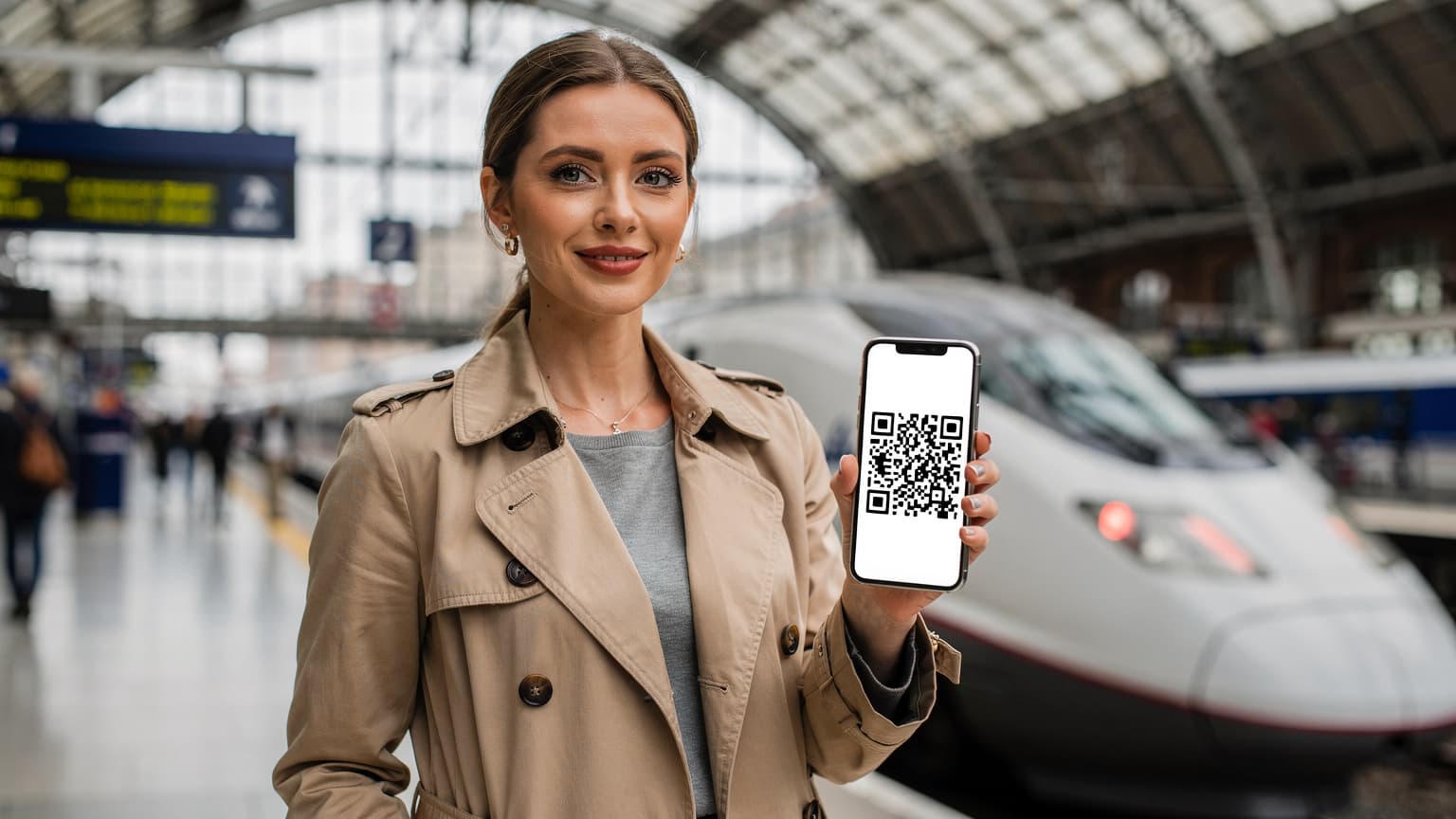
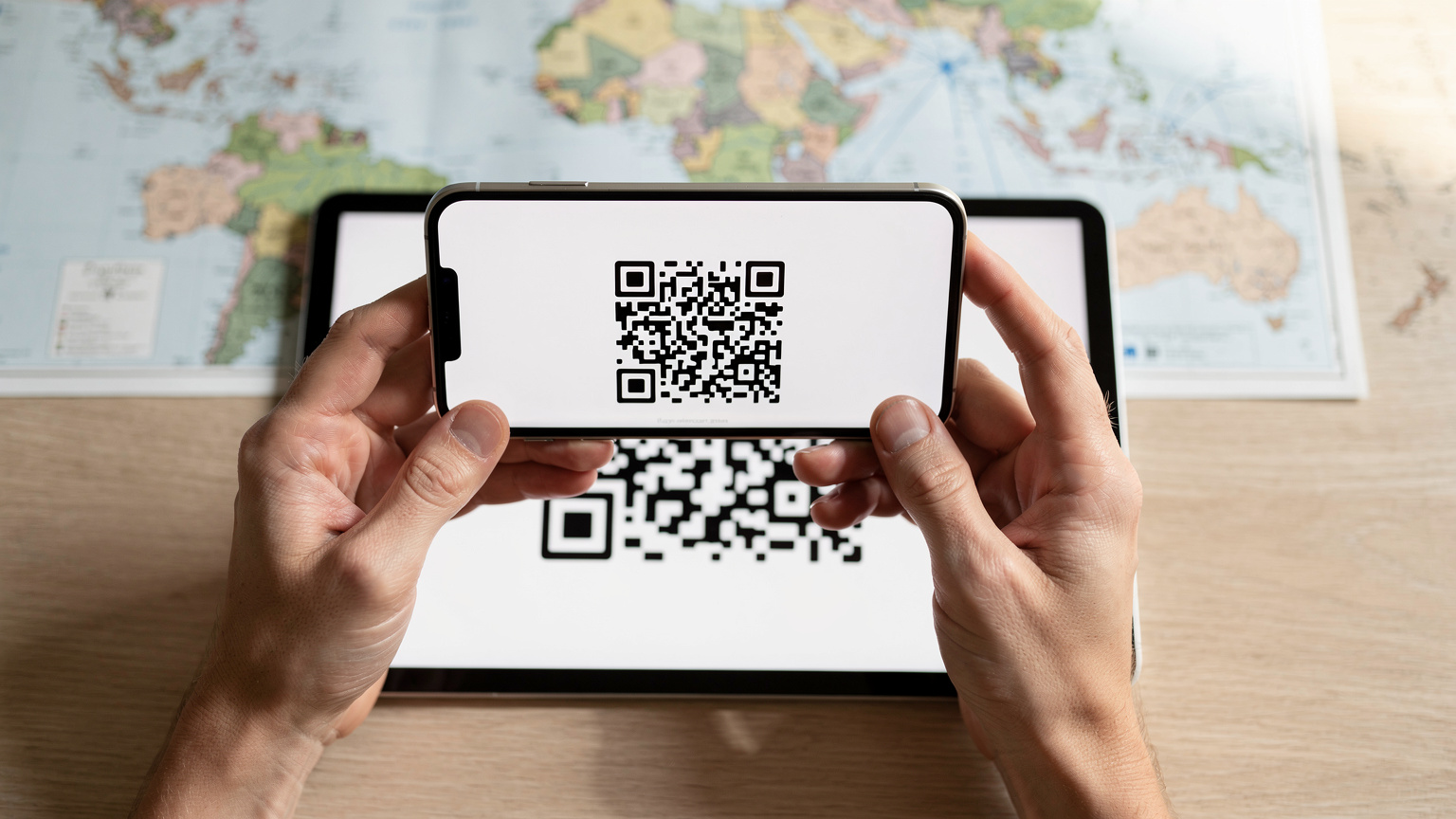
This is the fastest and easiest method. If you have the T-Mobile app installed on your phone, you can request your eSIM profile in just a few taps. You'll usually find an option like "Add eSIM" or "Switch to eSIM" in the "My Account" or "Line Management" sections. The app will guide you through the steps and display the QR code directly on your screen. You'll generally need another device to scan this code (for example, open it on your tablet and scan it with your phone). Make sure you have a solid Wi-Fi connection when using this method, as downloading the profile requires data.
Contacting T-Mobile Customer Service
If you run into issues with the app or need more personalized support, you can call T-Mobile customer service. Tell them you're requesting an eSIM and need a QR code. They can usually send this code to you via email. This method is handy if you're struggling with technical problems or want to transfer an old phone number to an eSIM. The customer service representative will help you with the steps and securely send the QR code to your email.
Getting an eSIM from a Store
In some cases, visiting a T-Mobile store can also be an option. Stores have been lifesavers for me, especially when my old phone's SIM card broke and I needed an urgent solution. Store employees can check your device, provide you with an eSIM QR code on the spot, and even help with the activation process. This is ideal for those who aren't super tech-savvy or prefer face-to-face support. However, try to complete this process beforehand, rather than scrambling to find a store last minute before a trip.

Activating Your eSIM: A Step-by-Step Guide
Once you have your QR code, activating your T-Mobile eSIM is a breeze. It usually takes just a few minutes, and doing it before you travel saves a lot of last-minute stress. Remember, it's best to do these steps in a secure place with a Wi-Fi connection. I usually handle it over my morning coffee before leaving home, so I don't have to panic at the airport or in a bustling Milan ATM metro station in a foreign city.
eSIM Activation on iPhone Devices
For iPhone users, eSIM activation is very intuitive. Apple has made this process as user-friendly as possible.
- Go to Settings: Open the "Settings" app from your phone's home screen.
- Select Cellular: Tap on "Cellular" or "Mobile Data."
- Choose Add eSIM: You'll see an option like "Add eSIM" or "Add Cellular Plan." Tap this.
- Use QR Code: Use your camera to scan the QR code you received from T-Mobile. If the code is on another device, point your phone's camera at that device.
- Confirm Plan: Your phone will show details of your new cellular plan. Follow the instructions to confirm.
- Activate and Set Up: Once the plan is activated, you can set which line will be primary and which will be used for data. You can find more detailed information on how to set up eSIM on iPhones here.
eSIM Activation on Android Devices
The process is similar for Android devices, though menu names might vary slightly depending on the phone model (e.g., between Samsung Galaxy and Google Pixel). You'll usually find it under the "Connections" or "Network & Internet" menu.
- Open Settings: Go to your device's "Settings" menu.
- Find Network & Internet: Select "Network & Internet" or "Connections."
- Go to SIM cards: Tap on "SIM cards" or "Mobile network."
- Choose Add eSIM: Look for and select an option like "Add carrier network" or "Download an eSIM."
- Scan QR Code: Scan the QR code provided to you by T-Mobile.
- Set Up Plan: Once the plan is downloaded, set your default SIM card for data and calls.
Using T-Mobile eSIM for International Travel
Your T-Mobile eSIM can be a true lifesaver for international travel. For someone like me, constantly on the go and needing different networks in different countries, this technology makes life so much easier. That moment when I was about to get off at Praterstern station in Vienna, and my map app instantly started working thanks to a local data package, was priceless.
International Data Roaming and Costs
While T-Mobile's international roaming plans often look appealing, costs can quickly add up with heavy data use. For example, T-Mobile's 'Magenta Max' plan might offer free data and SMS in some countries, but high-speed data can be limited, and you might need to buy extra packages. I remember last year in Lisbon's Alfama district, trying to livestream a concert, T-Mobile's speed wasn't enough, and I ended up paying extra. That's where local eSIM providers really come in handy.
Advantages of Local eSIMs
When traveling, it can be much more cost-effective to keep your T-Mobile eSIM as your main line but buy a country-specific eSIM for your destination. For example, if you go to South Korea, getting an eSIM from a local operator like SK Telecom or KT can give you much faster data at more affordable prices. This not only saves money but also guarantees you the best speed and coverage offered by local networks. Getting a local eSIM is a smart move to stay connected during your trip to South Korea.
| Feature | T-Mobile International Roaming | Local Cellesim eSIM |
|---|---|---|
| Cost | Included in some plans, extra fees for high speed | Country-specific, generally more affordable |
| Speed and Coverage | Limited high-speed data, dependent on local network | Best speed and coverage of local operator |
| Flexibility | Single operator, limited options | Different plans, easy switching for different countries |
| Activation | Automatic, but may require settings adjustment | Easy, quick setup with QR code |
Using eSIM as a Second Line
You can use both your T-Mobile eSIM and a country-specific Cellesim eSIM on your phone at the same time. Keep your T-Mobile line open for calls and SMS (this is usually free), but use the local eSIM for data. This lets you stay in touch with your home number while enjoying affordable, fast internet abroad. This dual SIM/eSIM setup is especially great for apps like WhatsApp, which will continue to work with your main phone number.
eSIM Troubleshooting and FAQs
Even though eSIM technology is pretty reliable, it's still possible to run into unexpected problems. I'll never forget the panic I felt last year in Athens, near Omonia Square, when I couldn't activate my new eSIM. Luckily, most issues can be solved with simple steps.
Common eSIM Activation Errors and Solutions
- QR Code Not Scanning:
Problem: The QR code won't scan or can't be read.
Solution: Increase your screen brightness and make sure the code is clearly visible. Also, hold your hand steady while scanning and ensure there's enough light. Printing the code and scanning a physical copy sometimes works too.
- No Internet Connection:
Problem: eSIM isn't activating, and I'm getting a "no internet connection" error.
Solution: An active Wi-Fi connection is crucial for eSIM activation. Make sure your device is connected to Wi-Fi and the connection is stable. If Wi-Fi isn't available, you might be able to get limited connectivity with temporary solutions like T-Mobile's free eSIM trials to complete activation.
- Profile Download Error:
Problem: The eSIM profile can't be downloaded.
Solution: Try restarting your device. Sometimes a simple reboot can reset network connections and solve the problem. Also, ensure your device's software is up-to-date.
- eSIM Not Showing Up:
Problem: After activation, the eSIM option isn't appearing on my phone.
Solution: Make sure you're looking in the correct place in the Settings menu (under "Cellular" or "Mobile Data"). If it's still not showing, contact T-Mobile customer service and ask them to check if the eSIM profile has been correctly assigned to your account.
Frequently Asked eSIM Questions
| Question | Answer |
|---|---|
| Can I transfer my eSIM to another phone? | Yes, you can generally transfer your eSIM to a new device. You might need to request a new QR code through the T-Mobile app or customer service. Don't forget to delete the eSIM profile from your old device. |
| Can I make calls or send SMS with my T-Mobile eSIM? | Yes, your T-Mobile eSIM offers calling and SMS services just like your physical SIM card. Roaming charges may apply abroad, so it's worth checking out local providers like Cellesim for their eSIM SMS abroad 2026 features. |
| What's the difference between eSIM and dual SIM? | Dual SIM is the ability to use two different SIM cards (one physical, one eSIM, or two eSIMs) simultaneously. eSIM is just one of these cards, the digital one. Most new phones offer dual SIM capability with a combination of physical SIM and eSIM. |
| Is a T-Mobile account required to activate my T-Mobile eSIM? | Yes, you need an active T-Mobile account to use a T-Mobile eSIM. The eSIM operates as part of your existing T-Mobile plan. |
T-Mobile eSIM Alternatives and Benefits
While T-Mobile's eSIM solution is often enough, specialized eSIM providers like Cellesim can offer significant advantages, especially for frequent travelers. When I think about the trouble I had getting connected at a local festival in Berlin's Kreuzberg area because of T-Mobile's limited speeds, exploring alternatives becomes a no-brainer.
Global eSIM Providers Like Cellesim
Cellesim is an eSIM provider designed for global travel, offering coverage in over 200 countries. Its biggest advantage is that you don't need to buy a separate SIM card for each country you visit; instead, you can manage different data plans through a single app. For instance, when comparing Cellesim and Nomad eSIM, Cellesim often provides broader coverage and competitive pricing. This makes it ideal for multi-country European tours or long-term trips through Asia.
Travel TipGlobal eSIM providers like Cellesim offer seamless connectivity when crossing between different countries. This means you can instantly connect to different national networks, especially during train journeys in Europe (for example, when passing from Paris to Amsterdam on the Thalys). This way, your map apps or social media feed never skip a beat.
T-Mobile vs. Cellesim: International Use
You can think of your T-Mobile eSIM as your home line, and a Cellesim eSIM as an additional data line for your travels. While T-Mobile's international roaming packages offer a certain data limit or speed, Cellesim usually provides larger data packages and local speeds. This is much more economical, especially for high-bandwidth tasks (like video conferences) or extended data use (like a connectivity plan for digital nomads on a Tbilisi Digital Nomad Visa).
| Feature | T-Mobile (USA) | Cellesim (Global) |
|---|---|---|
| Primary Use Case | Home operator, international roaming | International travel data |
| Network Coverage | USA priority, roaming in partner countries | Local networks in 200+ countries and regions |
| Data Pricing | Included in plans, extra packages can be expensive | Country-specific affordable data packages |
| Ease of Management | T-Mobile app or website | Cellesim app, all plans from one place |
| Flexibility | Limited, may require plan changes | Instant plan changes, multi-country support |
Price and Data Comparison
T-Mobile's international roaming charges can be quite high, especially on standard plans. For example, if you exceed a certain gigabyte limit or aren't covered by a country-specific package, you could be charged per megabyte. Cellesim, however, cost me just 15 Euros for a 10 GB package to download maps and guides until the Louvre Museum closed at 6:00 PM in Paris's Saint-Germain-des-Prés district. This was much cheaper than what T-Mobile would have charged for the same amount of data. Comparing local eSIM prices for your destination before each trip is the best way to save your budget.
Tips for Staying Connected Abroad
Staying connected abroad isn't just about choosing the right eSIM; it's also about using it smartly. With years of experience on the road, I've picked up some golden rules for maintaining connectivity, especially during intense travel periods.
Optimizing Data Usage
- Close Background Apps: Stop apps you're not using from consuming data in the background. Photo backups or cloud sync apps, especially, can chew through a lot of data.
- Download Offline Maps: Download maps of your destination city from apps like Google Maps or Apple Maps beforehand. This way, you won't use data every time you turn a corner while exploring Barcelona's Gothic Quarter.
- Prioritize Wi-Fi Use: Use hotel, cafe, or public Wi-Fi networks whenever possible. But be cautious about security on public networks.
- Lower Video Quality: When watching videos on apps like Netflix or YouTube, set the automatic quality to low or medium.
Backup Plans for Emergencies
Always have a backup plan. On my first international trip, my phone's internet stopped working as soon as I got off the train at Termini station in Rome. I couldn't check maps or find my hotel. For situations like that:
- Carry a Physical SIM Card: For older phones, or if your eSIM unexpectedly fails, keeping a spare physical SIM card with you is a good idea.
- Save Important Information Offline: Save accommodation addresses, important phone numbers, and reservation details to an offline-accessible place on your phone or print them out.
- Install the Cellesim App in Advance: Download the Cellesim app or a similar global eSIM provider's app to your phone, and even buy your travel package beforehand. That way, in an emergency, all you need to do is hit the activation button.
The Future of Connectivity: eSIM Technology
eSIM is seen as the future of mobile connectivity, and this promises a big shift not just for travel but for how we use devices in general. The worry about checking if a new phone has a physical SIM card slot is slowly disappearing.
The Rise of IoT and Connected Devices
eSIM technology also plays a key role for Internet of Things (IoT) devices. From smartwatches to cars, home appliances to industrial sensors, many devices can connect to the internet seamlessly and securely thanks to eSIM. This makes our devices smarter and more integrated. For example, your smartwatch's GPS feature, powered by an eSIM, can track your location while you're running in New York's Central Park, even if your phone isn't with you.
eSIM Developments and Expectations
eSIM technology is constantly improving. In the future, more carriers will offer eSIM support, and activation processes will become even simpler. We also expect smoother transitions between eSIMs and easier management of different plans for users. Especially on the global festival scene, these developments promise uninterrupted connectivity even during moments of high network congestion. With AT&T eSIM activation becoming this easy for families in the near future, getting connected while traveling will completely stop being a hassle.
Frequently Asked Questions
Can I use my T-Mobile eSIM abroad?
Yes, you can use your T-Mobile eSIM abroad. T-Mobile has international roaming agreements in many countries. However, data speeds and costs can vary based on your plan, so it's important to check T-Mobile's international roaming options before you travel.
I lost my T-Mobile eSIM QR code, what should I do?
If you've lost your T-Mobile eSIM QR code, don't worry. You can request a new QR code from the T-Mobile app or contact T-Mobile customer service to have them send you a new one. This process is usually completed quickly.
Why do I need Wi-Fi to activate my eSIM?
An active internet connection is required to download your eSIM profile to your device. To ensure the activation process completes smoothly, especially in case you don't have cellular data during the download, it's best to use a stable Wi-Fi connection.
Is T-Mobile eSIM better than other eSIM providers?
T-Mobile eSIM is a great option for your primary US-based line. However, for international travel, global eSIM providers like Cellesim often offer more affordable local data packages and broader country coverage. It's recommended to compare options to determine the best choice for your travel needs.
Does using eSIM affect my phone's battery life?
eSIM technology doesn't significantly impact battery consumption compared to a physical SIM card. However, if you're using a dual SIM or dual eSIM setup, there might be a slight reduction in battery life as your phone tries to stay connected to two networks.