
If you're an iPhone user who travels internationally, an eSIM is a game-changer. Think of it as a digital SIM card that lets you get a cellular plan without needing to swap out a tiny physical card. It's built right into your iPhone, ready to connect the moment you land, and it's brilliant for sidestepping those painful roaming charges. For us UK travelers especially, after Brexit, this is a lifesaver when heading to the EU.
Why Ditch Physical SIMs on iPhone, Beyond Roaming Costs
Honestly, the days of fiddling with tiny plastic cards and searching for a paperclip to swap SIMs are pretty much over. For iPhone users, an eSIM isn't just about making things easier; it's a smart move. Especially since Brexit, UK travelers get hit with brutal roaming charges from networks like EE, Vodafone, and O2. We're talking £6-£10 a day just for basic data in Europe. That money disappears fast. I've seen friends in Lisbon get shocked by a £150 bill after a two-week trip because they thought paying the daily charge was a good idea. It's truly painful to watch.
Beyond the cost, there's the incredible flexibility. You can buy an eSIM plan online while you're still on your flight, activate it before you land, and be connected the moment your plane touches down. No more queuing at airport kiosks, no fumbling with foreign cash for a local SIM, and definitely no more trying to explain in broken Portuguese that you need "um cartão SIM para dados, por favor."
Instant Activation and Plan Management
One of the best things about an eSIM for iPhone users is how quickly you can get connected. You buy an eSIM, get a QR code or an activation link, and within minutes, you're online. I still remember panicking in Helsinki when my physical SIM suddenly stopped working. With an eSIM, if my current plan isn't working out, I can just buy another one from a different provider and activate it without any downtime. This is incredibly useful if you're frequently crossing borders. For example, if you're traveling across Europe, a multi-country eSIM for Europe makes way more sense than buying individual local SIMs in each spot.
Keeping Your Home Number Active
This is a huge benefit for digital nomads and business travelers. With an eSIM, the physical SIM slot that holds your UK number stays active. That means you can still receive calls and texts to your home number. This is vital for things like two-factor authentication for banking apps, WhatsApp, or even just family calls. I can't count how many times I've seen people get locked out of their banking apps abroad because they swapped their physical SIM and couldn't get an SMS code. Some apps, especially in places like Brazil or India, absolutely require a local number or one that can receive SMS for verification. Keep that UK number alive and kicking!
Understanding iPhone eSIM Compatibility: What Models Work?
Not every iPhone is ready for eSIMs. Apple has been pushing this technology for a while, especially in the US where newer models no longer have physical SIM trays. For the rest of the world, it's a more gradual shift.
Which iPhone Models Support eSIM?
Generally, if you have an iPhone XS, iPhone XS Max, iPhone XR, or any model newer than those (like the iPhone 11, 12, 13, 14, or 15 series), your device supports eSIMs. This includes all the variations like Pro, Pro Max, and mini models. If your iPhone is running iOS 12.1 or later, you should be fine. The real change happened with the iPhone 18 and Galaxy Z Fold 7 releases, which truly set eSIM as the standard for international connectivity.
If you're not sure, the easiest way to check is to open your iPhone's Settings > Cellular (or Mobile Data). If you see an option like "Add eSIM" or "Add Data Plan," you're good to go.
Region-Specific Differences: US vs. International iPhones
It's worth noting some regional differences. US-spec iPhone 14 models and newer are eSIM-only, meaning they don't have a physical SIM tray at all. This simplifies things in some ways, but it also means you're fully committed to eSIMs. International models usually still have a physical SIM tray alongside eSIM support, giving you dual SIM functionality (one physical SIM, plus one or more active eSIMs). This is my preferred setup, as it offers the best of both worlds: I can keep my home number on the physical SIM and use eSIMs for all my travel data.
Choosing the Right eSIM Plan for Your iPhone
This part can feel a bit like slogging through mud. There are hundreds of eSIM providers out there, and they're definitely not all equal. My personal rule: stick with providers that have clear pricing, good coverage, and decent customer support. If it seems too good to be true, it probably is.
When I was living in Lisbon and needed super reliable internet for calls and constant WhatsApp messages, I quickly learned that buying from a reputable provider like Cellesim was far better than trying to save a euro or two on some unknown app. The hassle of losing connection during an important video call from my usual spot at the LX Factory co-working space was far more costly than any small savings.
Single-Country vs. Regional vs. Global eSIMs
- Single-Country eSIMs: These are best if you're staying in one place for a longer time, like a month in Baku, Azerbaijan, where I needed consistent data for around 30 AZN (about £15) per month. These plans often give you better per-GB rates.
- Regional eSIMs: Perfect for hopping between countries in a specific area, like a multi-week trip through Southeast Asia or a road trip across the EU. They save you the headache of buying a new plan every time you cross a border.
- Global eSIMs: Good for true globetrotters, but generally more expensive per GB. I only use these for very short transit periods or if I'm genuinely unsure of my next destination. As a long-stay digital nomad, I usually try to avoid them.
Data Allowances, Validity, and Top-Up Options
Always read the fine print:
- Data Allowance: How much data do you actually need? If you're heavy user with lots of video calls and streaming, a 20GB plan might last two weeks. For lighter use, 5GB for a month could be enough.
- Validity Period: This is critical. Some plans last 7 days, others 30, some 90. Make sure it lines up with your travel schedule.
- Top-Up Options: Can you easily add more data if you run out? Some providers make this super easy within their app, while others force you to buy a whole new plan. This happened to me in Bangkok, and I had to scramble for Wi-Fi to buy another eSIM because my current one didn't have simple top-ups.
| Feature | Physical SIM | eSIM |
|---|---|---|
| Ease of Activation | Requires physical insertion, often involves airport kiosk/store visit | Digital download via QR code or app, instant activation |
| Flexibility | Limited to one active physical SIM at a time, difficult to swap | Multiple eSIM profiles stored, easy switching between plans |
| Security | Can be lost, stolen, or damaged | Embedded in device, harder to tamper with or lose |
| Cost for Travel | Often subject to high international roaming fees, or needing to buy new local SIMs | Competitive international data plans, no roaming fees |
| Dual SIM Capability | Requires dual SIM tray (rare), or swapping cards | Standard on modern iPhones (physical + eSIM) |
Step-by-Step: Activating an eSIM on Your iPhone
Activating an eSIM on an iPhone is surprisingly easy. Apple has really streamlined the process over the years. It's not rocket science, but paying attention to a few details will save you trouble down the road.
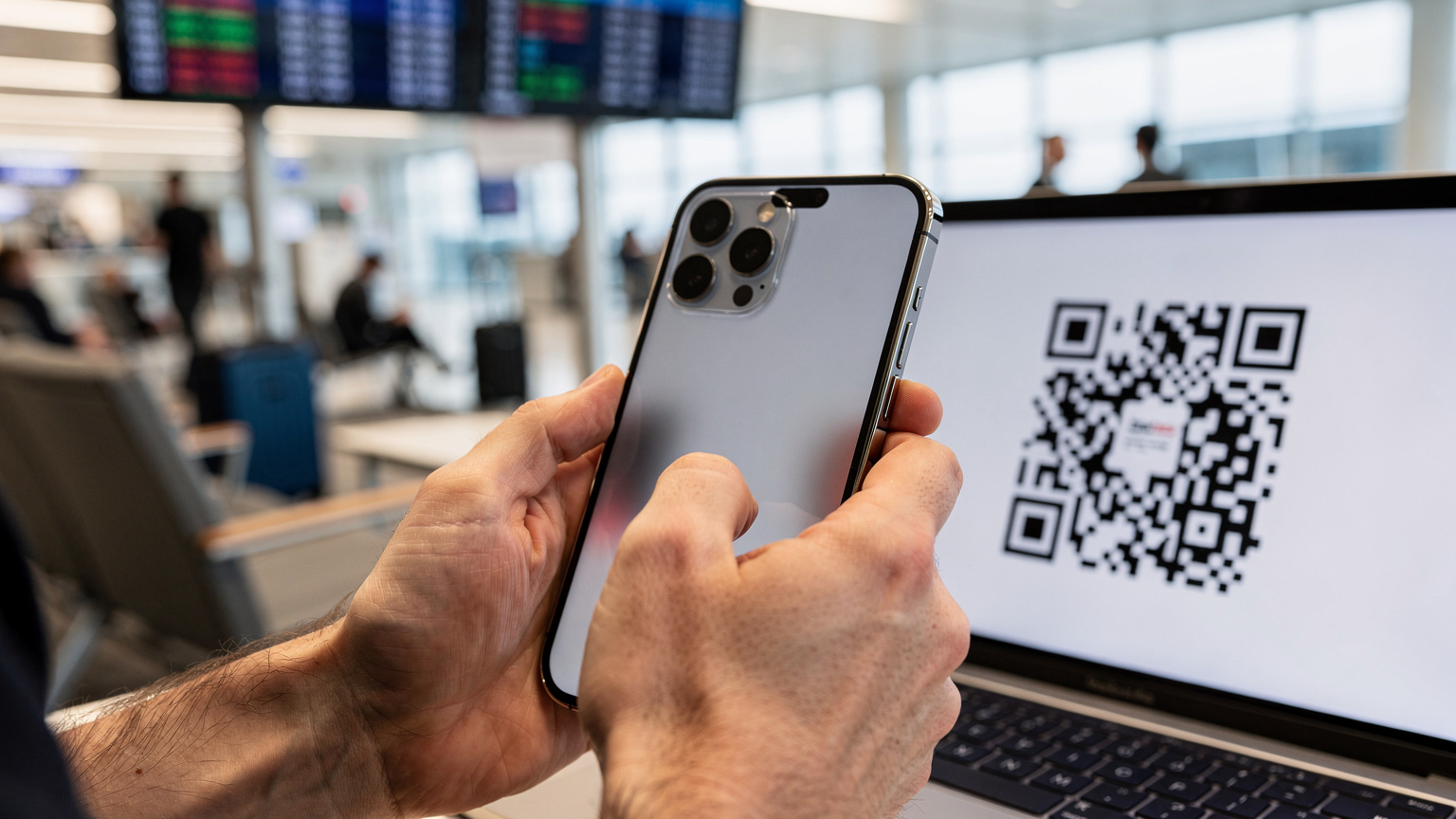
Method 1: QR Code Scan
- Buy Your eSIM: Purchase an eSIM plan from a trusted provider like Cellesim. You'll get an email with a QR code.
- Open Settings: On your iPhone, go to Settings > Cellular (or Mobile Data).
- Add eSIM: Tap on "Add eSIM" or "Add Data Plan."
- Scan QR Code: Choose "Use QR Code" and scan the code from your email. If you're installing on the same phone, you might need to enter the details manually.
- Label Your Plan: Your iPhone will ask you to name your new eSIM plan (e.g., "Travel Data," "Portugal eSIM"). This helps a lot when you have multiple plans.
- Set Default Line: Decide which line is your main one (usually your home number) and which is for data. For international data, you'll want the eSIM set for data.
Method 2: Manual Entry or App Installation
Some providers let you install directly through their app, or they'll give you an SM-DP+ Address and Activation Code to enter manually.
- Buy Your eSIM: Just like before, purchase your plan. You'll receive the installation details.
- Open Settings: Go to Settings > Cellular (or Mobile Data).
- Add eSIM: Tap "Add eSIM" or "Add Data Plan."
- Enter Details Manually: Choose "Enter Details Manually" and type in the SM-DP+ Address and Activation Code your eSIM provider gave you.
- Follow Prompts: Keep following the on-screen instructions to label your plan and set default lines.
I've used both methods. QR codes are usually quicker, but manual entry works perfectly if you're installing from the same device (like viewing the QR code on another screen). Don't forget to turn on "Data Roaming" for your eSIM once it's active. It might sound odd for an eSIM, but that's often how they connect to local networks.
Managing Multiple eSIMs on Your iPhone
This is where the iPhone's eSIM features really shine, especially for digital nomads like me who might visit three or four countries in a single quarter. I've often had a UK eSIM for banking, a regional EU eSIM for general data, and a local Turkish eSIM when I was living in Kadıköy, Istanbul, paying about ₺10,000 (around £250) for a decent flat. Having all those active, or easily swappable, is truly a game-changer.
Switching Between Data Plans
Your iPhone lets you store many eSIM profiles, but only one can be actively used for data at a time (though your physical SIM can still handle calls/texts). To switch:
- Go to Settings: Head to Settings > Cellular (or Mobile Data).
- Select Cellular Data: Tap on "Cellular Data."
- Choose Your eSIM: Pick the eSIM you want to use for data from the list of installed plans.
It's that simple. I typically keep my primary UK physical SIM for calls and texts, and then I switch my "Cellular Data" to the relevant eSIM for whatever country I'm in. This way, I always have my familiar number for important services while enjoying local data speeds and prices.
Deleting Unused eSIM Profiles
If you're done with a particular travel plan, it's a good idea to remove it. This keeps your list tidy and clutter-free. Just go to Settings > Cellular (or Mobile Data), tap on the eSIM plan you want to remove, and select "Remove Data Plan." This won't cancel your subscription if it's still active elsewhere, it just deletes the profile from your device.
Common eSIM Pitfalls and How to Avoid Them on iPhone
While eSIMs are generally straightforward, there are a few common traps. I've seen them all, from people forgetting to turn on data roaming to buying a plan for the wrong region. A little bit of planning can save you a lot of grief.
Forgetting to Enable Data Roaming
This is probably the most common mistake. Even though you're using an eSIM for international data, many networks still require "Data Roaming" to be switched ON for that specific eSIM profile in your iPhone settings. If your eSIM isn't connecting, check this first. Go to Settings > Cellular (or Mobile Data) > [Your eSIM Label] and make sure "Data Roaming" is enabled.
Locked iPhones and Carrier Restrictions
An unlocked iPhone is absolutely essential for eSIM flexibility. If your iPhone is still locked to a specific carrier (like Vodafone UK), you won't be able to activate an eSIM from another provider. Before you travel, confirm your phone is unlocked. You can usually ask your home carrier to unlock it after your contract is up. This often catches out people with older devices or phones bought on a contract.
Buying the Wrong Regional Plan
Always double-check the country or region your eSIM covers. I once accidentally bought an eSIM for the wrong part of Africa, thinking "Africa" meant "everywhere in Africa." It definitely didn't. Most providers are very clear about coverage, but read the product description carefully. If you're heading to South Korea, for example, make sure you're buying a specific South Korea eSIM, not a general "Asia" one that might exclude it or offer terrible coverage.

Connectivity Issues and Troubleshooting
If you're struggling to connect, here's a quick troubleshooting list:
- Check Data Roaming: As I mentioned, make sure it's enabled for your eSIM.
- Network Selection: Sometimes manually picking the network operator in your iPhone settings (Settings > Cellular > [Your eSIM] > Network Selection) can help.
- APN Settings: Rarely, an eSIM might need manual APN settings. Your eSIM carrier usually provides these.
- Restart Your iPhone: The classic IT fix, but it often works wonders.
- Contact Support: If nothing else works, reach out to your eSIM provider's support team. They can often diagnose issues remotely.
Keeping Your UK Number Active with eSIM
For UK travelers, especially post-Brexit, managing your home number alongside international data is absolutely crucial. Many apps and services still rely on SMS verification to your main number. I've heard far too many stories of people getting locked out of their bank accounts or WhatsApp groups because they completely removed their physical SIM.
Why Your Old Number Still Matters Abroad
Your UK number is more than just a contact point; it's a security lifeline. Banking apps, government services, two-factor authentication for email or social media, and even some local transport apps in cities like Berlin or Rome often send verification codes to your registered mobile number. If you take out your physical SIM, you lose access to these vital SMS messages. This is exactly why eSIM SMS Abroad 2026 is such an important topic.
Dual SIM Functionality: Physical SIM + eSIM
Your iPhone's dual SIM capabilities (one physical, multiple eSIMs) are the perfect solution. You can keep your UK physical SIM active for calls and texts (and receive those crucial SMS messages), while using an eSIM for all your data needs abroad. This gives you the best of both worlds: local data rates and uninterrupted access to your home services.
When you set up your eSIM, your iPhone will ask you to label your lines. I always label my physical SIM as "Primary" or "UK Number" and my eSIMs as "Travel Data [Country/Region]." Then, in Settings > Cellular > Cellular Data, I select the relevant eSIM for data. This ensures my phone prioritizes the eSIM for internet traffic, keeping my physical SIM open for incoming calls and texts without racking up huge roaming data charges.
Data Security and Privacy with eSIMs
In our increasingly connected world, data security isn't just a corporate buzzword; it's something we all need to take seriously. When you're using your phone for everything from booking flights to managing your money, making sure your connection is secure is non-negotiable. eSIMs, by their very nature, offer some built-in advantages here.
Encryption and Secure Activation
eSIM profiles are set up and encrypted digitally. This makes them inherently more secure than physical SIMs, which can be easily swapped or cloned if stolen. The activation process, whether with a QR code or manual entry, is also designed with security in mind, ensuring that only your device can activate the profile. You're not relying on a third-party kiosk to handle sensitive information.
Reducing Exposure to Public Wi-Fi Risks
One of the biggest security benefits of having reliable eSIM data is that you can completely avoid sketchy public Wi-Fi networks. I've seen countless travelers fall victim to insecure Wi-Fi in cafes or airports, exposing their data to potential snoops. With an eSIM, you have your own secure, private internet connection wherever you go. This means you can confidently use your banking apps or do sensitive work from a café without worrying about your data being intercepted. When I was in Tbilisi, Georgia, working from "Coffee Lab" in Vake, having my own secure eSIM data meant I didn't have to rely on their open Wi-Fi for client calls.
eSIM for Long-Term Digital Nomads and Business Travelers
For those of us who live out of a suitcase for months or years, or whose jobs require constant international movement, eSIMs aren't just a nice-to-have, they're absolutely essential. My entire setup relies on reliable, flexible connectivity, and traditional roaming or physical SIMs simply don't cut it.
Cost Savings vs. Traditional Roaming
Let's be blunt: traditional roaming from UK networks is a rip-off. For business travelers, those daily roaming fees can quickly turn a profitable trip into a financial drain. A 10-day trip to the EU could easily cost £60-£100 in roaming fees with EE or Vodafone. An eSIM plan for the same duration would likely be a fraction of that, offering far more data. I always tell my fellow nomads to look into multi-country eSIMs for long stays, as they offer much better value than trying to piece together local plans.
| Provider | Typical UK Roaming Cost (EU, per day) | Cellesim eSIM (EU, 10GB/30 days) | Savings (example 10-day trip) |
|---|---|---|---|
| EE | £2.29 - £6.85 (depending on plan) | ~£15-£20 | £2.90 - £48.50+ |
| Vodafone | £2.25 - £6.50 (depending on plan) | ~£15-£20 | £2.50 - £45.00+ |
| O2 | £2.00 - £6.00 (depending on plan) | ~£15-£20 | £0 - £40.00+ |
Reliability for Remote Work and Essential Apps
For anyone working remotely, an unstable internet connection is a career killer. I've had my share of dropped video calls and missed deadlines because of bad Wi-Fi. eSIMs provide a dedicated, often faster, and more stable connection. This is vital for using cloud services, video conferencing tools, and communication apps like Slack or Teams.
Plus, many crucial apps, especially for finance or specific local services, need a stable, local connection. For example, some Brazilian banks require a local SIM for their banking apps to work properly, even if your phone itself is unlocked. While an eSIM doesn't give you a local *number* like a physical SIM does, it provides the local *data connection* that often satisfies these apps' requirements, especially if you combine it with your home SIM for SMS. This is also key for avoiding visa issues, as some countries require proof of local connectivity or a local number for certain digital services.
The Future of iPhone Connectivity: eSIM and Beyond
The direction is pretty clear: physical SIM cards are on their way out. Apple has already made the switch in the US, and it's only a matter of time before the rest of the world follows. Understanding eSIMs now isn't just about current convenience; it's about making sure your travel setup is ready for the future.
The iPhone's Full Transition to eSIM-Only
As new iPhone models come out, we can expect the physical SIM tray to vanish entirely, worldwide. This will simplify manufacturing and potentially free up internal space for other components. It also means that all future connectivity, both at home and abroad, will rely solely on eSIM technology. This isn't a bad thing at all. It streamlines the whole process, making it easier for users to manage multiple profiles and switch carriers without any physical interaction. It's a cleaner, more robust system.
Emerging eSIM Technologies and Features
We're also seeing cool advancements in eSIM technology itself. Expect more sophisticated management tools built right into iOS, easier integration with travel apps, and maybe even dynamic eSIMs that can automatically switch to the best available network in a region without you having to do anything. The ability to try eSIMs without commitment is also becoming more popular, with services offering free eSIM trials to attract new users. This lets you test network performance in a specific area before you commit to a longer-term plan, which is incredibly valuable for those of us who need stable connections.
Ultimately, eSIMs are a huge step forward for iPhone users who travel. They cut costs, make things more flexible, and simplify the entire process of staying connected abroad. For a digital nomad or a frequent business traveler, this isn't just a tech upgrade; it's a fundamental shift towards more efficient, less stressful travel. Ditch the plastic, go digital, and spend your time enjoying your destination, not battling with your phone bill.
Frequently Asked Questions
What iPhone models are compatible with eSIM?
Generally, iPhone XS, XS Max, XR, and all newer models (iPhone 11, 12, 13, 14, 15 series, including Pro, Pro Max, and mini variants) support eSIM. Your iPhone must also be running iOS 12.1 or later. US models from iPhone 14 onwards are eSIM-only.
Can I use both my physical SIM and an eSIM at the same time on my iPhone?
Yes, modern international iPhones support dual SIM functionality, allowing you to use one physical SIM (for your home number) and one or more eSIMs simultaneously. You can choose which line handles cellular data and which is for calls/texts.
How do I activate an eSIM on my iPhone?
You can activate an eSIM by scanning a QR code provided by your eSIM carrier (Settings > Cellular > Add eSIM > Use QR Code) or by manually entering activation details. Some carriers also offer app-based installation.
What happens if I run out of data on my eSIM plan?
If you run out of data, your connectivity will cease. Most eSIM providers offer top-up options, allowing you to add more data to your existing plan. Alternatively, you can purchase and activate a new eSIM plan from any provider.
Do I need to turn on 'Data Roaming' for my eSIM?
Yes, even though an eSIM is for international data, you often need to enable 'Data Roaming' for that specific eSIM profile in your iPhone's Cellular settings. If you're experiencing connectivity issues, check this setting first.
Will using an eSIM lock me into a specific carrier?
No, eSIMs offer greater flexibility. You can store multiple eSIM profiles on your iPhone and switch between them as needed. You are not locked to a single carrier, allowing you to choose the best plan for your current location or needs.