Navigating Indonesia's Digital Sea: The Telkomsel eSIM Advantage
I remember landing at Ngurah Rai International Airport (DPS) in Denpasar a few years back, bleary-eyed after a long flight from Narita. My first instinct, as always, was to get connected. Back then, it was a scramble for physical SIMs, often involving a lengthy queue at a counter, fumbling with tiny plastic cards, and praying my phone wasn't locked. It was a proper faff, especially when all you wanted was to grab a Grab or Gojek to your villa in Canggu.
Fast forward to 2026, and the landscape has changed dramatically. eSIM technology has streamlined this process, particularly in a sprawling nation like Indonesia, where a reliable connection isn't just a convenience, it's a lifeline for everything from booking fast boat tickets to Nusa Penida to translating menus in a warung in Yogyakarta's Prawirotaman district. Telkomsel, Indonesia's dominant mobile network operator, has stepped up, making eSIMs a viable and often superior option for travelers.
An eSIM, or embedded SIM, is a digital SIM card that's already built into your phone. No physical swapping, no tiny trays, no worries about losing that little pin that always seems to vanish the moment you need it. For a country as diverse and expansive as Indonesia, this means you can land, activate, and be online, often before your bag even hits the carousel. This is especially useful for those of us who tend to leave things to the last minute, or like me, have a history of buying the wrong sized SIM card in a moment of travel-induced delirium.
What is an eSIM and Why is it Perfect for Indonesia?
Think of an eSIM as a chameleon for your phone. It can change its identity, or rather, its network profile, with just a few taps. For Indonesia, where you might be island-hopping from the Gili Islands to Raja Ampat, having this flexibility is a game-changer. You're not tied to a single physical piece of plastic. You can switch plans, top up data, or even manage multiple lines for different purposes (say, one for local data and another for keeping your home number active for calls) without ever opening your SIM tray.
This is particularly advantageous in a country where network coverage can vary wildly between islands and even within different areas of major cities. While Telkomsel boasts the widest coverage, having the ability to easily switch or add a secondary eSIM from another provider, should you find yourself in a dead zone in a more remote corner of Sumatra, offers invaluable peace of mind. It's about being prepared, not just for the planned itinerary, but for the delightful detours Indonesia inevitably throws your way.
Why Telkomsel is Your Best Bet for Indonesia Connectivity
When it comes to staying connected in Indonesia, Telkomsel isn't just a major player, it's pretty much the undisputed champion. They've invested heavily in infrastructure across the archipelago, reaching corners that other providers simply don't. From the bustling streets of Jakarta's SCBD district to the remote villages dotting Flores, Telkomsel's red-and-white branding is ubiquitous, and for good reason.
Their network consistently offers the best coverage and speeds, especially when you venture beyond the well-trodden paths of Kuta or Seminyak. I once tried a lesser-known provider in a bid to save a few Rupiah while exploring the coffee plantations near Sidemen, Bali, and spent more time searching for a signal than actually enjoying the view. It taught me a valuable lesson: sometimes, paying a little extra for reliability is worth every penny.
| Provider | Coverage in Indonesia (Approx.) | 4G/5G Availability | eSIM Support for Tourists |
|---|---|---|---|
| Telkomsel | 90%+ (Widest) | Extensive 4G, Growing 5G | Yes, direct & via partners |
| Indosat Ooredoo Hutchison | 70-80% | Good 4G, Limited 5G | Limited, mostly for residents |
| XL Axiata | 60-70% | Good 4G, Limited 5G | Limited, mostly for residents |
| Smartfren | 40-50% (Specific areas) | 4G Only | Yes, limited reach |
Telkomsel's network boasts impressive reach. I've used it reliably for WhatsApp calls from a tiny guesthouse tucked away in Munduk, Bali, and to upload photos from a boat trip around Komodo National Park. Their 4G network is robust, and 5G is expanding, particularly in major urban centers like Jakarta's Thamrin district and parts of central Denpasar. For a traveler, this translates to smooth navigation with Google Maps, quick booking of flights on Traveloka, and seamless communication with drivers on Grab.
Telkomsel vs. Other Indonesian Carriers
While Indosat Ooredoo Hutchison and XL Axiata are also significant players, their coverage, especially in more rural or remote areas, simply doesn't match Telkomsel's. Smartfren, another carrier, focuses primarily on 4G and often has more limited reach. For a traveler exploring the vastness of Indonesia, relying on anything less than Telkomsel can lead to frustrating dead zones, particularly if your itinerary takes you beyond the tourist hotspots.
Think about it: you're trying to confirm a dive trip from Labuan Bajo, Flores, or check the ferry schedule from Padang Bai to Lombok. A patchy connection isn't just an inconvenience, it can throw a wrench into your carefully laid plans. With Telkomsel, you're buying into a network that has been built for the complexities of Indonesian geography, ensuring you're connected when it matters most.
Where to Buy Your Telkomsel eSIM in Indonesia, 2026
Getting your hands on a Telkomsel eSIM for your Indonesian adventure involves a few options, each with its own pros and cons. The key is to be prepared, particularly if you're arriving at peak tourist season, when queues at the airport can be lengthy.
Purchasing at the Airport
The most common and often easiest way for tourists to get a Telkomsel eSIM (or physical SIM, for that matter) is right at the airport upon arrival. At Ngurah Rai (DPS) in Bali, Soekarno-Hatta (CGK) in Jakarta, or Juanda (SUB) in Surabaya, you'll find numerous official Telkomsel kiosks or authorized resellers. They're typically located just after immigration and before you exit into the main arrival hall. Prices can sometimes be a little higher here due to the convenience factor, but for immediate connectivity, it's hard to beat.
I've seen these kiosks open from roughly 6:00 AM until the last flight arrives, usually around midnight, but it's always wise to have a backup plan if you're on a red-eye. Remember to bring your passport, as registration is mandatory (more on that in a moment). Staff are usually quite adept at handling tourist requests, speaking a decent level of English, and can help you with the initial setup.
Telkomsel GraPARI Stores
For those who prefer to sort out their connectivity away from the airport rush, or if you arrive at an odd hour, Telkomsel's official retail stores, known as GraPARI, are your next best bet. These can be found in major cities and towns across Indonesia. For instance, in Bali, you'll find GraPARI outlets in areas like Denpasar (on Jalan Diponegoro) or even in Ubud (on Jalan Raya Ubud), though the latter might have more limited stock or hours.
GraPARI stores typically operate during standard business hours, usually from 9:00 AM to 5:00 PM on weekdays, and some might have limited Saturday hours. It's always a good idea to check their specific opening times online before you make a special trip, especially in smaller towns. The benefit here is that you'll get official Telkomsel support, and they're usually well-equipped to handle eSIM activations directly.
Buying from Online eSIM Providers Before You Go
This is increasingly my preferred method for getting data abroad, and it's particularly convenient for Indonesia. Companies like Cellesim offer eSIMs for Indonesia that you can purchase and activate before you even leave home. This means you land, switch on your phone, and you're immediately connected. No airport queues, no language barriers, no fumbling with tiny physical cards. It's a lifesaver, especially after a 16-hour flight.
These providers often partner with local carriers, like Telkomsel, to offer robust data packages. The process usually involves buying a plan online, receiving a QR code via email, and then scanning it to install the eSIM profile on your device. This approach offers peace of mind and saves precious travel time. It's a similar process to how you'd set up an eSIM free trial from a carrier like T-Mobile, but specifically tailored for international travel.
Registering Your eSIM: What You Need to Know
Indonesia has strict regulations regarding SIM card registration, and this applies to eSIMs as well. It's a system put in place to combat fraud and maintain security, but for tourists, it can sometimes feel a bit like jumping through hoops. My first time dealing with it, I spent a good 45 minutes at a small counter in a Denpasar mall, trying to explain to a very patient Telkomsel agent that my phone was indeed unlocked. Thankfully, the process has become much smoother.
When you purchase an eSIM from an official Telkomsel outlet or airport kiosk, they will handle the registration for you. You'll need:
- Your physical passport: A clear copy or photo is usually not sufficient. They need to scan the original.
- Your visa (if applicable): For many nationalities, a visa-on-arrival or visa-free entry applies, but always confirm your specific requirements before you travel.
- Your phone's IMEI number: This is crucial. You can usually find it by dialing *#06# on your device, or by checking your phone's settings (Settings > General > About on iOS, or Settings > About Phone > IMEI on Android).
The registration links your eSIM to your passport and IMEI number. This is important because unregistered SIMs (and eSIMs) will eventually be blocked from the network. Tourist registrations are typically valid for 30 or 60 days, depending on your visa type, and can sometimes be extended at a GraPARI store if you're staying longer. If you're using an international eSIM from a global provider like Cellesim, this complex local registration is often handled by the provider on your behalf, or isn't required in the same way, making it a much simpler experience.
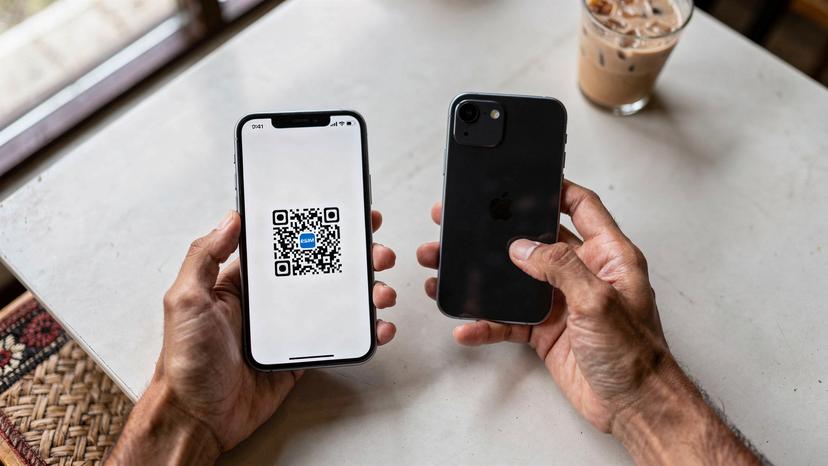
Activating Your Telkomsel eSIM: A Step-by-Step Guide
Once you've purchased your Telkomsel eSIM, whether it's a physical voucher with a QR code or a digital one sent to your email, the activation process is straightforward. While the specific menu names might vary slightly between iPhone, Samsung, and Pixel devices, the underlying steps remain consistent. As someone who has walked countless friends and family through this over video calls, I can assure you, it's easier than it sounds.
For iPhone Users:
- Open Settings: Tap the 'Settings' app on your home screen.
- Go to Cellular/Mobile Data: Select 'Cellular' or 'Mobile Data'.
- Add eSIM: Tap 'Add eSIM' or 'Add Data Plan'.
- Scan QR Code: Choose 'Use QR Code' and scan the QR code provided by Telkomsel or your online eSIM provider. If you received an activation code, you can choose 'Enter Details Manually'.
- Confirm Activation: Follow the on-screen prompts to confirm and activate the eSIM. You'll likely be asked to label the new plan (e.g., 'Telkomsel Indonesia') and choose it for cellular data.
- Set as Primary (Optional): If you want to use this eSIM for all data, ensure it's set as your primary data line. You can keep your home SIM active for calls and texts if you wish.
For Android Users (Samsung, Pixel):
- Open Settings: Locate and tap the 'Settings' app.
- Go to Network & Internet: Select 'Network & Internet' or 'Connections' (on Samsung).
- Add Mobile Network/SIM Card Manager: Tap 'SIM card manager' (Samsung) or 'Mobile network' then 'Add more' (Pixel).
- Download eSIM: Look for an option like 'Download a SIM' or 'Add eSIM'.
- Scan QR Code: Scan the QR code. If prompted, you can enter activation details manually.
- Activate: Follow the prompts to activate the eSIM. Label it clearly for easy identification.
- Data Preference: Set the Telkomsel eSIM as your preferred SIM for mobile data.
It's important to ensure your device is unlocked before attempting to activate an eSIM. I once flew all the way to Tokyo, expecting my shiny new local eSIM to work, only to discover my phone was still locked to my home carrier. Had to spend an hour on the phone with customer service, which was less than ideal on a 12-hour time difference. Knowing your eSIM number and having your device details handy can save a lot of headaches if you need support.
Choosing the Right Telkomsel Data Package for Your Trip
Telkomsel offers a variety of data packages, often tailored for tourists, which can be a bit overwhelming at first glance. They usually come in different data allowances and validity periods. The key is to match the package to your travel style and duration. Are you a light user who only needs WhatsApp, or a heavy streamer who plans to upload daily vlogs from your villa in Ungasan?
| Package Type | Data Allowance | Validity | Estimated Price (IDR) | Best For |
|---|---|---|---|---|
| Tourist Starter | 10 GB | 7 Days | 75,000 - 100,000 | Short trips, light browsing, messaging |
| Traveler's Choice | 25 GB | 30 Days | 150,000 - 200,000 | Standard trips, social media, navigation |
| Digital Nomad | 50 GB | 30 Days | 250,000 - 350,000 | Longer stays, remote work, heavy streaming |
| Family Share | 100 GB | 30 Days | 450,000 - 600,000 | Multiple devices, group travel |
These prices are estimates as of early 2026 and can fluctuate. Always check the current Telkomsel website or ask at a GraPARI store for the latest offerings. Most packages include a mix of main data, social media data, and sometimes even video streaming data, so pay attention to the fine print. For example, some packages might offer 10 GB 'main data' and 5 GB 'social media data', meaning specific apps like Instagram and WhatsApp won't eat into your main allowance.
Topping Up Your Telkomsel eSIM
Running low on data? Topping up your Telkomsel eSIM is relatively easy. You can purchase credit (pulsa) at:
- Convenience stores: Indomaret and Alfamart are everywhere, from bustling Jakarta intersections to quiet rural towns. Just tell the cashier your Telkomsel number and the amount you want to top up.
- Online banking apps: If you have an Indonesian bank account, you can top up directly through your bank's app.
- Telkomsel MyTelkomsel app: This app is a lifesaver for managing your account, checking data usage, and topping up directly via credit card or local payment methods.
- Online eSIM providers: Many international eSIM providers also offer top-up options directly through their platforms.
Make sure you have enough credit to purchase your desired data package after topping up. It's usually a two-step process: add credit, then use that credit to buy a package. Don't forget, student travel eSIMs often come with different bundles, so if you're hitting Bali for a semester abroad, check those options too.
Troubleshooting Common Telkomsel eSIM Issues
Even with the best preparation, sometimes things don't go exactly to plan. I've had my fair share of connectivity woes over the years, from a complete signal blackout in a mountain village in Sulawesi to struggling with APN settings in a bustling internet cafe in Gangnam. Here are a few common issues you might encounter with your Telkomsel eSIM and how to tackle them.
No Service or Weak Signal
This is probably the most common headache. If you're seeing 'No Service' or a very weak signal, try these steps:
- Restart your phone: The oldest trick in the book, but often effective.
- Check your location: Are you in a particularly remote area? Even Telkomsel has limits.
- Toggle Airplane Mode: Turn Airplane Mode on for 30 seconds, then off. This often forces your phone to reconnect to the nearest tower.
- Network Selection: Go to your phone's settings (Cellular/Mobile Data > Network Selection) and ensure 'Automatic' is selected. If not, try manually selecting 'Telkomsel' from the list of available networks.
- APN Settings: While usually automatic, incorrect APN settings can cause issues. For Telkomsel, the APN is typically internet. Navigate to your eSIM settings, find 'Access Point Names' (APN), and verify.
Data Not Working, But Signal is Present
If you have a signal but no internet, it's usually an APN issue or a data plan problem.
- Verify APN Settings: As mentioned, ensure your APN is set to internet.
- Check Data Balance: Use the MyTelkomsel app or dial *888# to check your remaining data allowance. You might have run out.
- Primary Data Line: Ensure your Telkomsel eSIM is selected as the primary data line in your phone settings. Sometimes, devices default to a dormant home SIM if you're not careful.
- Reboot: Again, a simple restart can clear up transient network glitches.
eSIM Won't Activate
If your eSIM isn't activating after scanning the QR code:
- Strong Wi-Fi Connection: Ensure you have a strong, stable Wi-Fi connection when trying to activate. eSIM profiles need to be downloaded.
- QR Code Integrity: Double-check that the QR code is clear and undamaged.
- Device Compatibility: Confirm your phone is eSIM compatible and unlocked. This sounds obvious, but you'd be surprised how many times people overlook it.
- Contact Support: If all else fails, reach out to Telkomsel customer service or your online eSIM provider's support team. They can remotely diagnose activation issues.
eSIM Alternatives for Indonesia: When Telkomsel Isn't Enough
While Telkomsel is generally the best choice, there might be scenarios where you need an alternative or a backup. Perhaps you're venturing into an extremely remote region where even Telkomsel's signal is patchy, or you simply want to compare prices and options. This is where global eSIM providers truly shine.
These services aggregate different local networks, offering you flexibility. For instance, a global eSIM might connect you to Indosat Ooredoo Hutchison in areas where their signal is unexpectedly stronger, or provide a failsafe if your Telkomsel eSIM encounters an unforeseen issue. It's like having a spare tire, but for your data connection.
| Alternative Provider | Network Partner (Indonesia) | Primary Benefit | Typical Pricing (USD, 30-day, 10GB) |
|---|---|---|---|
| Cellesim Global | Telkomsel, Indosat | Easy online purchase, pre-arrival activation | $15-25 |
| Airalo | Telkomsel | Wide range of regional/global plans | $18-28 |
| Holafly | Telkomsel | Unlimited data options (speed limitations apply) | N/A (unlimited plans usually) |
| Nomad | Telkomsel, Indosat | Flexible data packages | $16-26 |
These international eSIMs are particularly useful for those who want to avoid the local registration process entirely or prefer to manage their connectivity from a single app. They're also excellent for remote workers who need consistent, reliable data across multiple countries without constantly switching providers. Remember, however, that while these services offer convenience, their support channels are often not local to Indonesia, which can sometimes complicate deep-dive troubleshooting.
Beyond Bali: Staying Connected in Remote Regions
Indonesia is more than just Bali. It's a vast tapestry of islands, mountains, and jungles, and venturing off the beaten path is where the real adventure begins. But it's also where connectivity can become a challenge. My journey through Sumatra, trying to track orangutans in Bukit Lawang, taught me a lot about the limitations of even the best networks.
While Telkomsel has the widest reach, even they have their limits. In truly remote areas, such as parts of West Papua, the interior of Kalimantan, or some of the smaller, less developed islands in Nusa Tenggara Timur, you might find yourself with no signal at all, regardless of your provider. This isn't a flaw in the eSIM, but a reality of the infrastructure.
My advice for these situations? Plan ahead. Download offline maps for applications like Google Maps or Maps.me. Inform your accommodation of your expected arrival time. And embrace the digital detox, even if it's forced. Sometimes, the best connection is the one you make with the local culture, not the internet.
It's also worth noting that in some areas, even if you have a signal, the data speed might be significantly slower than what you'd experience in, say, Jakarta's Kuningan business district. Patience is a virtue when you're trying to send a photo from a remote beach in Lombok, but it's a small price to pay for the incredible experiences that await.
Final Thoughts on Telkomsel eSIM for Your Indonesian Adventure
Embracing a Telkomsel eSIM for your Indonesian journey in 2026 is, without a doubt, the smartest move for reliable connectivity. From the moment you land at DPS or CGK, having your data ready means you can seamlessly order a ride, navigate to your accommodation in Sanur, or simply let your loved ones know you've arrived safely.
The convenience of not fumbling with physical SIM cards, the superior coverage of Telkomsel across the archipelago, and the flexibility offered by eSIM technology make it an indispensable tool for the modern traveler. Whether you're chasing sunsets in Uluwatu, exploring ancient temples near Borobudur, or diving into the vibrant marine life around the Gili Islands, a dependable internet connection enhances every aspect of your trip.
Just remember the key steps: ensure your device is unlocked, have your passport and IMEI ready for registration, and choose a data package that suits your travel needs. With a little preparation, your Telkomsel eSIM will be your best friend, keeping you connected to the world while you immerse yourself in the magic of Indonesia.
Frequently Asked Questions
Can tourists get a Telkomsel eSIM in Indonesia?
Yes, tourists can acquire a Telkomsel eSIM in Indonesia. They are available at official Telkomsel GraPARI stores and often at dedicated kiosks in major international airports like Ngurah Rai (DPS) in Bali or Soekarno-Hatta (CGK) in Jakarta. Online eSIM providers also offer Telkomsel-powered plans for pre-arrival purchase.
What do I need to register a Telkomsel eSIM?
To register a Telkomsel eSIM, you will need your physical passport and your phone's IMEI number. This registration is mandatory under Indonesian law. If purchasing from an official outlet, staff will assist you with the process, which links your eSIM to your personal identification for security purposes.
How long is a tourist Telkomsel eSIM valid for?
Tourist registrations for Telkomsel eSIMs are typically valid for either 30 or 60 days, depending on your visa type and the specific package purchased. For longer stays, extensions may be possible at a Telkomsel GraPARI store, but it's best to confirm validity at the time of purchase.
Can I activate my Telkomsel eSIM before arriving in Indonesia?
If you purchase your Telkomsel eSIM from an international online eSIM provider, you can often receive the QR code and activate it before you arrive in Indonesia. This allows for immediate connectivity upon landing. For eSIMs bought directly from Telkomsel, activation usually occurs in Indonesia after purchase and registration.
What is the best way to top up my Telkomsel eSIM data?
The best ways to top up your Telkomsel eSIM data include using the official MyTelkomsel app, purchasing credit (pulsa) at convenience stores like Indomaret or Alfamart, or via online banking apps if you have an Indonesian bank account. Many international eSIM providers also offer top-up options through their platforms.
Does Telkomsel offer 5G coverage for eSIM users?
Yes, Telkomsel is expanding its 5G network across Indonesia, particularly in major cities and tourist hubs. eSIM users with 5G-compatible devices can access these speeds where available. However, 4G remains widely accessible and robust across most of the archipelago.
Heading there? Compare data plans on our Bali eSIM page and install before you fly.