
Understanding eSIM on iPhone: A Technical Overview
Ditching physical SIM cards for embedded Subscriber Identity Modules, or eSIMs, was a big change in how phones connect. For your iPhone, an eSIM isn't just software pretending to be a SIM. It's actually a tiny chip, usually built right into the phone's main processor, that securely holds several different phone numbers or data plans. This is a fundamental difference from the old plastic SIM card, which was a removable smart card with its own unique ICCID (Integrated Circuit Card ID) and IMSI (International Mobile Subscriber Identity).
From a technical standpoint, eSIM makes setting up your phone service much simpler. Instead of swapping out plastic, your iPhone downloads a profile over the air. This profile then tells the carrier's network who you are. It contains all the important network details, like APN (Access Point Name) settings and security keys. Most eSIM activations are a breeze with QR codes or direct carrier setup. But, I've seen a few odd cases with older iOS versions or specific carrier profiles where you still need to manually tweak the APN settings (you'll find this under Settings > Cellular > Cellular Data Network). This is especially true for some data-only eSIMs that sometimes pick the wrong default APN.
The security underneath it all is still super strong, meeting all the GSMA standards. This means your identity and calls are just as safe as with a physical SIM. The real win for travelers? You can switch networks instantly without hunting for a local SIM card or messing with that tiny ejector tool. It's incredibly practical, especially when you land somewhere new and desperately need maps or a ride-sharing app right away.
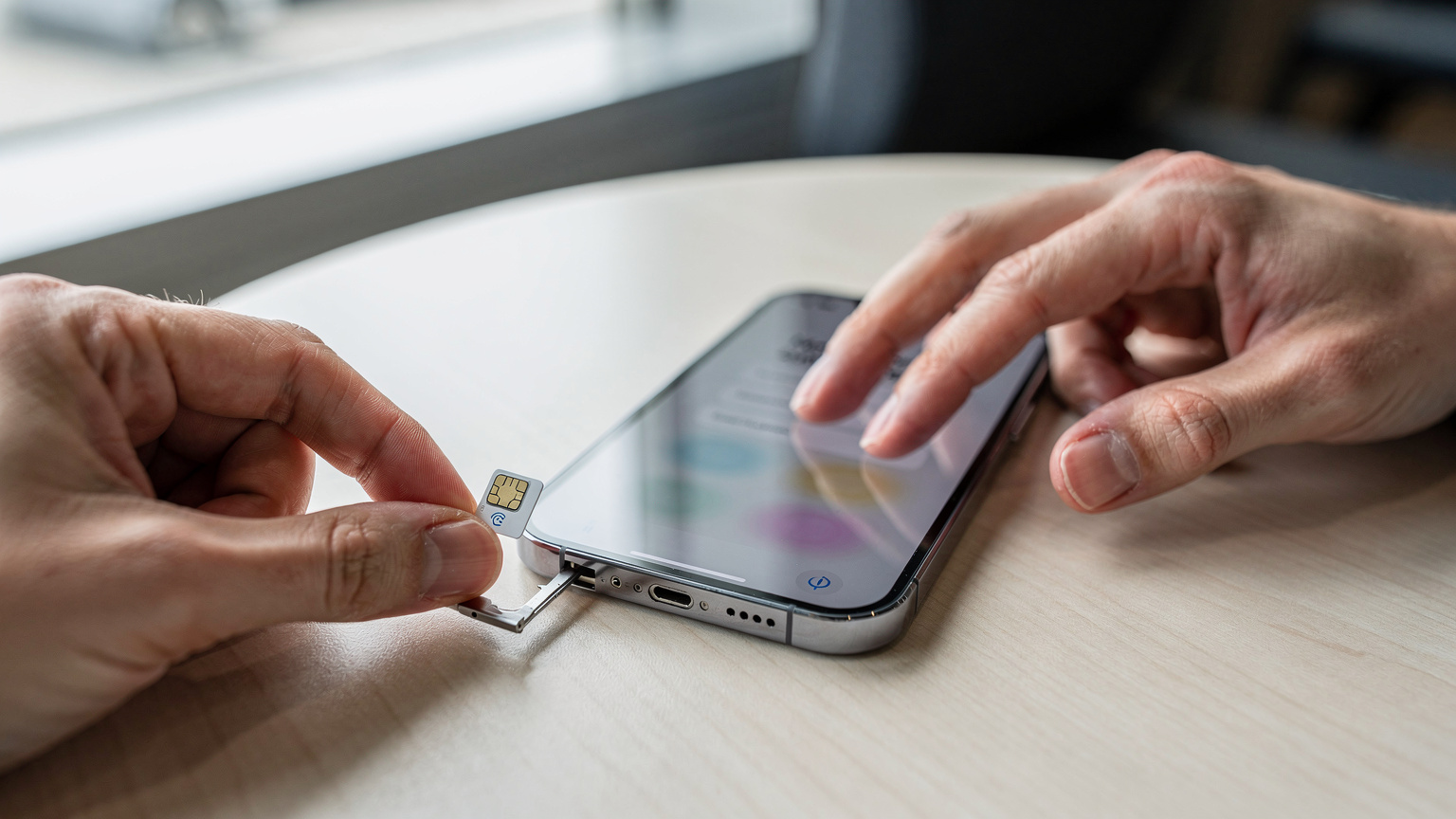
The Evolution of eSIM in iPhones: From Hybrid to eSIM-Only
Apple dipped its toes into eSIM technology, first offering it alongside the traditional physical SIM tray. This hybrid approach gave people options: keep their main physical SIM and add an eSIM for a second line, maybe for international trips or a work number. The iPhone XR, XS, and XS Max, which came out in 2018, were the first iPhones to get this eSIM capability.
For years, this dual SIM, dual standby (DSDS) setup was standard. You could, for instance, keep your home country's SIM active for calls and texts on one number, while using a Cellesim eSIM for Japan on the other. This lets you tap into local bands like Band 3 (1800 MHz) for city coverage and Band 1 (2100 MHz) for wider reach on networks like NTT Docomo or SoftBank, which usually give you download speeds of 80-200 Mbps in big cities.
But with the iPhone 14 series in 2022, Apple made a big move, at least for the US market: they completely removed the physical SIM tray. This switch to an eSIM-only design for iPhones sold in the US was a major engineering choice. It simplifies manufacturing and might free up internal space for other components, like a bigger Taptic Engine or more complex antenna systems. While this makes the hardware simpler, it does mean you're fully dependent on digital setup. That can be a slight adjustment if you're used to just popping in a physical card the moment you land. For international travelers, it also means making sure your home carrier supports eSIM if you want to use your main number while abroad.
The First Wave: iPhone XR, XS, and XS Max
These were the iPhones that kicked off the eSIM era for Apple. They had one physical nano-SIM slot and one built-in eSIM. This allowed for dual SIM functionality, meaning you could have one line active on the physical SIM and another on the eSIM at the same time (Dual SIM, Dual Standby). This was super convenient for anyone who needed two numbers, like a personal line and a work line, or a local line for travel. I remember setting up an eSIM on an iPhone XS Max for a trip to Canada, grabbing a Bell Mobility eSIM on Band 7 (2600 MHz) for great urban LTE coverage in Toronto, consistently seeing 150 Mbps downloads.
iPhone 11, 12, and 13 Series: Consistent eSIM Support
The next few generations, including the iPhone 11, iPhone 12, and iPhone 13 families (Mini, Pro, and Pro Max versions), kept this hybrid approach. They all supported a single physical SIM and one eSIM, allowing for dual SIM, dual standby. A significant upgrade came with the iPhone 13 series, which introduced support for dual eSIMs. This meant you could have two eSIM profiles active simultaneously without needing any physical SIM at all. That was a big step up for users who wanted to juggle multiple digital profiles, perhaps one for personal use and another for a regular travel spot, like a South America eSIM that covers several countries.
iPhone 14, 15, and 16 Series: The eSIM-Only Shift for US Models
This is where things really change depending on where you buy your phone. For iPhones sold in the United States, starting with the iPhone 14 series, Apple completely removed the physical SIM tray. These devices are exclusively eSIM-only. So, any iPhone 14, 15, or 16 bought in the US will only work with eSIMs. This design choice, while looking toward the future, does mean travelers need to be prepared, especially if their home carrier doesn't yet support eSIM or if they're used to buying physical SIMs abroad. Globally, though, models sold outside the US usually still have a physical SIM slot along with eSIM support, offering more flexibility. This regional difference is key for anyone buying an iPhone overseas or planning to use a US-bought iPhone internationally.
iPhone eSIM Compatibility List (2026) by Model
To make it easy, here's a detailed list of iPhone eSIM compatibility as of 2026. This table also highlights those important regional differences.
| iPhone Model | eSIM Support | Dual eSIM Support | Physical SIM Tray (US Models) | Physical SIM Tray (International Models) |
|---|---|---|---|---|
| iPhone XR | Yes | No (Single eSIM + Physical) | Yes | Yes |
| iPhone XS | Yes | No (Single eSIM + Physical) | Yes | Yes |
| iPhone XS Max | Yes | No (Single eSIM + Physical) | Yes | Yes |
| iPhone 11 series (all models) | Yes | No (Single eSIM + Physical) | Yes | Yes |
| iPhone SE (2nd & 3rd Gen) | Yes | No (Single eSIM + Physical) | Yes | Yes |
| iPhone 12 series (all models) | Yes | No (Single eSIM + Physical) | Yes | Yes |
| iPhone 13 series (all models) | Yes | Yes | Yes | Yes |
| iPhone 14 series (all models) | Yes | Yes | No (eSIM-only) | Yes |
| iPhone 15 series (all models) | Yes | Yes | No (eSIM-only) | Yes |
| iPhone 16 series (all models) | Yes | Yes | No (eSIM-only) | Yes |
Does iPhone 11 Have eSIM?
Yes, the iPhone 11, 11 Pro, and 11 Pro Max all support eSIM. Like the XR/XS series, these models have one physical nano-SIM slot and one built-in eSIM. This gives you dual SIM functionality, which is incredibly handy for travelers who want to keep their home number active while using a temporary data plan abroad. I once used an iPhone 11 with a Cellesim profile in Germany, specifically for data on Deutsche Telekom's network, which runs on bands like B3 (1800 MHz) and B20 (800 MHz), giving me typical speeds of 70-150 Mbps in cities like Berlin.
Does iPhone 12 Have eSIM?
Absolutely, the whole iPhone 12 family, including the iPhone 12 Mini, iPhone 12, iPhone 12 Pro, and iPhone 12 Pro Max, supports eSIM. They use the same hybrid setup as the iPhone 11 series: one physical SIM slot and one eSIM for dual SIM, dual standby. This configuration is still great for most users, offering the flexibility to choose between physical and digital SIMs as needed. Just be aware of older iOS versions; some users reported minor hiccups with VoLTE (Voice over LTE) handoffs when switching between active lines on early iOS 14 builds, but subsequent updates largely fixed that.
Does iPhone 13 Have eSIM?
Yes, the iPhone 13, 13 Mini, 13 Pro, and 13 Pro Max all support eSIM. What's even better, the iPhone 13 series was the first to offer dual eSIMs. This means you can have two eSIM profiles active at the same time, completely ditching the physical SIM card if you prefer. This feature dramatically boosts flexibility for global travelers or pros managing multiple lines, like a Cellesim for family travel, letting you manage several numbers on one device without juggling physical cards.
Does iPhone 14 Have eSIM?
Yes, all iPhone 14 models (iPhone 14, Plus, Pro, and Pro Max) fully support eSIM. The key thing to remember is that for models sold in the United States, the iPhone 14 series is eSIM-only, meaning there's no physical SIM card tray at all. International versions, however, generally still have a physical SIM slot in addition to eSIM support. This difference is crucial for US travelers planning trips abroad, as they'll rely entirely on eSIM provisioning. This means if you have a US iPhone 14, you'll need to make sure your home carrier supports eSIM and that any international data plan you buy is also an eSIM.
Does iPhone 15 Have eSIM?
Yes, the entire iPhone 15 lineup (iPhone 15, Plus, Pro, and Pro Max) supports eSIM. Following the lead of the iPhone 14 series, US-market iPhone 15 models are also eSIM-only, without a physical SIM tray. For users outside the US, the iPhone 15 typically includes both a physical SIM slot and eSIM capability. The iPhone 15 series, with its improved modem (supporting more 5G bands, including n78 for C-Band in many markets), is an ideal device for getting fast data with eSIMs worldwide. We've seen peak 5G speeds over 500 Mbps on compatible networks with these phones.
Does iPhone 16 Have eSIM?
Yes, since its 2026 release, the iPhone 16 series (including the 16, Plus, Pro, and Pro Max) continues to support eSIM. The trend of US models being eSIM-only continues, while international versions keep the hybrid physical SIM + eSIM setup. With advances in modem technology, the iPhone 16 is built to handle more complex carrier aggregation scenarios across a wider range of global 5G bands, ensuring even stronger connectivity with eSIMs. This means faster data and more reliable connections, even in crowded areas or during peak network use.
Checking eSIM Compatibility on Your Specific iPhone Model
Before you commit to an eSIM plan, it's always smart to double-check if your iPhone can actually use an eSIM. While the general list above is accurate, sometimes region-specific models or phones locked to a certain carrier can have unexpected quirks. (I've even seen some older, carrier-locked iPhones from specific regions have their eSIM functionality disabled in the firmware.)
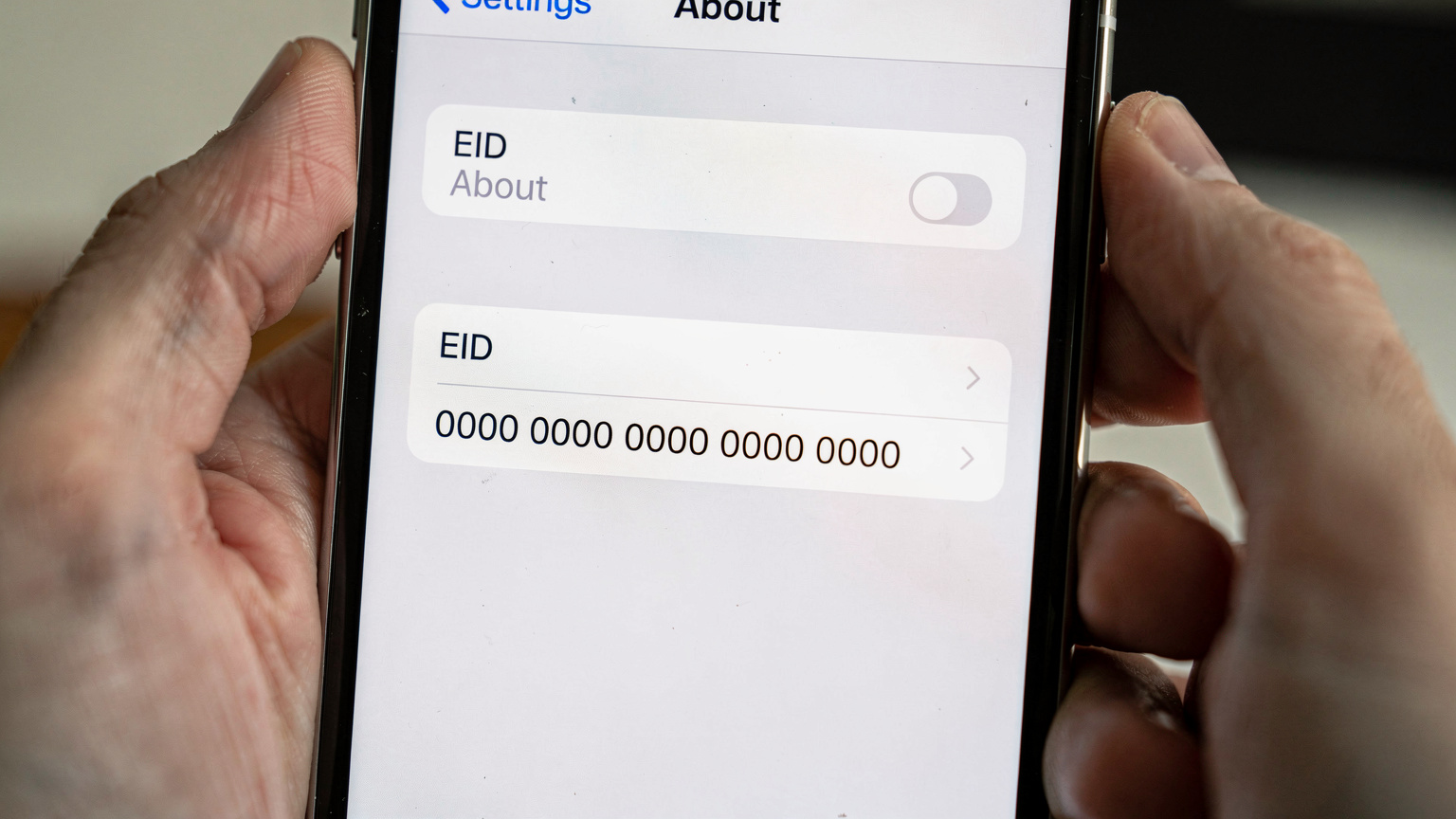
Here's how you can quickly confirm if your iPhone supports eSIM and find its EID (eSIM Identifier), which you often need for manual activation:
- Open Settings: Tap the grey 'Settings' icon on your iPhone's home screen.
- Navigate to 'General': Scroll down and tap on 'General'.
- Tap 'About': Select 'About' from the General menu.
- Look for 'EID' or 'Add eSIM': Scroll down the 'About' page. If your iPhone supports eSIM, you'll usually see an 'EID' (Embedded Identity Document) number listed. You might also see an option directly in your 'Cellular' or 'Mobile Data' settings (Settings > Cellular) called 'Add eSIM' or 'Add Data Plan'. If either of these is present, your iPhone supports eSIM.
If you don't see an EID and there's no 'Add eSIM' option, it's highly likely your device doesn't support eSIM, or it's a model (like an iPhone bought in mainland China) that uses two physical SIMs instead of eSIM for dual-SIM capabilities. For these rare cases, our eSIM compatibility checker can help you cross-reference.
Dual eSIM and Multiple eSIMs: Managing Your Connectivity Profiles
Being able to manage several eSIM profiles on one device is one of the best things about eSIMs. For iPhone 13 models and newer, you can have two eSIMs active at the same time (Dual eSIM, Dual Standby). This means your phone can connect to two different carrier networks simultaneously, letting you receive calls and data on both.
Beyond two active eSIMs, iPhones can store quite a few eSIM profiles, usually around 5 to 10, depending on your iOS version and phone storage. While only two can be active at once, you can easily switch between your stored profiles without having to reactivate them. This is incredibly handy for frequent travelers who visit the same countries often. Instead of setting up a new eSIM every time, you just toggle on a profile you've used before.
| Feature | Description | Benefit for Travelers |
|---|---|---|
| Dual eSIM (Active) | Two eSIM profiles can be active simultaneously, enabling two phone numbers/data plans. | Maintain home number for calls/texts while using a local data eSIM. Ideal for separating personal and work lines. |
| Multiple eSIMs (Stored) | Ability to store 5-10 eSIM profiles on the device, even if only two are active at once. | Pre-load eSIMs for upcoming trips, quickly switch between profiles for different countries without re-installation. |
| Dynamic Switching | Easily toggle between stored eSIM profiles in iPhone settings. | Effortlessly activate a specific country's data plan upon arrival, deactivate upon departure. No physical interaction needed. |
| Primary/Secondary Line Assignment | Assign specific lines for cellular data, calls, and messages to prioritize usage. | Control which line uses data, preventing accidental roaming charges on your primary line. Optimize cost and coverage. |
When you activate an eSIM on your iPhone, iOS smartly asks you to label the lines (e.g., "Personal," "Travel," "Work") and pick a primary line for data, calls, and messages. This detailed control is crucial for avoiding surprise roaming charges, as you can set your travel eSIM to handle all data while keeping your home number active for important calls on a pay-as-you-go basis.
Regional Variations: eSIM Differences by Country
It's super important to understand regional differences when talking about iPhone eSIM compatibility, especially if you travel a lot. While US-bound iPhones from the 14 series onwards are eSIM-only, that's not the rule everywhere. Many other big markets still include the physical SIM tray alongside eSIM support.
- Mainland China: iPhones sold in mainland China traditionally don't support eSIM. Instead, they come with a dual physical nano-SIM tray. This design fits with local telecom rules and what consumers there prefer. So, if you bought your iPhone in Shanghai, it probably won't have eSIM capability.
- Hong Kong and Macau: Interestingly, iPhones sold in Hong Kong and Macau often support both dual physical SIMs AND eSIM. This offers maximum flexibility for people in these areas, meeting a wide variety of connectivity needs.
- Europe, Asia, Oceania, Africa, and Latin America: For most other markets worldwide, iPhones (from XR onwards) typically come with a single physical SIM slot and eSIM support. This hybrid model gives you the best of both worlds, letting you choose between a physical SIM, an eSIM, or both for dual SIM functionality.
These regional quirks really highlight why you need to check where your specific device came from. An iPhone 14 bought in Paris will still have a physical SIM tray, unlike its US cousin. This distinction affects how you plan your connectivity, especially if you rely on local physical SIM cards in certain places, or if your home carrier still hasn't fully rolled out eSIM provisioning for all its older plans. For example, some smaller regional carriers might use specific frequency bands, like Band 28 (700 MHz) for rural coverage, where a physical SIM might be necessary if their eSIM options are limited.

Troubleshooting Common eSIM Issues on iPhone
While eSIMs are generally pretty solid, problems can pop up. As a tech support lead, I've seen my share of 'Sim Not Supported' messages and activation failures. Here's how I usually tackle common issues:
eSIM Not Activating or 'No Service'
This is often the first hurdle. You've scanned the QR code, but the profile just won't activate, or you see 'No Service' instead of a carrier name. The first thing to check is your network settings.
- Restart Your iPhone: This is a classic fix for a reason. A quick reboot can often clear out temporary network glitches.
- Check Network Selection: Go to Settings > Cellular > [Your eSIM Label] > Network Selection. Make sure 'Automatic' is turned on. If it's still not connecting, try turning 'Automatic' off and manually picking one of the available networks. Sometimes, the phone just needs a little push to register.
- Verify APN Settings: This is a frequent cause of trouble for data-only eSIMs. Head to Settings > Cellular > Cellular Data Network. Compare the APN settings listed there with what your eSIM vendor provided. Even one wrong letter can block your connection. For example, many data eSIMs use 'internet' or 'data' as the APN, but some carriers have more specific ones.
- Check Data Roaming: For international eSIMs, make sure Data Roaming is enabled for that specific eSIM profile (Settings > Cellular > [Your eSIM Label]).
- Weak Signal Environment: Are you in a basement or a very remote area? Try moving to a spot where you have a clearer signal to cell towers.
VoLTE / VoWiFi Issues with eSIM
Voice over LTE (VoLTE) and Voice over Wi-Fi (VoWiFi) are essential for modern calling, especially as older 2G/3G networks are being phased out. If you can't make calls or calls keep dropping, check these:
- Carrier Support: Confirm that your eSIM provider supports VoLTE/VoWiFi on the network you're connected to. Not all data-only eSIMs include voice services, or the partner network might not support it for prepaid plans.
- Enable VoLTE: Go to Settings > Cellular > [Your eSIM Label] > Cellular Data Options > Voice & Data. Make sure 'VoLTE' is enabled. If this option is missing or greyed out, it likely means the carrier or eSIM profile doesn't support it.
- Wi-Fi Calling (VoWiFi): For VoWiFi, make sure it's enabled under Settings > Phone > Wi-Fi Calling. You'll also need a solid Wi-Fi connection.
It's worth mentioning that some MVNOs (Mobile Virtual Network Operators) that use eSIMs might have limited support for advanced features like VoWiFi or even specific 5G New Radio (NR) bands, sometimes only supporting NSA (Non-Standalone) 5G instead of full SA (Standalone) 5G, which can affect performance in certain areas. Always check with your eSIM provider about specific feature support.
I once spent an hour troubleshooting a 'no service' issue for a user in rural France. It turned out their data eSIM, while active, was trying to connect to a partner network that only offered 2G/3G in that specific valley, and the phone's preferred network type was set to 5G/LTE only. Manually selecting the appropriate legacy network, or ensuring data roaming was on, solved it. Sometimes, it's the simplest setting.
eSIM for Android Devices: A Quick Comparison
While this article focuses on iPhones, it's good to remember that eSIM technology isn't just an Apple thing. Many top Android phones from brands like Samsung (Galaxy S and Note series, Fold/Flip series), Google (Pixel 2 and later), and Huawei (P series, Mate series) also support eSIM. The way it's implemented might be a bit different, but the core function is the same.
| Feature | iPhone eSIM (XR onwards) | Android eSIM (Flagship models) |
|---|---|---|
| Initial Adoption | Early, consistent across models from 2018. | Varied, depending on manufacturer and model year (e.g., Pixel 2, Galaxy S20). |
| Dual eSIM Support | From iPhone 13 series onwards. | Common on newer flagships (e.g., Pixel 7/8, Galaxy S23/S24). |
| eSIM-Only Models | US models of iPhone 14 series and later. | Less common, most retain physical SIM slot. |
| UI for Management | Streamlined and intuitive in iOS Settings > Cellular. | Can vary between OEMs (Samsung One UI, Google Pixel experience). |
| Carrier Unlocking | Crucial for international eSIM use. A locked iPhone cannot use a Cellesim eSIM. | Equally important. Locked Android devices restrict eSIM usage to original carrier. |
To add an eSIM on an Android device, you usually go to Settings > Network & internet > SIMs or Mobile network, then select 'Add eSIM' or something similar. The activation process, often using a QR code, is quite similar to iOS. However, the exact menu names and steps can vary a lot between, say, a Samsung Galaxy running One UI and a Google Pixel running stock Android, which can be a minor annoyance for some users.
The Future of iPhone Connectivity: What to Expect
The move to eSIM-only devices, which began with the US iPhone 14, clearly shows Apple's long-term plan. I expect this will eventually become the global norm for iPhones, though how quickly it happens will depend on regulations and market forces in different regions. This change isn't just about saving space inside the phone; it also boosts security (no physical SIM to steal or swap) and gives consumers more flexibility, assuming carriers keep up with eSIM provisioning.
Here are some more things I anticipate:
- Better eSIM Management: Expect more robust tools within iOS for managing a larger number of stored eSIM profiles and even smoother switching between them, perhaps with smart suggestions based on where you are.
- iSIM and NuSIM Integration: Beyond eSIM, we might see integrated SIM (iSIM) or NuSIM technologies emerge. With these, the SIM functionality is built even deeper into the phone's main processor, removing the need for a separate eSIM chip entirely. This could lead to even smaller phone designs and better power efficiency, though the setup methods would stay similar to eSIM.
- Global Standardization: While we have regional differences today, increasing pressure from phone makers and consumers will likely push for more consistent eSIM support and setup worldwide, making international travel even easier.
- Advanced Network Features: Expect eSIMs to fully support upcoming network features like 5G Advanced (3GPP Release 18 and beyond) and eventually 6G. They'll handle complex network slicing and ultra-low latency applications that will define future mobile communication. This means taking advantage of features like mmWave (millimeter wave) on Band n257 or n260 for extremely high-capacity, local networks, which current iPhones already support in some configurations.
Ultimately, getting rid of the physical SIM tray simplifies phone design and opens doors for new possibilities. For travelers, it means saying goodbye to those tiny, fiddly SIM cards and hello to instant digital setup. That's a welcome change for anyone who's ever fumbled with a paperclip at a foreign airport.
Leveraging eSIM for Global Travel with Cellesim
Now that you know your iPhone's eSIM capabilities, you're ready to make the most of global connectivity. Cellesim specializes in providing straightforward eSIM solutions for international travel. We make sure you stay connected without the headache of traditional roaming or hunting for local SIMs. Our platform is designed to make the whole process easy, from choosing a plan to activating it.
Here's how Cellesim eSIMs can improve your travel experience:
- Instant Activation: Buy an eSIM from Cellesim online, and you'll get a QR code almost instantly. Scan it with your iPhone, and you're ready to connect, often before you even land at your destination. This is super helpful in places where buying a local SIM might be tricky due to language barriers or registration rules.
- Cost-Effectiveness: Cellesim offers competitive data plans for hundreds of destinations, usually much cheaper than typical international roaming charges from your home carrier. This means you can save your money for experiences, not huge data bills.
- Maintain Your Primary Number: With dual SIM support on most eSIM-compatible iPhones, you can keep your home number active for calls and texts while using a Cellesim eSIM for all your data. This means you won't miss important calls while avoiding data roaming fees.
- Flexible Plans: Pick from various data packages, from short-term plans for a quick weekend trip to larger packages for longer journeys. You only pay for what you need. Need data for a fast visit to Canada? Check out our eSIM for Canada guide.
- Wide Coverage: Cellesim partners with major local network operators globally, ensuring you get dependable coverage and optimal speeds wherever you go. For instance, in the UK, you might connect to EE, Vodafone, or O2, using their 4G/5G networks on bands like B3, B7, and n78, giving you typical download speeds of 60-180 Mbps in city centers.
Getting ready for your next trip means more than just packing your bags; it means making sure your connectivity is sorted. With an eSIM-compatible iPhone and a trustworthy provider like Cellesim, you can explore new cities, keep in touch with family and friends, and access vital info without interruption. This makes your travel experience smoother and more enjoyable. Don't let connectivity be an afterthought.
Frequently Asked Questions
Which specific iPhone models support eSIM?
All iPhone models from the iPhone XR, XS, and XS Max onward support eSIM. This includes the iPhone 11, 12, 13, 14, 15, and the latest iPhone 16 series, along with the 2nd and 3rd generation iPhone SE.
Do US-bought iPhones have a physical SIM tray anymore?
No, US models of the iPhone 14, 15, and 16 series are eSIM-only and do not include a physical SIM card tray. International versions of these phones typically still retain a physical SIM slot.
Can I use two eSIMs at the same time on my iPhone?
Yes, iPhones from the 13 series onwards (iPhone 13, 14, 15, 16 and their variants) support dual eSIM, meaning you can have two eSIM profiles active simultaneously for two separate lines.
How do I check if my iPhone has eSIM support?
To check for eSIM support, go to Settings > General > About. Look for an 'EID' (Embedded Identity Document) number. Alternatively, in Settings > Cellular, look for an 'Add eSIM' or 'Add Data Plan' option.
Are iPhones sold in China compatible with eSIM?
Generally, iPhones sold in mainland China do not support eSIM. Instead, they feature a dual physical nano-SIM tray. iPhones from Hong Kong and Macau, however, often support both dual physical SIMs and eSIM.
What should I do if my eSIM isn't activating on my iPhone?
First, restart your iPhone. Then, verify that data roaming is enabled for the eSIM profile in Settings > Cellular. Also, double-check the APN settings in Settings > Cellular > Cellular Data Network against your eSIM provider's instructions, as incorrect APN is a common issue.
See also: Macau eSIM