







Country
A-B
C-E
F-H
I-Z
Instant Activation
High Internet Speeds
Hotspot Sharing
No Hidden Charges

Belgium eSIM
Belgium
FROM $2.58
Ï 5G
Network Provider: Base, ORANGE Belgium NV/SA, Orange
  • 22 plan options available
  • 5G and hotspot-enabled
  • Activation within 2 mins
  • 24x7 Customer Service
  • 100% Money-back Guarantee
Brazil eSIM
Brazil
FROM $3.90
Ï 5G
Network Provider: TIM, Vivo S.A.
  • 19 plan options available
  • 5G and hotspot-enabled
  • Activation within 2 mins
  • 24x7 Customer Service
  • 100% Money-back Guarantee
Afghanistan eSIM
Afghanistan
FROM $8.90
Ï 4G
Network Provider: Afghan Wireless Afghanistan, Etisalat, Roshan Afghanistan
  • 4 plan options available
  • 5G and hotspot-enabled
  • Activation within 2 mins
  • 24x7 Customer Service
  • 100% Money-back Guarantee
Albania eSIM
Albania
FROM $3.49
Ï 4G
Network Provider: Vodafone
  • 21 plan options available
  • 5G and hotspot-enabled
  • Activation within 2 mins
  • 24x7 Customer Service
  • 100% Money-back Guarantee
Algeria eSIM
Algeria
FROM $3.90
Ï 4G
Network Provider: Mobilis, Ooredoo, Optimum Telecom Algeria Spa
  • 18 plan options available
  • 5G and hotspot-enabled
  • Activation within 2 mins
  • 24x7 Customer Service
  • 100% Money-back Guarantee
Andorra eSIM
Andorra
FROM $6.90
Ï 5G
Network Provider: Mobiland, STA Andorra
  • 21 plan options available
  • 5G and hotspot-enabled
  • Activation within 2 mins
  • 24x7 Customer Service
  • 100% Money-back Guarantee
Anguilla eSIM
Anguilla
FROM $8.90
Ï 4G
Network Provider: Digicel Anguilla
  • 16 plan options available
  • 5G and hotspot-enabled
  • Activation within 2 mins
  • 24x7 Customer Service
  • 100% Money-back Guarantee
Antigua and Barbuda eSIM
Antigua and Barbuda
FROM $8.90
Ï 4G
Network Provider: Digicel Antinua and Barbuda, FLOW
  • 5 plan options available
  • 5G and hotspot-enabled
  • Activation within 2 mins
  • 24x7 Customer Service
  • 100% Money-back Guarantee
Argentina eSIM
Argentina
FROM $4.90
Ï 4G
Network Provider: Movistar, Telefonica Moviles Argentina S.A.
  • 19 plan options available
  • 5G and hotspot-enabled
  • Activation within 2 mins
  • 24x7 Customer Service
  • 100% Money-back Guarantee
Armenia eSIM
Armenia
FROM $4.90
Ï 4G
Network Provider: Orange, UCOM Armenia, VEON Armenia CJSC
  • 17 plan options available
  • 5G and hotspot-enabled
  • Activation within 2 mins
  • 24x7 Customer Service
  • 100% Money-back Guarantee
Australia eSIM
Australia
FROM $3.90
Ï 5G
Network Provider: OPTUS MOBILE PTY LTD, Optus, Vodafone
  • 8 plan options available
  • 5G and hotspot-enabled
  • Activation within 2 mins
  • 24x7 Customer Service
  • 100% Money-back Guarantee
Austria eSIM
Austria
FROM $3.04
Ï 5G
Network Provider: 3, Orange, Three
  • 22 plan options available
  • 5G and hotspot-enabled
  • Activation within 2 mins
  • 24x7 Customer Service
  • 100% Money-back Guarantee
Region

Instant Activation
High Internet Speeds
Hotspot Sharing
No Hidden Charges
Africa (29 Countries) eSIM
Africa (29 Countries)
FROM $12.49
Ï 5G
Network Provider: Airtel, AirtelTigo, Cell C
  • 3 plan options available
  • 5G and hotspot-enabled
  • Activation within 2 mins
  • 24x7 Customer Service
  • 100% Money-back Guarantee
Asia (20 Countries) eSIM
Asia (20 Countries)
FROM $5.99
Ï 5G
Network Provider: 3, AirTel, CTM
  • 6 plan options available
  • 5G and hotspot-enabled
  • Activation within 2 mins
  • 24x7 Customer Service
  • 100% Money-back Guarantee
Australia & New Zealand eSIM
Australia & New Zealand
FROM $3.99
Ï 5G
Network Provider: Optus, Spark
  • 5 plan options available
  • 5G and hotspot-enabled
  • Activation within 2 mins
  • 24x7 Customer Service
  • 100% Money-back Guarantee
Balkans (5+ areas) eSIM
Balkans (5+ areas)
FROM $4.49
Ï 5G
Network Provider: A1, T-Mobile, Tele2
  • 5 plan options available
  • 5G and hotspot-enabled
  • Activation within 2 mins
  • 24x7 Customer Service
  • 100% Money-back Guarantee
Caribbean (24 Countries) eSIM
Caribbean (24 Countries)
FROM $9.49
Ï 5G
Network Provider: Altice, Antel, Claro
  • 4 plan options available
  • 5G and hotspot-enabled
  • Activation within 2 mins
  • 24x7 Customer Service
  • 100% Money-back Guarantee
Central Asia (5 Countries) eSIM
Central Asia (5 Countries)
FROM $3.99
Ï 4G
Network Provider: Beeline, Hutch, Jazz
  • 4 plan options available
  • 5G and hotspot-enabled
  • Activation within 2 mins
  • 24x7 Customer Service
  • 100% Money-back Guarantee
China (Mainland, HK, Macao) eSIM
China (Mainland, HK, Macao)
FROM $3.49
Ï 5G
Network Provider: CTM, China Unicom, csl
  • 7 plan options available
  • 5G and hotspot-enabled
  • Activation within 2 mins
  • 24x7 Customer Service
  • 100% Money-back Guarantee
Europe (42+ Countries) eSIM
Europe (42+ Countries)
FROM $4.89
Ï 5G
Network Provider: 3, 7acht, A1
  • 5 plan options available
  • 5G and hotspot-enabled
  • Activation within 2 mins
  • 24x7 Customer Service
  • 100% Money-back Guarantee
South America (17 Countries) eSIM
South America (17 Countries)
FROM $8.99
Ï 5G
Network Provider: Antel, Claro, Digicel
  • 4 plan options available
  • 5G and hotspot-enabled
  • Activation within 2 mins
  • 24x7 Customer Service
  • 100% Money-back Guarantee
Middle East (11 Countries) eSIM
Middle East (11 Countries)
FROM $9.99
Ï 5G
Network Provider: Bakcell, Beeline, Etisalat
  • 3 plan options available
  • 5G and hotspot-enabled
  • Activation within 2 mins
  • 24x7 Customer Service
  • 100% Money-back Guarantee
North America (3 Countries) eSIM
North America (3 Countries)
FROM $4.49
Ï 5G
Network Provider: AT&T, Bell, Movistar
  • 6 plan options available
  • 5G and hotspot-enabled
  • Activation within 2 mins
  • 24x7 Customer Service
  • 100% Money-back Guarantee
Global eSIM Plan (127 Countries) eSIM
Global eSIM Plan (127 Countries)
FROM $12.99
Ï 5G
Network Provider: 3, 7acht, A1
  • 5 plan options available
  • 5G and hotspot-enabled
  • Activation within 2 mins
  • 24x7 Customer Service
  • 100% Money-back Guarantee
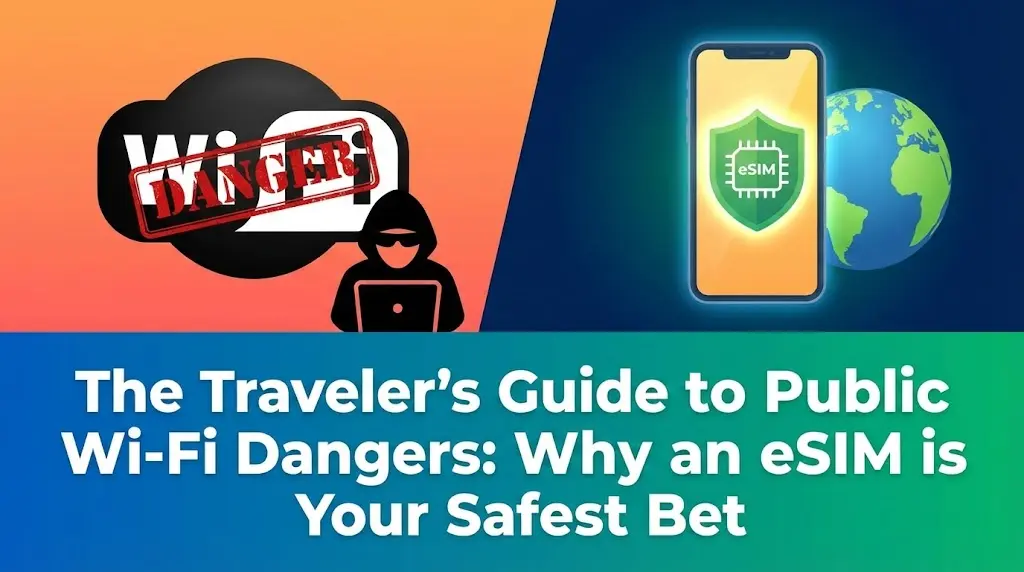
The Traveler’s Guide to Public Wi-Fi Dangers: Why an eSIM is Your Safest Bet
How-to & Guides

The Traveler’s Guide to Public Wi-Fi Dangers: Why an eSIM is Your Safest Bet

Don't let free Wi-Fi ruin your trip. Learn about the serious dangers of public networks at airports and hotels, and discover how an eSIM provides a secure, private connection to protect your data.

Charlotte Davies, Head of Business Travel & Lifestyle Connectivity
(Updated: 16 February 2026)
21 min read

In our increasingly connected world, staying online while traveling has become a necessity. From navigating unfamiliar streets with GPS to sharing travel moments with loved ones, reliable internet access enhances every journey. Often, the temptation is to hop onto the nearest free public Wi-Fi network. While convenient, this choice can expose your personal data to significant risks, transforming a simple connection into a potential vulnerability.

Quick Navigation
  1. The Allure and Illusions of Free Public Wi-Fi
  2. Unmasking the Dangers: Common Public Wi-Fi Threats
  3. Why a Cellesim eSIM is Your Secure Travel Companion
  4. eSIM vs. Public Wi-Fi vs. Traditional Roaming: A Security & Cost Comparison
  5. Choosing Your Secure Cellesim eSIM Plan
  6. Activating Your Cellesim eSIM for Instant Protection
  7. Pro Tips for Maintaining Digital Security While Abroad
  8. Frequently Asked Questions

Stay Secure with a Cellesim eSIM

Protect your data wherever you go. Join 50,000+ happy customers connecting in 200+ countries.

View All eSIM Plans

This guide explores the inherent dangers of public Wi-Fi networks and presents a robust, secure alternative: the eSIM. Understand why a private, dedicated internet connection is not just a convenience, but a critical aspect of your digital safety abroad.

The Allure and Illusions of Free Public Wi-Fi - Cellesim eSIM
The Allure and Illusions of Free Public Wi-Fi | Cellesim eSIM

The Allure and Illusions of Free Public Wi-Fi

Public Wi-Fi, often found in airports, cafes, hotels, and public squares, promises effortless connectivity. It allows travelers to check emails, browse social media, or stream content without incurring roaming charges. The appeal is undeniable, especially when considering the potential costs of international roaming plans.

However, this perceived convenience often masks a significant security trade-off. Unlike your home network, which is typically secured and managed, public Wi-Fi networks are inherently open. Many lack strong encryption, and some are even set up by malicious actors specifically to ensnare unsuspecting users. Relying on these networks for sensitive tasks like online banking or logging into personal accounts can lead to severe consequences.

Travelers often assume that if a network requires a password, it is secure. This is a common misconception. A password on a public network primarily prevents unauthorized users from accessing the network itself, but it does little to secure the data transmitted between individual devices on that network. All users on a shared public Wi-Fi network are often visible to one another, making it easier for cybercriminals to intercept data.

Unmasking the Dangers: Common Public Wi-Fi Threats

Understanding the specific ways cybercriminals exploit public Wi-Fi is crucial for protecting your data. The risks extend beyond simple data sniffing and can compromise your devices and privacy.

Man-in-the-Middle (MitM) Attacks

A Man-in-the-Middle attack is one of the most prevalent threats on public Wi-Fi. In this scenario, a hacker intercepts the communication between your device and the internet. They can then eavesdrop on your online activities, steal login credentials, or even inject malicious content into websites you visit. This attack is particularly effective on unencrypted public networks, where data flows freely and visibly.

Unsecured Wi-Fi Networks

Many public Wi-Fi networks, especially free ones, use outdated security protocols or no encryption at all. This means that any data you send or receive – from emails and messages to banking details – can be easily intercepted by anyone with basic hacking tools within range. It's like having a conversation in a crowded room where everyone can hear your every word.

Malware Distribution

Public Wi-Fi networks can also be a vector for malware. Hackers can exploit vulnerabilities in your device's software when connected to an unsecured network, injecting viruses, spyware, or ransomware. This can lead to data corruption, identity theft, or even locking you out of your device until a ransom is paid.

Pro Tip: Always keep your device's operating system and applications updated. Software updates frequently include security patches that protect against known vulnerabilities, reducing your risk on any network.

Rogue Wi-Fi Hotspots (Evil Twins)

Be wary of "evil twin" attacks. Cybercriminals set up fake Wi-Fi networks that mimic legitimate ones (e.g., "Airport Free Wi-Fi" or "Hotel Lobby"). When you connect to these rogue hotspots, all your internet traffic passes directly through the hacker's server, allowing them to capture all your data without your knowledge. Always confirm the exact name of the official network with the establishment staff before connecting.

Session Hijacking and Identity Theft

If a public Wi-Fi network is unencrypted, hackers can perform session hijacking. They steal your session cookies, which are small pieces of data that keep you logged into websites. With these cookies, they can impersonate you and access your online accounts, leading to identity theft or unauthorized transactions.

Key Info: According to a recent cybersecurity report, over 70% of public Wi-Fi hotspots globally lack sufficient security measures, making them prime targets for cyberattacks.

Why a Cellesim eSIM is Your Secure Travel Companion

An eSIM offers a robust solution to the digital security challenges posed by public Wi-Fi. Unlike public networks, an eSIM provides a direct, private connection to a local cellular network, ensuring your data remains encrypted and protected.

Cellesim eSIMs leverage the same secure infrastructure as traditional physical SIM cards. When you connect via an eSIM, your data travels over secure cellular pathways, which are far more difficult for malicious actors to intercept than an open Wi-Fi signal. This inherent security makes eSIMs ideal for any traveler who values their digital privacy and data integrity.

Furthermore, using a Cellesim eSIM means you avoid the need to constantly search for and connect to unfamiliar Wi-Fi networks. This reduces your exposure to rogue hotspots and unsecure connections, giving you peace of mind throughout your journey. With an eSIM, your connection is ready the moment you land, offering immediate and reliable access without the guesswork of finding a safe network.

For more details on how eSIMs provide secure connectivity, you can explore our guide on traveler's guide to public Wi-Fi dangers.

eSIM vs. Public Wi-Fi vs. Traditional Roaming: A Security & Cost Comparison - Cellesim eSIM
eSIM vs. Public Wi-Fi vs. Traditional Roaming: A Security & Cost Comparison | Cellesim eSIM

eSIM vs. Public Wi-Fi vs. Traditional Roaming: A Security & Cost Comparison

When considering connectivity options abroad, travelers weigh convenience, cost, and security. Here’s how Cellesim eSIMs stack up against the alternatives.

Feature Cellesim eSIM Public Wi-Fi Traditional Roaming
Security High (Encrypted) Low (Vulnerable) Medium (Carrier-dependent)
Cost (example: 7 days) From $4.50 Free (Hidden costs: data theft) High ($10-15+/day)
Convenience Instant Setup, Always On Search & Connect Automatic (Expensive)
Reliability Excellent 4G/5G Variable, often slow Good (Carrier-dependent)
Privacy Private Connection Shared, Exposed Private Connection
Setup Digital, Quick Scan No Setup (Just Connect) None (Pre-activated)

As the table illustrates, Cellesim eSIMs offer a compelling balance of security, cost-effectiveness, and convenience. They provide the reliable, private connection of a local SIM without the hassle of physical installation or the exorbitant costs of traditional roaming. For those prioritizing data security and predictable spending, an eSIM is the clear choice.

Instant Setup
🌍 200+ Countries
50,000+ Users

Find Your Ideal eSIM Plan

Choosing Your Secure Cellesim eSIM Plan

Selecting the right Cellesim eSIM plan involves considering your travel duration, data needs, and the specific countries you'll visit. Cellesim offers a range of options designed to fit various travel styles.

Data Consumption Estimates

Estimate your data usage to choose an appropriate plan. Activities like light browsing and messaging consume minimal data, while video streaming, extensive social media use, and video calls can quickly deplete your allowance. Use our Smart Data Calculator to get a personalized estimate.

  • Light User (2-5 GB): Emails, messaging, maps, occasional browsing.
  • Moderate User (10-15 GB): Social media, some streaming, video calls, navigation.
  • Heavy User (20+ GB): Frequent streaming, online gaming, extensive tethering.

Country-Specific and Regional Plans

Cellesim provides eSIMs for over 200 countries. If your trip covers multiple nations, consider a regional plan like our Global eSIM Plan 127 Countries to ensure seamless connectivity across borders without purchasing multiple local eSIMs.

"A reliable eSIM transformed my last trip. No more fumbling with local SIMs or worrying about unsecured hotel Wi-Fi. My data was private, and connectivity was instant everywhere." - Seasoned Traveler Review

Activating Your Cellesim eSIM for Instant Protection

Activating a Cellesim eSIM is a straightforward digital process, eliminating the need to visit physical stores or tamper with tiny SIM cards. The entire setup can typically be completed in minutes, often before you even depart.

Pre-Travel Installation Recommended

For maximum security and convenience, activate your eSIM before your departure. This ensures you have a secure, active connection the moment your plane lands, bypassing any reliance on airport Wi-Fi. You can often install the eSIM profile while still connected to your home Wi-Fi network.

Simple Setup Steps

The general process involves:

  1. Purchasing your preferred Cellesim eSIM plan online.
  2. Receiving a QR code or manual activation details via email.
  3. Scanning the QR code with your smartphone's camera or entering the details manually in your device's cellular settings.
  4. Following on-screen prompts to complete the installation.
  5. Activating the eSIM line for data usage once you arrive at your destination.

For detailed, device-specific instructions, refer to our Complete eSIM Setup Guide or the Interactive Setup Guide.

Ensure your device is eSIM compatible before purchase. Most modern smartphones support eSIM technology.

Pro Tips for Maintaining Digital Security While Abroad - Cellesim eSIM
Pro Tips for Maintaining Digital Security While Abroad | Cellesim eSIM

Pro Tips for Maintaining Digital Security While Abroad

While an eSIM significantly enhances your online security, adopting a few additional practices can further safeguard your digital life when traveling.

  • Use a VPN (Virtual Private Network): Even with an eSIM, a VPN adds an extra layer of encryption to your internet traffic, particularly useful if you must connect to public Wi-Fi for any reason.
  • Disable Auto-Connect to Wi-Fi: Turn off your device's automatic Wi-Fi connection feature. This prevents your phone from inadvertently connecting to unsecured or rogue networks without your explicit consent.
  • Avoid Sensitive Transactions on Public Wi-Fi: Never conduct online banking, shopping with credit cards, or access sensitive personal accounts while connected to public Wi-Fi. Save these activities for when you have a secure eSIM connection.
  • Enable Two-Factor Authentication (2FA): Implement 2FA on all your critical online accounts. This adds a second verification step, making it much harder for unauthorized users to access your accounts even if they obtain your password.
  • Backup Your Data: Regularly back up your photos, documents, and other important data to a cloud service or an external drive. This ensures that even if your device is compromised, your valuable information remains safe.
  • Keep Bluetooth Off When Not in Use: Unsecured Bluetooth connections can also pose a security risk. Turn off Bluetooth when you are not actively using it to pair with trusted devices.

By combining the inherent security of a Cellesim eSIM with these best practices, you can navigate your travels with confidence, knowing your digital footprint is well-protected.

Ready for Seamless, Secure Connectivity?

Ditch public Wi-Fi risks and enjoy reliable internet with Cellesim. Get connected in minutes.

Start Your Connected Journey

Trusted by 50,000+ travelers worldwide. 24/7 Support.

Frequently Asked Questions

Is public Wi-Fi really that dangerous?

Yes, public Wi-Fi networks often lack sufficient security measures, making them vulnerable to cyber threats like Man-in-the-Middle attacks, malware, and data theft. Your personal information, including passwords and banking details, can be easily intercepted by criminals.

How does an eSIM provide better security than public Wi-Fi?

An eSIM connects you directly to a local cellular network, which provides encrypted and private data transmission. Unlike public Wi-Fi, cellular networks are designed with robust security protocols, making it significantly harder for hackers to access your data.

Can I use my Cellesim eSIM for all my online activities, including banking?

Yes, connecting via your Cellesim eSIM is a much safer option for sensitive online activities like banking, online shopping, and accessing personal accounts compared to public Wi-Fi. The private cellular connection helps protect your data from interception.

What if my device is not eSIM compatible?

Most modern smartphones, released in the last few years, support eSIM technology. You can check if your device is compatible using our eSIM Checker. If your device isn't compatible, you may need to consider other secure connectivity options or upgrade your phone.

Do I still need a VPN if I'm using a Cellesim eSIM?

While a Cellesim eSIM provides a secure cellular connection, a VPN adds an additional layer of encryption and anonymity. It is highly recommended to use a VPN for enhanced privacy, especially if you occasionally need to use public Wi-Fi, or if you want to bypass geo-restrictions.

How much data do I need for a typical trip abroad?

Data needs vary greatly depending on your usage habits. Light users might need 2-5 GB per week for basic messaging and navigation, while heavy users could require 20 GB or more for streaming and video calls. Our Smart Data Calculator can help you estimate your specific requirements.

Written by
Charlotte Davies

Charlotte Davies

Head of Business Travel & Lifestyle Connectivity - Cellesim LLC
 Based in London, Charlotte Davies is a recognized expert in business travel connectivity and digital lifestyle integration. With over 15 years of experience in corporate travel management for global firms in the City of London, she now advises...
You may also like

Discover more articles on similar topics

Learn how to easily install and activate an eSIM on your iPhone 17 Pro Max in 2026. Get connected instantly with our step-by-step guide.

Learn how to activate your eSIM on iPhone 14 models for seamless travel in 2026. Get step-by-step instructions, troubleshooting tips, and Cellesim ben...

Learn how to use an eSIM internationally in 2026 for seamless global connectivity. Avoid roaming fees with Cellesim. Explore plans today!