South Korea stands as a global leader in digital innovation, offering travelers an immersive experience from the bustling streets of Seoul to the serene temples of Gyeongju. For visitors in 2026, staying connected is not just a convenience; it is essential for navigation, translation, discovering local gems, and sharing your journey. While traditional SIM cards and international roaming have their place, the eSIM has emerged as the most efficient and cost-effective solution for seamless connectivity.
- Why an eSIM is Your Smart Choice for South Korea in 2026
- Seamless Connectivity: South Korea's 5G Network and Cellesim
- Selecting the Ideal Cellesim eSIM Data Plan for Your South Korean Adventure
- Connectivity Options Compared: eSIM vs. Local SIM vs. Roaming in South Korea
- Your Cellesim eSIM Setup: A Quick Guide for South Korea
- Maximizing Your Mobile Experience in South Korea: Pro Tips for 2026
- eSIM Compatibility: Preparing Your Device for South Korea
- Frequently Asked Questions
Connect Instantly in South Korea with Cellesim eSIM
Experience South Korea without interruption. Join 50,000+ travelers who connect instantly with Cellesim.
Get Your South Korea eSIMWhy an eSIM is Your Smart Choice for South Korea in 2026
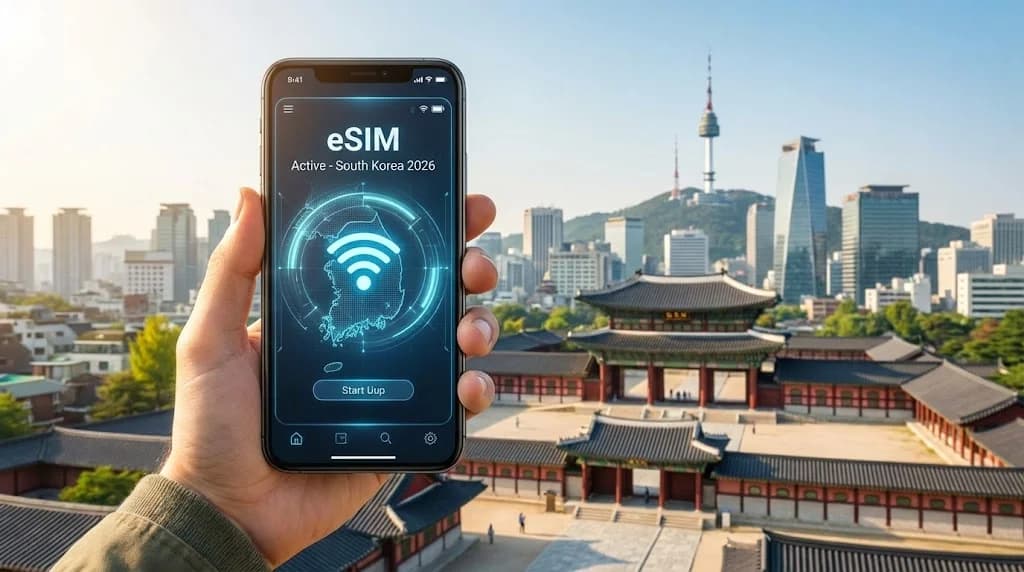
For travelers heading to South Korea in 2026, an eSIM offers a distinct advantage over traditional connectivity methods. South Korea is a nation that embraces digital advancement, and its infrastructure is perfectly suited for eSIM technology. With an eSIM, you avoid the hassle of searching for local SIM card vendors upon arrival, navigating language barriers, or dealing with physical card swaps. The entire process, from purchase to activation, is digital and can be completed before you even depart, ensuring you land with immediate internet access.
Beyond convenience, Cellesim eSIMs provide cost-effectiveness. International roaming charges from your home provider can quickly accumulate, turning a simple map check into an expensive endeavor. Local SIM cards might offer competitive rates, but often require registration with local ID, which can be a tedious process for tourists. Cellesim streamlines this by offering transparent, pre-paid data plans tailored for various travel durations and data needs, specifically designed for a seamless experience in a digitally advanced country like South Korea.
Seamless Connectivity: South Korea's 5G Network and Cellesim
South Korea boasts one of the world's most advanced and widespread 5G networks, alongside robust 4G LTE coverage. Major telecommunication providers like SK Telecom, KT, and LG U+ ensure exceptional speeds and reliability across urban centers, transport hubs, and even many rural areas. This means whether you are streaming K-Pop in Seoul, navigating Busan's coastal roads, or video calling family from Jeju Island, you can expect a consistently high-quality connection.
Cellesim partners with leading local networks in South Korea to provide you with optimal coverage and speeds. When you use a Cellesim eSIM for South Korea, your device automatically connects to the strongest available signal, ensuring you benefit from the country's impressive digital infrastructure. This means reliable access for everything from real-time translation apps to high-definition video calls and seamless navigation.
Selecting the Ideal Cellesim eSIM Data Plan for Your South Korean Adventure
Choosing the right data plan depends entirely on your travel habits and how you plan to use your phone in South Korea. Here's a breakdown to help you decide:
- Light User (1-3 GB): Ideal for checking emails, basic navigation, messaging apps like KakaoTalk, and light social media. This might suit short trips or those who rely heavily on hotel Wi-Fi.
- Moderate User (5-10 GB): Suitable for regular navigation, frequent social media updates, occasional video streaming, and using ride-hailing or translation apps daily. Most tourists fall into this category for a 7-14 day trip.
- Heavy User (15+ GB): Best for digital nomads, business travelers, or anyone who plans to stream a lot of video, participate in video conferences, frequently upload large files, or tether other devices.
To get a personalized estimate, use our Smart Data Calculator. It helps you understand your typical data consumption based on your planned activities. Cellesim offers a range of flexible plans for South Korea, allowing you to choose one that perfectly matches your trip's duration and data requirements.
View All South Korea eSIM Plans
Connectivity Options Compared: eSIM vs. Local SIM vs. Roaming in South Korea
When planning your connectivity for South Korea, you have several choices. Understanding the pros and cons of each will help you make an informed decision for your 2026 trip. Here’s a comparison:
| Option | Pros | Cons | Setup |
|---|---|---|---|
| Cellesim eSIM | Instant activation, Keep home SIM, Flexible plans, Cost-effective | Requires eSIM-compatible phone | Digital (QR code) |
| Local Physical SIM | Potentially high data limits, Local number | Airport queue, Requires ID/registration, Physical swap, Lose home SIM functionality | Physical (in-store) |
| International Roaming | Convenient, Keep home number | Very expensive, Throttled speeds (often) | Automatic |
For a detailed breakdown of costs and benefits, you can explore our guides on Airport SIM vs eSIM and Cellesim vs Roaming. The eSIM typically offers the best balance of convenience, cost, and control for international travelers.
Your Cellesim eSIM Setup: A Quick Guide for South Korea
Activating your Cellesim eSIM for your South Korea trip is a straightforward process designed for simplicity. Here’s a brief overview:
- Purchase Your Plan: Visit the Cellesim South Korea eSIM page and select the data plan that fits your travel needs.
- Receive QR Code: After purchase, you will receive an email with a QR code and manual installation details.
- Scan & Install: Go to your phone's Settings > Cellular/Mobile Data > Add eSIM/Data Plan. Scan the QR code. Follow the on-screen prompts.
- Activate & Connect: Once installed, enable your Cellesim eSIM line and ensure data roaming is turned ON for this line (this is critical for eSIMs to connect to partner networks). You will connect to a local network automatically.
We recommend installing your eSIM before you leave for South Korea, ideally while you still have a stable Wi-Fi connection. You can then activate it upon arrival. For a comprehensive walkthrough with screenshots and device-specific instructions, refer to our Complete eSIM Setup Guide or the Interactive Setup Guide.
Maximizing Your Mobile Experience in South Korea: Pro Tips for 2026
To make the most of your connected journey in South Korea in 2026, consider these practical tips:
- Download Offline Maps: Before you head out, download offline maps of cities you plan to visit (e.g., Seoul, Busan) using apps like Naver Maps or KakaoMap. This is a great backup if you momentarily lose signal or want to conserve data.
- Use Local Apps: South Koreans primarily use KakaoTalk for messaging, KakaoMap for navigation, and Naver for general search. Download these apps for a more authentic and efficient local experience. Many have English interfaces.
- Translate on the Go: Google Translate or Papago (Naver's translation app, often preferred for Korean) are invaluable. Use their offline translation features or real-time camera translation with your eSIM data.
- Keep Your Home Number Active: With an eSIM, your physical SIM card remains in your phone, allowing you to receive calls and texts to your home number (though making calls may incur roaming charges). This is perfect for banking authentications or keeping in touch with family. Learn more about keeping your number with a travel eSIM.
- Official Travel Resources: Check the Korea Tourism Organization website for the latest travel information, event schedules, and safety guidelines.
eSIM Compatibility: Preparing Your Device for South Korea
Before purchasing your Cellesim eSIM for South Korea, it is crucial to ensure your smartphone is eSIM-compatible and unlocked. Most newer smartphone models from Apple, Samsung, Google, and other manufacturers support eSIM technology. However, regional variations exist, so always double-check.
You can verify your device's compatibility by visiting our eSIM Compatible Devices page or by using the Cellesim eSIM Checker. This simple tool will confirm if your specific phone model supports eSIMs, giving you peace of mind before your journey to South Korea.
Ready for Seamless Connectivity in South Korea?
Join 50,000+ travelers in 200+ countries. Set up your Cellesim eSIM in minutes.
Start Your Connected JourneyTrusted by travelers worldwide. 24/7 Support: [email protected]
Frequently Asked Questions
What is an eSIM and how does it work in South Korea?
An eSIM (embedded SIM) is a digital SIM that allows you to activate a cellular plan from a carrier without needing a physical SIM card. In South Korea, it connects you to local partner networks, providing instant internet access for maps, communication, and more, all without swapping physical cards.
Can I keep my WhatsApp number with a Cellesim eSIM in South Korea?
Yes, absolutely. Your WhatsApp account is linked to your primary phone number, not the data plan you use. As long as you keep your primary SIM card installed and active (even if you're not using it for data), your WhatsApp will continue to function normally with your Cellesim eSIM providing the data connectivity.
Is South Korea's network reliable for eSIM users?
South Korea is renowned for its world-class internet infrastructure, including extensive 4G LTE and 5G networks. Cellesim eSIMs leverage these reliable local networks, ensuring consistent high-speed connectivity whether you are in a major city or exploring more remote areas.
How do I check if my phone is eSIM compatible for South Korea?
Most modern smartphones (iPhone XS/XR and newer, recent Samsung Galaxy and Google Pixel models) support eSIMs. You can quickly check your device's compatibility by visiting the Cellesim compatible devices page or by using our eSIM Checker tool on the Cellesim website.
When should I activate my Cellesim eSIM for my South Korea trip?
We recommend installing your Cellesim eSIM before you depart for South Korea, ideally while you still have a stable internet connection. You can then activate it immediately upon arrival in South Korea. This ensures you have instant connectivity as soon as you land.
Can I make calls and send SMS with a Cellesim eSIM in South Korea?
Cellesim eSIMs primarily provide data services. While some plans may include a local number or calling minutes, the main benefit is data connectivity. For calls and SMS, you can use VoIP apps like WhatsApp, KakaoTalk, or Messenger, which rely on your data connection. Your home SIM remains active for receiving calls/SMS if you enable it.