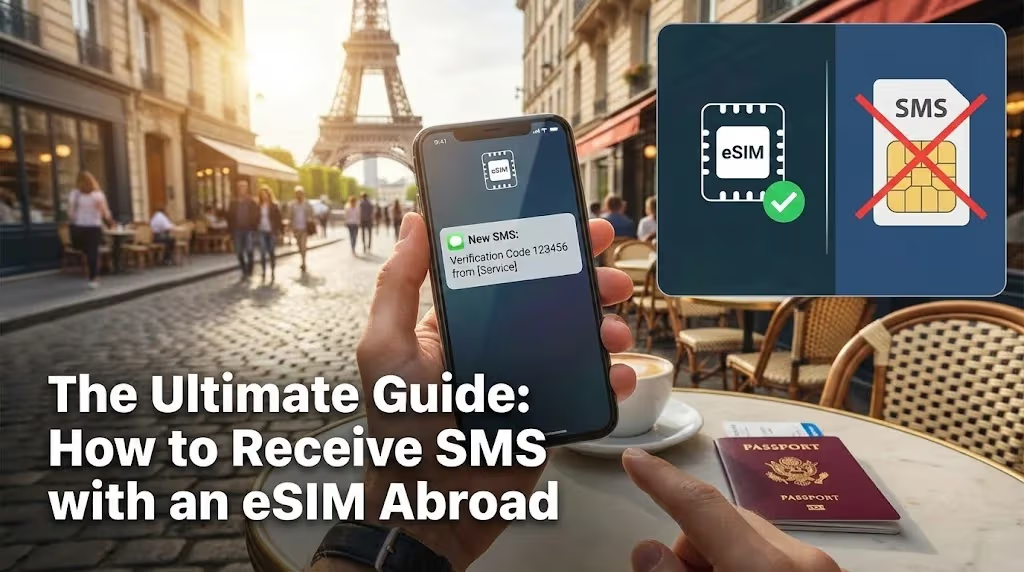
Traveling abroad offers incredible experiences, but staying connected can sometimes present unique challenges. While eSIMs have revolutionized data access, many travelers wonder about a seemingly simple function: receiving SMS messages. Your home phone number is often tied to critical services, from bank notifications to two-factor authentication codes. This guide explores how to ensure you continue to receive these essential SMS messages seamlessly, even when using a Cellesim eSIM for your international data.
- Understanding SMS and eSIM Technology Abroad
- The Essential Dual SIM Strategy for Receiving SMS
- Leveraging Wi-Fi Calling for Seamless SMS Delivery
- Navigating SMS on eSIM-Only Devices
- Ensuring Critical SMS (OTPs, Bank Codes) Reach You
- Step-by-Step Guide: Preparing Your Phone for SMS Abroad
- When to Consider Alternatives to Traditional SMS
- Troubleshooting Common SMS Reception Issues
- Frequently Asked Questions
Connect Instantly with Cellesim Global eSIM
Stay connected in 200+ countries. Join 50,000+ travelers who trust Cellesim for reliable data.
Get Your Global eSIMUnderstanding SMS and eSIM Technology Abroad
Traditional SMS (Short Message Service) relies on your mobile carrier's cellular network for transmission. Unlike internet-based messaging apps, SMS uses the signaling channels of the mobile network. When you travel internationally, your home SIM card typically roams onto a local partner network. This roaming capability allows your phone to still access its home services, including receiving SMS, even if you are not actively making calls or using data.
eSIMs, particularly those from providers like Cellesim, are primarily designed to deliver mobile data connectivity. They provide a local data connection in your destination country, allowing you to access the internet, use apps, and stay in touch without expensive international roaming data charges. While some advanced eSIMs can support voice and SMS, the majority of travel eSIMs, including Cellesim, focus on a data-only service to offer cost-effectiveness and simplicity.
The key distinction lies here: your Cellesim eSIM provides the internet connection, but your home phone number, and therefore the ability to receive SMS on that number, is still linked to your primary physical SIM card or your primary eSIM (if you have an eSIM-only phone). Understanding this separation is crucial for managing your connectivity expectations and ensuring you don't miss important messages.
The Essential Dual SIM Strategy for Receiving SMS
The most effective method for receiving SMS on your home number while using a Cellesim eSIM for data is to employ a dual SIM strategy. Modern smartphones, including most iPhones and Android devices, support either a physical SIM and an eSIM, or multiple eSIMs. This functionality allows your phone to manage two different mobile plans simultaneously.
Here’s how to implement this strategy:
- Keep Your Home SIM Active: Before you depart, ensure your primary physical SIM card (or your primary eSIM if you have an eSIM-only device) remains in your phone and active. Do not remove it.
- Disable Data Roaming for Your Home SIM: This is the most critical step to avoid unexpected charges. Navigate to your phone's cellular settings. Find your primary SIM card (often labeled as "Primary," "Personal," or "Home") and turn OFF "Data Roaming." This prevents your home carrier from charging you for data usage abroad.
- Enable Your Cellesim eSIM for Data: Activate and set your Cellesim eSIM as the primary line for mobile data. This ensures all your internet activity, such as browsing, social media, and app usage, is routed through your affordable Cellesim plan. You can install your Cellesim eSIM well before you travel.
With this setup, your phone's primary line is still registered on a local network (through roaming) solely for voice and SMS services, while your Cellesim eSIM handles all your data needs. In most cases, receiving SMS messages while roaming internationally does not incur charges from your home carrier. However, it is always prudent to verify your specific carrier's policy before your trip.
Leveraging Wi-Fi Calling for Seamless SMS Delivery
Wi-Fi Calling is a powerful feature that further enhances your ability to receive SMS messages (and calls) abroad, even when your home SIM has limited or no cellular signal. This technology allows your phone to use any available internet connection , including the data provided by your Cellesim eSIM , to route calls and texts through your home carrier.
Here’s how it works and why it’s beneficial:
- Activating Wi-Fi Calling: You must enable Wi-Fi Calling on your home number BEFORE you leave your home country. This is typically found in your phone's cellular settings under your primary SIM line. Your carrier must also support Wi-Fi Calling for your specific plan and device.
- Seamless Operation: Once activated, and when your phone detects a Wi-Fi network or an active mobile data connection (like your Cellesim eSIM), it will automatically route calls and SMS messages through that internet connection. This means your home number functions as if you were still in your home country, receiving messages and calls even if your physical SIM has no traditional cellular signal.
- Reliability: This method provides a highly reliable way to receive critical SMS, such as OTPs, regardless of local cellular coverage for your home SIM. As long as your Cellesim eSIM is providing data, your Wi-Fi Calling enabled home line can communicate.
Navigating SMS on eSIM-Only Devices
For travelers using newer iPhone models (e.g., iPhone 14, 15 series) sold in certain regions, which are eSIM-only and lack a physical SIM tray, the strategy adapts slightly. In this scenario, both your home line and your travel data line will be eSIMs.
The core principle remains the same: your home eSIM profile is responsible for your home number's SMS and call services, while your Cellesim eSIM provides the data connection.
Here's the approach:
- Home eSIM Activation: Ensure your home phone number is set up as an eSIM on your device. This is often done by your carrier when you activate your plan.
- Data Roaming Management: For your home eSIM, ensure that data roaming is turned OFF in your cellular settings. This prevents unexpected charges.
- Cellesim eSIM for Data: Install your Cellesim travel eSIM for your destination and set it as your default line for mobile data. You can easily check your device's eSIM compatibility beforehand.
- Wi-Fi Calling is Key: With eSIM-only devices, Wi-Fi Calling becomes even more critical. Enable it for your home eSIM. When your Cellesim eSIM provides a data connection, your home eSIM will utilize this data to receive SMS and calls, effectively extending its reach internationally without traditional cellular roaming.
This setup allows seamless SMS reception on your home number, routing traffic over the Cellesim data connection, offering the convenience of a traditional dual SIM phone but with two eSIM profiles.
Ensuring Critical SMS (OTPs, Bank Codes) Reach You
Many essential services, from online banking and email logins to social media and travel bookings, rely on one-time passwords (OTPs) or two-factor authentication (2FA) codes delivered via SMS. Missing these messages while abroad can lead to significant inconvenience, locking you out of accounts or delaying transactions. The strategies outlined above are specifically designed to safeguard your access to these critical communications.
- Bank Verification: Most banks send OTPs to your registered mobile number. By keeping your home SIM active (with data roaming off) and/or enabling Wi-Fi Calling, you ensure these codes continue to reach you, allowing secure transactions and account access from anywhere.
- App Logins: Services like WhatsApp, Google, Apple, and various social media platforms often use SMS for initial setup or login verification. Maintaining SMS reception ensures you can verify your identity or reactivate accounts if needed. For WhatsApp, specifically, you can generally keep your WhatsApp number active even while using a travel eSIM for data.
- Emergency Notifications: In some cases, government alerts or emergency notifications might be sent via SMS. While less common for international travelers, retaining SMS functionality ensures you are reachable for such messages.
Step-by-Step Guide: Preparing Your Phone for SMS Abroad
To ensure a smooth and connected journey, follow this checklist before you depart:
- Verify eSIM Compatibility: Confirm your smartphone supports eSIM technology. Most newer models (iPhone XS and later, many Samsung Galaxy, Google Pixel, etc.) are compatible. Use the Cellesim eSIM checker if unsure.
- Purchase and Install Cellesim eSIM: Select a Cellesim eSIM plan for your destination or region. Purchase it online and follow the straightforward installation guide. You can install it days or weeks before your trip.
- Enable Wi-Fi Calling (Home SIM): In your phone settings, for your primary home SIM, activate Wi-Fi Calling. This must be done while still in your home country with a stable internet connection.
- Disable Data Roaming (Home SIM): Critically, turn off data roaming for your home SIM. This prevents unwanted charges. Keep the line active for calls and SMS.
- Set Cellesim as Data Primary: Once abroad, activate your Cellesim eSIM and set it as your default line for mobile data. Ensure your home line is set for voice and SMS only.
- Test Connectivity: Upon arrival, ensure your Cellesim data works, and try receiving a test SMS on your home number (e.g., from a friend or family member).
When to Consider Alternatives to Traditional SMS
While the dual SIM and Wi-Fi Calling strategies effectively ensure SMS reception, there are situations where relying solely on traditional SMS might be less ideal, or where alternative messaging platforms offer more flexibility.
Factors to consider:
- Reliability of Home Carrier Roaming: While receiving SMS is generally stable, some remote areas might have patchy roaming agreements for your home SIM.
- Sending SMS: Sending SMS messages while roaming can incur charges, sometimes significant ones. If you anticipate needing to send many texts, an alternative is often more cost-effective.
- Group Messaging & Multimedia: Traditional SMS is limited to text. For group chats, photo sharing, or video messages, internet-based apps are superior.
Popular Alternatives:
- WhatsApp: The most widely used messaging app globally, ideal for text, voice, and video calls over data. It uses your existing phone number but relies on an internet connection.
- iMessage / FaceTime: For Apple users, these services operate seamlessly over Wi-Fi or mobile data (your Cellesim eSIM), offering a familiar experience for communication with other Apple users.
- Telegram / Signal: These apps offer secure, feature-rich messaging options, excellent for privacy-conscious travelers.
- Google Messages (RCS): Android's equivalent to iMessage, offering enhanced messaging features over data when both parties support RCS.
The best approach is often a hybrid one: ensure SMS reception for critical messages (OTPs, bank alerts) and use data-based apps for everyday communication with friends and family. This offers both security and flexibility.
Troubleshooting Common SMS Reception Issues
Even with careful preparation, occasional issues can arise when trying to receive SMS abroad. Here's a quick troubleshooting guide:
- Check Signal Strength: Ensure your home SIM (even with data roaming off) has at least a minimal cellular signal from a local partner network. No signal means no SMS, unless Wi-Fi Calling is active.
- Verify Wi-Fi Calling Status: Look for the "Wi-Fi" indicator next to your carrier name on your phone's status bar (or within calling settings) to confirm Wi-Fi Calling is active. If not, toggle it off and on, or restart your phone.
- Confirm Data Connection: Ensure your Cellesim eSIM is active and providing a stable data connection. Wi-Fi Calling relies on this data if you're not on a Wi-Fi network.
- Restart Your Phone: A simple restart can often resolve temporary network glitches.
- Check APN Settings: While rare for SMS, incorrect APN settings for your home SIM could theoretically interfere. Confirm they are set to your home carrier's defaults.
- Contact Home Carrier Support: If all else fails, reach out to your home carrier's support. They can verify your account's international roaming status for SMS and Wi-Fi Calling.
By systematically checking these points, you can often quickly diagnose and resolve most SMS reception problems, keeping you connected to vital communications during your travels.
Ready for Seamless Connectivity Abroad?
Don't miss a beat. Get reliable data and ensure you receive critical SMS with Cellesim.
Start Your Connected JourneyTrusted by 50,000+ travelers in 200+ countries. 24/7 Support: [email protected]
Frequently Asked Questions
Can I receive SMS with a Cellesim eSIM?
Cellesim eSIMs primarily provide data connectivity. To receive SMS on your existing home phone number, you must keep your primary physical SIM active (with data roaming off) or enable Wi-Fi Calling on your home line. This setup allows your primary number to receive texts, routing them either through its own limited network access or over the Cellesim data connection.
Will my bank's one-time passwords (OTPs) work with an eSIM setup?
Yes, they will. By following the dual SIM setup outlined in this guide , keeping your primary SIM active with data roaming off and using your Cellesim eSIM for data , your phone remains capable of receiving OTPs sent to your home number. This ensures uninterrupted access to your banking and other secure services while traveling.
Does my carrier charge for receiving SMS while roaming internationally?
In most cases, no. The vast majority of mobile carriers do not charge for simply receiving an SMS message when you are abroad. Charges typically apply for sending SMS, making/receiving calls, or using data roaming. Always confirm your specific carrier's policy before traveling for complete assurance.
What is Wi-Fi Calling and how does it help with SMS abroad?
Wi-Fi Calling allows your phone to make and receive calls and texts over any internet connection, including the mobile data provided by your Cellesim eSIM. If your primary SIM supports Wi-Fi Calling and you enable it before you leave home, it becomes a reliable method to receive SMS and calls on your home number, even if your physical SIM is removed or your phone is eSIM-only.
What if my phone is eSIM-only, like newer iPhones?
If your phone is eSIM-only, you would typically use one eSIM for your home number (ensuring Wi-Fi Calling is enabled) and a second eSIM from Cellesim for your travel data. Your home eSIM would then route its SMS and calls over the data connection provided by your Cellesim travel eSIM, offering seamless connectivity without needing a physical SIM tray.
How can I ensure my international trip is fully connected?
To ensure full connectivity, acquire your Cellesim eSIM before departure, install it, and configure your phone for dual SIM use (Cellesim for data, home SIM for SMS/calls with data roaming off). Enable Wi-Fi Calling as a backup. This comprehensive approach provides reliable data and uninterrupted access to essential SMS services throughout your journey across 200+ countries with Cellesim.
Heading there? Compare plans on our Turkey eSIM page and install before you fly.