Updated: 2026-02-15
- Your First Five Minutes in Bali, Reimagined
- Why a Bali eSIM is a Game-Changer for Your 2026 Trip
- Bali eSIM vs. Physical SIM Card: A Head-to-Head Comparison
- Step-by-Step: Setting Up Your Bali eSIM Before You Fly
- Understanding Network Coverage in Bali
- How Much Data Do You Need for Your Bali Trip?
- Cost Comparison: Cellesim eSIM vs. Local SIM vs. Roaming
- Pro Tips for a Seamless Bali eSIM Experience
- Frequently Asked Questions about Bali eSIMs
- Conclusion: Embrace Seamless Connectivity in Bali
Stay Connected Across Indonesia
Get a Cellesim eSIM for Indonesia and ensure you're online from the moment you land. Seamless setup, wide coverage.
Explore Indonesia eSIM Plans 🇮🇩Trusted by 50,000+ happy customers
Your First Five Minutes in Bali, Reimagined
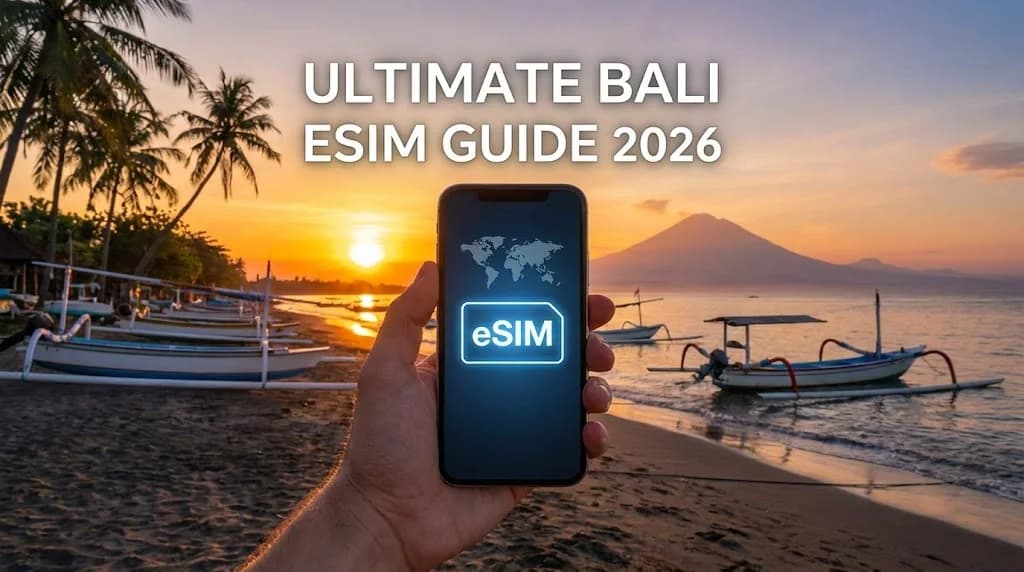
Imagine this: your flight has just touched down at Denpasar's Ngurah Rai International Airport (DPS). The warm, fragrant air of Bali greets you. While others are frantically searching for spotty airport Wi-Fi or lining up at crowded SIM card kiosks, you're already online. You’ve switched your phone off airplane mode, and instantly, you have high-speed data. You’re booking a Grab to your villa in Seminyak, checking the surf report for Canggu, and letting family know you've arrived safely, all before you even reach baggage claim. This isn't a future fantasy; it's the reality of traveling with a Bali eSIM in 2026. For years, staying connected in Indonesia meant navigating confusing tourist SIM packages, language barriers, and the hassle of swapping tiny plastic cards. But with the rise of eSIM technology, travelers now have a powerful, streamlined solution. This guide will walk you through everything you need to know to use an eSIM for your Bali adventure, removing technical anxiety and ensuring you're connected from the moment you land. Securing an eSIM for Bali travel is undeniably one of the smartest pre-trip preparations you can make for your journey to Indonesia.
Why a Bali eSIM is a Game-Changer for Your 2026 Trip
The shift from physical SIM cards to eSIMs represents one of the most significant upgrades for international travelers in the last decade. For a destination like Bali, where connectivity is key to navigating, booking, and sharing your experiences, the advantages are undeniable. An eSIM, or embedded SIM, is a digital SIM card that allows you to activate a cellular plan from a carrier without having to use a physical nano-SIM. This technology is built directly into your device, such as an iPhone 15 or Samsung Galaxy S24, offering a level of convenience and flexibility that was previously impossible.
Instant Connectivity the Moment You Land
The most immediate benefit is eliminating the post-flight SIM card scramble. Instead of wasting your first precious hour in Bali haggling at a counter, you can pre-install your Indonesia eSIM profile at home. The moment your plane's wheels touch the tarmac at DPS, you simply switch on your eSIM line in your phone’s settings, and you're connected to a local network like Telkomsel or XL Axiata. This means you can immediately use ride-sharing apps, access Google Maps to navigate to your hotel in Ubud, or look up currency exchange rates without relying on insecure and often slow public Wi-Fi networks. In my experience, this seamless transition dramatically reduces travel stress and lets you start your vacation smoothly. Imagine landing at Denpasar's Ngurah Rai International Airport (DPS) and having instant eSIM connectivity Bali-wide, ready for your adventure.
Significant Cost Savings Without Roaming Fees
One of the biggest financial traps for travelers is international roaming. Many home carriers charge exorbitant rates, sometimes upwards of $15 (£12) per day, for limited data and slow speeds abroad. A Bali eSIM completely bypasses this issue. By connecting you directly to local Indonesian networks, you pay local-like rates for your data. You can purchase a plan tailored to your needs, whether it's 5GB for a week-long trip for around $10 or an unlimited data eSIM for Bali for a month-long digital nomad stint for under $40. When you compare this to a potential $200+ roaming bill, the savings are substantial. This is a core reason why savvy travelers are making the switch, as detailed in our analysis of Cellesim vs Roaming costs. An eSIM for Bali travel offers superior value, making it a clear choice for budget-conscious explorers. To calculate your potential savings, use our Roaming Savings Calculator.
Enhanced Security and Unmatched Convenience
Using an eSIM is inherently more secure than a physical SIM. There's no risk of losing your tiny home SIM card while fumbling with a new one. Your eSIM profile is digitally secured within your device. Furthermore, it saves you from having to hand over your passport for registration at a local shop, a common requirement for a Bali tourist SIM that can pose privacy risks. The entire process, from purchase to installation, is done online. You receive a QR code via email, scan it, and you're done. This digital-first approach is not only more secure but also more environmentally friendly, reducing plastic waste from discarded SIM cards and packaging. The convenience of an eSIM for Bali truly elevates your travel experience in Indonesia.
Bali eSIM vs. Physical SIM Card: A Head-to-Head Comparison
While traditional SIM cards have served us well for decades, their limitations become glaringly obvious in the context of modern international travel. For anyone planning a trip to Bali in 2026, understanding the key differences between a cutting-edge eSIM and a conventional physical SIM is crucial for making an informed decision. The debate isn't just about technology; it's about convenience, cost, and a stress-free travel experience when visiting Indonesia.
The Airport Scramble and IMEI Registration
With a physical SIM, your first task upon arrival is to find a reliable vendor. This often means long queues at airport kiosks, where you might face inflated prices and limited options. In fact, our data shows that the difference between airport SIM card prices vs eSIM can be as high as 50-70% for a comparable data package. Furthermore, Indonesia has a mandatory IMEI registration policy for tourist SIMs used longer than 90 days, which can be a bureaucratic hassle. An eSIM circumvents all of this. You buy and install it from the comfort of your home, completely avoiding the airport rush and complex registration procedures for short-term travel plans. This makes using an eSIM Bali an incredibly efficient choice for travellers landing at Denpasar's Ngurah Rai International Airport (DPS).
Superior Flexibility and Dual SIM Functionality
Most modern smartphones are Dual SIM capable, but often this means choosing between a second SIM or a microSD card for extra storage. An eSIM frees up the physical slot, allowing you to use your home SIM and a travel eSIM simultaneously. This is a massive advantage. You can keep your primary number active for receiving important calls or SMS verification codes (like from your bank), while using your affordable Bali eSIM for all your data needs. You can easily switch between plans, add more data if you run out, or even have multiple eSIM profiles for different countries stored on your device, a level of flexibility a physical SIM simply cannot match. This makes the Best Bali eSIM solutions truly versatile for any traveler in Indonesia. You can learn more about managing multiple SIMs in our guide on how to switch between physical SIM and eSIM on iPhone.
Step-by-Step: Setting Up Your Bali eSIM Before You Fly
Activating a Bali eSIM is surprisingly simple, but the key to a flawless experience is preparation. The entire process should be completed before you leave for your trip, while you still have a reliable internet connection at home. This ensures you're ready for instant connectivity upon arrival. Here’s a detailed walkthrough for both iPhone and Android users.
Step 1: Choose and Purchase Your Bali eSIM Plan
First, determine your data needs. Are you a light user who just needs maps and messaging, or a digital nomad who will be on video calls from a cafe in Canggu? Providers offer various plans, from 1GB for 7 days to 50GB for 30 days. Once you've selected your plan, you'll complete the purchase online and receive a confirmation email. This email is crucial as it contains your QR code for activation. Do not delete it. For a detailed walkthrough of the entire process, you can always refer to The Complete eSIM Setup Guide. Consider your time in Bali, whether it's exploring Seminyak, relaxing in Ubud, or surfing in Canggu, to pick the ideal Indonesia eSIM. You can also use our Smart Data Calculator to estimate your data requirements.
Step 2: Install the eSIM Profile on Your Device
This is the main setup step. It's best to do this a day or two before you fly. This ensures you have ample time and a stable internet connection. Before proceeding, make sure your device is eSIM compatible. You can use our eSIM Checker to verify your device.
For iPhone (e.g., iPhone 14, iPhone 15, iPhone SE 2020/2022):
- Go to Settings > Cellular (or Mobile Data).
- Tap "Add eSIM" or "Add Data Plan".
- Select "Use QR Code" and scan the QR code provided in your Cellesim confirmation email.
- Follow the on-screen prompts to label your eSIM (e.g., "Bali Travel"). Choose this as your primary line for data when traveling.
- Do NOT activate it for data usage until you land in Bali to avoid triggering the plan prematurely.
For Android (e.g., Samsung Galaxy S24, Google Pixel 8):
- Go to Settings > Network & internet.
- Tap "SIMs" or "Mobile Network".
- Select "Add eSIM" or "Download a SIM".
- Tap "Next" and then "Scan QR code". Scan the QR code from your Cellesim email.
- Follow the prompts to label your eSIM. Keep it off for data roaming until you arrive in Bali.
If you have only one phone and cannot scan the QR code from another device, you can manually enter the activation details. Our guide on how to install an eSIM with one phone provides clear instructions.
Step 3: Activate Your eSIM Upon Arrival in Bali
Once your plane lands at Denpasar's Ngurah Rai International Airport (DPS) and you're ready to use data:
- Turn off airplane mode.
- Go to your phone's Settings > Cellular (iPhone) or Network & internet (Android).
- Select your newly installed "Bali Travel" eSIM profile.
- Ensure "Turn On This Line" (iPhone) or "Use SIM" (Android) is enabled.
- Toggle "Data Roaming" ON for the Bali eSIM. This is crucial as eSIMs often connect through partner networks, which technically counts as roaming but is covered by your plan.
- Make sure your home SIM is set to "Off" for data, or simply set your Bali eSIM as the primary for mobile data.
Within moments, your device should connect to a local Indonesian network, providing you with high-speed internet access. If you encounter any issues, a quick restart of your phone often resolves minor connectivity glitches. For an interactive guide, visit our Interactive Setup Guide.
Find Your Next eSIM Plan Today
Understanding Network Coverage in Bali
Bali's internet infrastructure has significantly improved over the years, especially in popular tourist areas like Seminyak, Canggu, Ubud, and the southern beaches. When you use a Cellesim eSIM for Bali, you're tapping into the robust local networks of Indonesia's leading providers. Generally, Cellesim partners with major carriers such as Telkomsel and XL Axiata, ensuring wide coverage and strong signal strength.
Telkomsel, often considered the largest and most reliable carrier, offers extensive 4G LTE coverage across the island, including more remote areas. XL Axiata provides competitive speeds and good coverage, particularly in urban centers and tourist hotspots. Most popular destinations on Bali, including coastal towns and cultural hubs, benefit from strong 4G LTE, and 5G is increasingly available in select metropolitan areas and major tourist zones like Denpasar and parts of Seminyak.
However, like any destination, connectivity can vary in extremely remote or mountainous regions. If you plan to venture off the beaten path into areas like Munduk, Sidemen, or Nusa Islands, it's wise to check local coverage maps if specific reliability is critical for your journey. For the vast majority of travelers sticking to well-trodden paths, a Cellesim eSIM will provide dependable and fast internet, enabling you to navigate, share experiences, and stay in touch without interruption. You can also explore general network performance insights on global telecom reports, such as those from OpenSignal.
How Much Data Do You Need for Your Bali Trip?
Estimating your data needs for a trip to Bali depends heavily on your usage habits. Travelers often underestimate how much data they consume daily, especially when relying on it for navigation, communication, and entertainment. Here's a breakdown to help you decide:
- Light User (1-3 GB per week): If you primarily use Wi-Fi at your accommodation and cafes, only needing data for occasional map lookups, messaging (WhatsApp), and light social media checks.
- Moderate User (5-10 GB per week): For those who frequently use navigation, regularly check social media, stream some music, and make a few video calls throughout the week.
- Heavy User/Digital Nomad (20+ GB per month or "unlimited"): If you work remotely, stream a lot of video, participate in daily video conferences, or rely heavily on data for all aspects of your trip without frequent Wi-Fi access.
Keep in mind that using ride-sharing apps like Grab or Gojek, frequently uploading high-resolution photos and videos, or prolonged video calls can consume data quickly. It's often better to overestimate slightly than to run out of data mid-trip. Most eSIM plans offer flexibility to top up if needed, but starting with a sufficient allowance provides peace of mind. For a more precise estimate tailored to your travel style, consider using our Smart Data Calculator.
Cost Comparison: Cellesim eSIM vs. Local SIM vs. Roaming
Understanding the financial implications of your connectivity choice is vital for budget-conscious travel. Let's compare the typical costs associated with Cellesim eSIMs, purchasing a local physical SIM card in Bali, and relying on international roaming from your home provider.
| Option | Typical Cost (e.g., 10GB for 15 days) | Pros | Cons |
|---|---|---|---|
| Cellesim eSIM | From $10 - $25 | Instant activation, no physical swap, keep home SIM, secure, transparent pricing, 24/7 support. | Requires eSIM-compatible device, data-only (no local number for calls/SMS unless specified). |
| Local Physical SIM | $15 - $30 | Local number for calls/SMS, potentially cheaper for very long stays, available at airports. | Airport queues, registration hassle (passport required), physical SIM swap risk, limited support post-purchase. |
| International Roaming | $10 - $15 per day ($150 - $225 for 15 days) | Convenience (uses home number), no setup. | Extremely high cost, slow speeds, data limits, unexpected bills. |
As the table illustrates, Cellesim eSIMs often provide the best balance of cost-effectiveness, convenience, and security for the vast majority of travelers to Bali. The initial price might seem comparable to a local SIM, but the time saved, the lack of bureaucratic hassle, and the ability to keep your home SIM active for verification codes offer significant intangible value. The savings compared to traditional roaming are substantial, making eSIMs a financially prudent choice for your Bali adventure.
Pro Tips for a Seamless Bali eSIM Experience
To maximize your connectivity and ensure a smooth experience with your Bali eSIM, consider these expert tips:
- Purchase and Install Before You Fly: As reiterated, this is the golden rule. Avoid last-minute stress by setting up your eSIM while you have a stable internet connection at home.
- Keep Your Home SIM Active: If your phone supports it, keep your primary SIM active (but disable data roaming for it). This allows you to receive calls or SMS verification codes from banks or other services that might still rely on your home number. Learn more about keeping your number with a travel eSIM.
- Monitor Data Usage: Regularly check your data consumption through your phone's settings or the Cellesim portal. This helps you avoid running out unexpectedly, especially if you have a fixed data plan.
- Utilize Wi-Fi When Available: Save your eSIM data for when you truly need it. Connect to hotel or cafe Wi-Fi networks for large downloads, streaming, or video calls.
- Download Offline Maps: Before heading out, download offline maps of Bali areas (e.g., via Google Maps). This provides a crucial backup for navigation even if you temporarily lose signal or run out of data.
- Stay Updated on Local Regulations: While eSIMs simplify things, it's always good to be aware of any changes in Indonesian telecom regulations, especially if you plan an extended stay. Check the official Indonesia tourism board website for general travel advice.
- Power Bank is Your Friend: Constant data usage can drain your phone battery faster. Carry a portable power bank to ensure your device stays charged and connected throughout your day of exploring Bali.
By following these tips, you can ensure your Cellesim Bali eSIM enhances your travel experience, keeping you effortlessly connected as you explore the island's beauty.
Frequently Asked Questions about Bali eSIMs
What is an eSIM and how does it work for Bali?
An eSIM (embedded SIM) is a digital SIM card built directly into your compatible smartphone or tablet. For Bali, it allows you to activate a local data plan from a provider like Cellesim without needing a physical SIM card. You simply scan a QR code, install the profile, and activate it upon arrival to get instant internet access.
Is my phone compatible with an eSIM for Bali?
Most modern smartphones released in the last few years are eSIM compatible, including newer iPhone models (iPhone XS and later), Samsung Galaxy S20 series and newer, and Google Pixel 3 and later. You can easily check your device's compatibility using our eSIM Checker on the Cellesim website.
Can I make calls and send SMS with a Cellesim Bali eSIM?
Cellesim Bali eSIMs primarily provide data services. While they do not typically come with a local Indonesian phone number for traditional calls and SMS, you can use VoIP apps like WhatsApp, FaceTime, or Google Meet for calling and messaging over your data connection. This allows you to stay in touch using your existing number and contacts.
When should I activate my Bali eSIM?
You should purchase and install your Cellesim eSIM profile before you travel, ideally a day or two before your departure, while you have a stable internet connection. However, only activate the data plan (turn on data roaming for the eSIM line) once you arrive in Bali to ensure your plan's validity period starts correctly upon your arrival.
What if I run out of data on my Bali eSIM?
If your Cellesim Bali eSIM data runs low, you can easily top up your plan through the Cellesim website. Simply log into your account, select your current plan, and purchase additional data as needed. This process is quick and ensures you remain connected throughout your trip without interruption.
Is an eSIM more secure than a physical SIM in Bali?
Yes, an eSIM offers enhanced security. There's no physical card to lose or have stolen, and your digital profile is securely stored on your device. It also negates the need to register your passport details at local SIM shops, which can sometimes pose privacy concerns for travelers.
Conclusion: Embrace Seamless Connectivity in Bali
Bali, with its vibrant culture, stunning landscapes, and serene beaches, promises an unforgettable travel experience. In 2026, staying connected no longer needs to be a source of frustration. The Cellesim Bali eSIM transforms your connectivity experience from a post-arrival chore into a seamless, pre-planned convenience. From instant access to navigation and ride-sharing apps at Denpasar airport to sharing your stunning sunset photos from Uluwatu, an eSIM ensures you are always online, efficiently and affordably.
By choosing a Cellesim eSIM, you prioritize convenience, cost savings, and peace of mind. You avoid airport queues, sidestep exorbitant roaming charges, and maintain dual SIM functionality, keeping your home number active. Prepare for your Bali adventure by securing your digital connection today, and focus on creating memories rather than searching for Wi-Fi. Your journey to the Island of Gods deserves nothing less than effortless connectivity.
Ready for Instant Connectivity in Bali?
Purchase your Cellesim eSIM for Bali today and enjoy high-speed data from the moment you land. Get connected in 200+ countries with Cellesim.