You have done it. You have mastered the art of working from anywhere. The backdrop for your next team meeting is not a bland office wall, but a sun-drenched balcony in Lisbon. Then, just as you are about to present your quarterly findings, your screen freezes. The dreaded "Your internet connection is unstable" notification pops up. Panic sets in. Many remote professionals have experienced this, and it is a uniquely modern kind of travel frustration. Getting stable internet for Zoom calls while traveling is not just a convenience; it is a necessity. This guide is not about generic tips; it is about building a rock-solid connectivity strategy, so your biggest worry is the time zone difference, not your connection. Having reliable international eSIM data plans is the foundation of a stress-free remote work experience, and we will show you exactly how to achieve that.
- Why Your Connection Drops: The Usual Suspects of Bad Travel Internet
- Your Connectivity Toolkit: Comparing Travel WiFi Solutions
- Choosing the Right eSIM Plan for Flawless Video Calls
- Cost Comparison: eSIM, Local SIM, and Roaming for Remote Work
- Pro-Level Strategy: How to Guarantee a Flawless Zoom Call
- Activating Your Cellesim eSIM for Optimal Performance
- Frequently Asked Questions
Stay Connected in 200+ Countries
Never miss a beat, or a meeting, with Cellesim's global eSIM plans. Instant activation, reliable 4G/5G speeds, and 50,000+ happy customers
Find Your eSIM Plan Now ✨
Why Your Connection Drops: The Usual Suspects of Bad Travel Internet
Before we jump into solutions, it is crucial to understand why that seemingly fast hotel Wi-Fi can betray you during a video call. It is rarely about one single thing, but a combination of factors that conspire against your connection at the worst possible moment.
The Hotel Wi-Fi Lottery
Hotel Wi-Fi is a shared resource, and you are competing with hundreds of other guests streaming movies, gaming, and video chatting. This creates a few key problems:
- Network Congestion: During peak hours (mornings and evenings), the network is like a traffic jam. Your data packets get stuck, leading to lag, robotic voices, and frozen video.
- Poor Signal Strength: Are you in a room at the far end of the hallway? The Wi-Fi signal might be weak and inconsistent, leading to frequent dropouts. The router could be floors away, with concrete walls blocking the signal.
- Throttling and Traffic Shaping: To ensure a baseline experience for everyone, many hotels intentionally limit the bandwidth per user or de-prioritize high-consumption activities like video streaming. This is especially true for free Wi-Fi tiers.
The Public Hotspot Gamble
That cafe with the great coffee might seem like the perfect spot for a quick meeting, but public Wi-Fi is notoriously unreliable for video conferencing. Beyond the obvious security risks, these networks are often slow, unstable, and not configured for the sustained, two-way data stream that a Zoom call requires. It is a gamble you do not want to take with an important client. Furthermore, public Wi-Fi networks often lack strong encryption, making your data vulnerable to interception. For sensitive work conversations, this is a significant concern. You can learn more about public Wi-Fi dangers in our guide on public Wi-Fi dangers and eSIM safety.
The Hidden Killer: High Latency
Sometimes, the problem is not your download speed but your latency (or 'ping'). This is the time it takes for data to travel from your device to the Zoom server and back. When traveling internationally, your data might be routed through servers halfway across the world, creating a significant delay. Even with high speeds, high latency causes that awkward lag where you talk over each other. For smooth video calls, you need low latency, something cellular networks are often better at providing than internationally routed Wi-Fi. Before you travel, it is wise to check if your device is eSIM-ready, as this will give you the most flexibility in finding a low-latency connection. You can use tools like OpenSignal to understand network performance, including latency, in various regions.
Your Connectivity Toolkit: Comparing Travel WiFi Solutions
A successful remote work trip hinges on having the right tools. Relying on a single source of internet is a recipe for disaster. Instead, you need a multi-layered approach. Here are the top contenders for your travel connectivity toolkit.
1. The Modern Essential: eSIM for International Travel
An eSIM (embedded SIM) is a digital SIM card that lets you activate a cellular plan without needing a physical nano-SIM. For remote workers, this technology is a game-changer.
- Why it excels for Zoom: With an eSIM, your laptop or tablet gets a direct, dedicated cellular data connection. You are not sharing bandwidth with an entire hotel. Cellesim partners with premium local carriers, so you connect to the best available 4G/5G network, ensuring fast speeds and, crucially, low latency.
- Unmatched Flexibility: Landing in a new country? You can activate your plan instantly from your phone. No more hunting for a SIM card kiosk at the airport. Need to travel between countries? Regional plans, like an eSIM for the United States which covers Canada and Mexico too, keep you connected seamlessly.
- Cost-Effective: You buy exactly the data you need for a set period, completely avoiding expensive roaming fees from your home carrier.
Best for: The digital nomad or business traveler who needs instant, reliable, and secure internet on demand, directly on their primary device or tethered to a laptop. Cellesim offers specific plans tailored for business travelers to ensure continuous connectivity.
2. The Dedicated Device: Global Mobile Hotspot
A global mobile hotspot, or MiFi, is a small, portable device that creates its own private Wi-Fi network using a cellular signal. You can connect multiple devices to it, like your phone, laptop, and tablet.
- Pros: It does not drain your phone's battery, and it is great for teams or if you are traveling with family. The connection is dedicated to your devices.
- Cons: It is another gadget to carry, charge, and potentially lose. The upfront cost of the device can be high, and you still need to purchase data plans for it, which can be less flexible than eSIMs. Comparing it to an eSIM for data can often reveal a higher total cost and less convenience.
Best for: Travelers with multiple devices that need a connection simultaneously or those whose primary phone does not support eSIM. However, for a single user with an eSIM-compatible phone, an eSIM remains a more streamlined and often more affordable option.
3. The Old-School Method: Local Physical SIM Card
This involves going to a store upon arrival, buying a prepaid SIM card, and swapping it with your home SIM.
- Pros: Can be very cheap for long stays in a single country and often comes with a local phone number.
- Cons: The hassle factor is high. You need to find a store, deal with potential language barriers, and go through registration processes. You also risk losing your primary SIM card. If you run out of data, topping up can be complicated. This method is explored further in our article on airport SIM cards vs. eSIM.
Best for: Budget-conscious travelers staying in one country for an extended period (a month or more) who do not mind the initial setup inconvenience. For shorter, multi-country, or urgent travel, an eSIM typically offers superior convenience and speed of access.
Choosing the Right eSIM Plan for Flawless Video Calls
Selecting the correct eSIM plan is paramount for ensuring stable and uninterrupted video calls while you are abroad. It is not just about having data; it is about having the right amount, for the right duration, with the right network quality.
Assess Your Data Needs Carefully
Video calls are data-intensive. A single hour-long Zoom call can consume upwards of 1GB, especially if you are screen-sharing or using HD video. Consider the following:
- Number of Meetings: How many video calls do you anticipate having per day or week?
- Meeting Duration: Are they quick check-ins or extensive presentations?
- Other Usage: Factor in additional data for emails, navigation, messaging apps, and light browsing.
Cellesim offers a smart data calculator to help you estimate precisely how much data you will need for your trip, tailored to your usage patterns. This prevents running out of data mid-call or overpaying for unused gigabytes. We also have a guide on how much data you really need for a 2-week trip.
Single Country vs. Regional Plans
Your itinerary dictates the type of plan you should choose:
- Single Country Plans: If your travel is confined to one nation, a country-specific eSIM offers localized rates and often excellent network coverage with a primary local carrier. Cellesim provides eSIMs for Italy, eSIMs for France, and many other individual destinations.
- Regional Plans: For multi-country trips, especially within a continent like Europe or Asia, a regional eSIM simplifies connectivity by covering multiple destinations under one plan. This eliminates the need to buy a new eSIM for each border crossing, offering seamless transition and consistent service. Our guide on multi-country eSIMs can provide more insight.
Cellesim offers flexible plans from 3 days to 30 days, with data packages ranging from 1GB to 20GB or more, ensuring you can match a plan to your exact travel duration and data requirements.
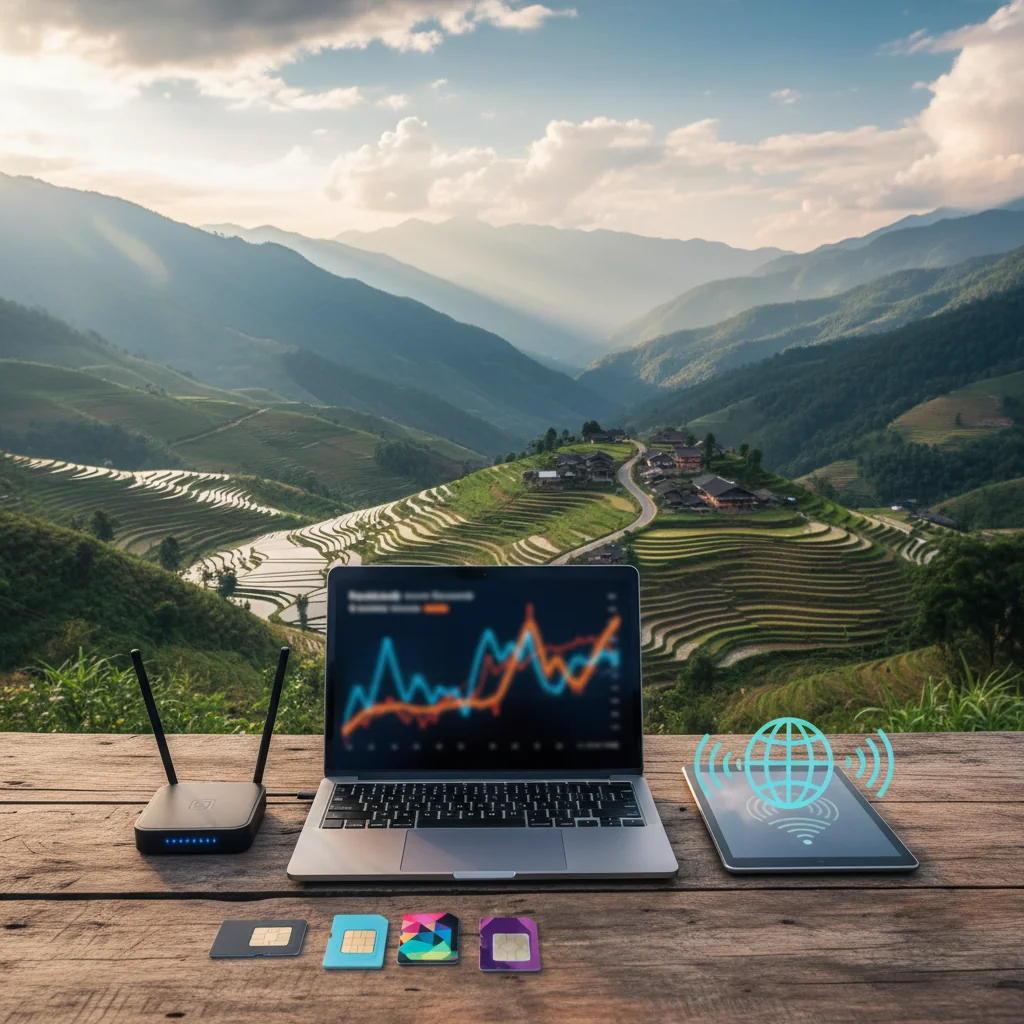
Cost Comparison: eSIM, Local SIM, and Roaming for Remote Work
Understanding the financial implications of your connectivity choice is crucial for any remote worker. While convenience is key, cost-effectiveness often influences the decision, especially for longer trips or frequent travel.
| Connectivity Option | Average Daily Cost (Example) | Convenience | Reliability for Zoom Calls | Key Considerations |
|---|---|---|---|---|
| Cellesim eSIM | From $1.50 - $4.00 (per GB) | Instant, digital, multi-country | High (dedicated 4G/5G) | Buy online, activate anywhere, no physical SIM. Partners with top local networks. |
| Local Physical SIM | From $0.50 - $2.50 (per GB) | Moderate (find store, registration) | High (dedicated local 4G/5G) | Cheapest for long single-country stays, but initial setup hassle and language barriers. |
| Carrier Roaming (e.g., AT&T, Verizon, O2) | $10 - $25 (per day pass) | High (automatic activation) | Variable (often throttled, high latency) | Extremely expensive for data-heavy use like Zoom. Hidden fees common. |
| Mobile Hotspot Device | $5 - $15 (device rental + data) | Moderate (carry/charge device) | High (dedicated cellular) | Upfront device cost or rental, another item to manage. Data plans can be less flexible. |
| Hotel/Public Wi-Fi | Free - $10 (for premium tiers) | High (easy access) | Low (congestion, throttling, security risks) | Unreliable for critical calls. Security concerns on public networks. |
As the table illustrates, while local physical SIMs can sometimes offer a slightly lower per-GB rate, the total cost and convenience factor heavily favor eSIMs for the typical remote worker. Roaming is almost universally the most expensive option for anyone needing consistent internet for video calls, often leading to unexpected bill shock. Our roaming savings calculator can demonstrate just how much you can save with an eSIM.
Browse All eSIM Plans
Pro-Level Strategy: How to Guarantee a Flawless Zoom Call
Having the right tools is only half the battle. Executing a professional video call from a hotel room in Bangkok requires a specific strategy. Think of it as your pre-flight checklist for connectivity.
Before You Travel
- Research Network Coverage: Do not just assume there will be good service. Use resources like the GSMA Coverage Map or specific carrier websites to check the quality of 4G and 5G networks from different carriers at your destination. Cellesim lists its network partners, so you know you are getting a top-tier connection.
- Calculate Your Data Needs: A one-hour Zoom call can use between 500MB and 1.5GB of data, depending on video quality. Use a tool to estimate your data needs for the trip, factoring in all your meetings, and purchase a plan with a comfortable buffer. Remember, it is better to have a bit too much data than to run out mid-presentation.
- Prepare a Backup: Your primary plan should be your eSIM. Your backup could be the hotel Wi-Fi or even a secondary eSIM from a different provider if the connection is absolutely mission-critical. Never rely on a single point of failure, especially for vital business communications.
Setting Up for the Call
You have landed, checked in, and your big meeting is in an hour. It is time for the final setup.
- Run a Speed Test: Do not just test download and upload speeds. Pay close attention to the 'ping' or 'latency' measurement. For a smooth call, you want a ping under 100ms. Anything over 150ms will likely cause noticeable lag. Test both your eSIM hotspot and the hotel Wi-Fi to see which performs better. Use reliable speed test websites to get accurate readings.
- Optimize Your Location: If using a cellular connection (eSIM or hotspot), position yourself near a window for the strongest signal. Walls, especially concrete ones, can significantly degrade cellular reception. If you must use hotel Wi-Fi, try to work in a common area like the lobby or business center, which often has a better connection than individual rooms due to closer proximity to the router and often dedicated bandwidth.
- Plug In if Possible: Some hotel rooms still have an Ethernet port. A wired connection is almost always more stable and faster than Wi-Fi, eliminating wireless interference. It is worth packing a small travel Ethernet adapter for devices without a built-in port.
During the Call: Connection First, Quality Second
If you notice any instability, act fast to preserve the connection.
- Turn Off HD Video: In your Zoom settings, disable the 'HD' video option. Standard definition uses significantly less bandwidth and is the first and most effective step to stabilize a call without completely sacrificing video.
- Close Everything Else: Shut down any background applications that might be using bandwidth, cloud sync services (like Dropbox or Google Drive), software updates, and unnecessary browser tabs. Every bit of freed bandwidth helps maintain your call quality.
- Mute Your Mic When Not Speaking: While seemingly minor, constantly uploading audio data contributes to bandwidth usage. Muting your microphone when listening reduces your outgoing data stream, helping to conserve bandwidth and stabilize the call.
Activating Your Cellesim eSIM for Optimal Performance
The beauty of an eSIM lies in its simplicity and speed of activation. However, a few best practices can ensure your Cellesim eSIM is ready to deliver peak performance exactly when you need it for your video calls.
Pre-Departure Installation
One of the greatest advantages of Cellesim is the ability to install your eSIM before you even leave home. After purchasing your plan, you will receive an email with a QR code or manual installation details. Follow these steps:
- Scan the QR Code: On your eSIM-compatible device, go to Settings > Cellular/Mobile Data > Add eSIM. Scan the provided QR code.
- Label Your eSIM: Give your new eSIM a clear label, like "Travel eSIM" or "Cellesim [Country Name]," to easily distinguish it from your primary SIM.
- Keep Your Home Line Active: Ensure your primary SIM (physical or eSIM) remains active, especially if you need to receive calls or SMS to your home number. Your phone will support both.
For a detailed walkthrough, refer to our complete eSIM setup guide or our interactive setup guide.
Timing Your Activation
Cellesim plans typically activate when they connect to a supported network in your destination country. This means you can install it days or weeks in advance without your data plan starting. However, for immediate connectivity upon arrival:
- Enable Data Roaming for eSIM: Once you land, ensure data roaming is turned ON for your Cellesim eSIM line in your phone settings. Do not worry, this only applies to the eSIM, not your home line, and will activate your Cellesim data plan.
- Set eSIM as Primary for Data: In your phone's cellular settings, select your Cellesim eSIM as the primary line for mobile data. This ensures all your internet traffic goes through your new, affordable plan.
- Test Your Connection: Immediately open a browser or an app to confirm you have a stable data connection. This allows you to resolve any minor issues before your critical Zoom call.
By following these steps, you eliminate the frantic search for airport Wi-Fi or a local SIM card, giving you peace of mind and stable internet from the moment you disembark. This proactive approach is a hallmark of the modern business traveler.
Frequently Asked Questions
How much data does a Zoom call typically use per hour?
A standard definition Zoom call can use between 500MB and 1.5GB of data per hour, depending on factors like video quality, number of participants, and screen sharing. Enabling HD video significantly increases data consumption. It is always wise to estimate your data needs and choose a plan with a buffer.
Is hotel Wi-Fi reliable enough for important video conferences?
Hotel Wi-Fi can be unreliable for important video conferences due to network congestion from many users, inconsistent signal strength in rooms, and potential bandwidth throttling. For critical calls, a dedicated cellular connection via an eSIM or mobile hotspot generally offers greater stability and reliability.
What is latency and why is it crucial for smooth Zoom calls?
Latency, often called 'ping,' is the time it takes for data to travel from your device to a server and back. High latency causes noticeable delays and 'talk-overs' in video calls, even with good download speeds. For smooth Zoom calls, a latency below 100ms is ideal, which cellular networks often provide more consistently than public Wi-Fi.
Can I use my phone's personal hotspot for Zoom calls while traveling internationally?
Yes, using your phone's personal hotspot with an international eSIM is an excellent strategy for Zoom calls while traveling. This provides a dedicated cellular data connection to your laptop or other devices, bypassing congested Wi-Fi networks and often offering better speed and lower latency. Cellesim eSIMs are optimized for this use.
When is the best time to activate my Cellesim eSIM for travel?
The ideal time to activate your Cellesim eSIM is before you depart or shortly after landing at your destination. Cellesim plans activate instantly, so you can set it up from home and simply switch to it once you arrive, ensuring immediate connectivity without searching for Wi-Fi or local SIM cards. This allows for seamless navigation and communication upon arrival.
How does Cellesim ensure stable internet for travelers needing video calls?
Cellesim partners with top local carriers in over 200 countries, providing access to robust 4G/5G networks. This direct cellular connection bypasses the congestion of public Wi-Fi, offering predictable speeds and low latency essential for video calls. Cellesim's instant activation and flexible data plans mean you can always secure a reliable connection wherever you are.
Ready for Flawless Remote Work Anywhere?
Join 50,000+ happy customers who trust Cellesim for their travel connectivity. Get instant, reliable internet and make dropped calls a thing of the past.
Explore Cellesim eSIM PlansWorking remotely while traveling is an incredible privilege, but it comes with the responsibility of being a reliable professional. Dropped calls and choppy video do not just look unprofessional; they erode trust and create unnecessary stress. By moving beyond a passive reliance on whatever internet is available and adopting a proactive strategy, you take control. Having a high-quality eSIM in your digital toolkit is the single most powerful step you can take. It provides the secure, stable, and flexible foundation you need to ensure your focus remains on your work, not on your Wi-Fi signal. With a solid plan and the right tools, you can confidently take that call from anywhere in the world. Get started with our simple interactive setup guide and make connectivity issues a thing of the past.